Qyrus Named a Leader in The Forrester Wave™: Autonomous Testing Platforms, Q4 2025 – Read More

Welcome to our February update!  

This month, we are shifting gears to focus on velocity, volume, and smarter orchestration. As your testing needs grow more complex, your tools need to be faster and more flexible to keep up. We’ve listened closely to your feedback and delivered a set of powerful enhancements designed to remove bottlenecks, streamline management, and give you total command over your execution strategy. 

In this release, we’ve supercharged Test Orchestration by tripling your configuration limits and unlocking the ability to execute multiple workflows simultaneously. We’ve also brought massive performance improvements to the workflow canvas, ensuring even the most complex tests load instantly.  

On the execution front, you now have the power to bulk stop and delete web tests, while our new smart variable fallback ensures your environments are easier to manage than ever. Whether you are scaling up load tests or fine-tuning API timing with new Wait nodes, February is all about helping you test smarter and faster. 

Let’s dive into the powerful new capabilities arriving on the Qyrus platform this month! 

Web Testing

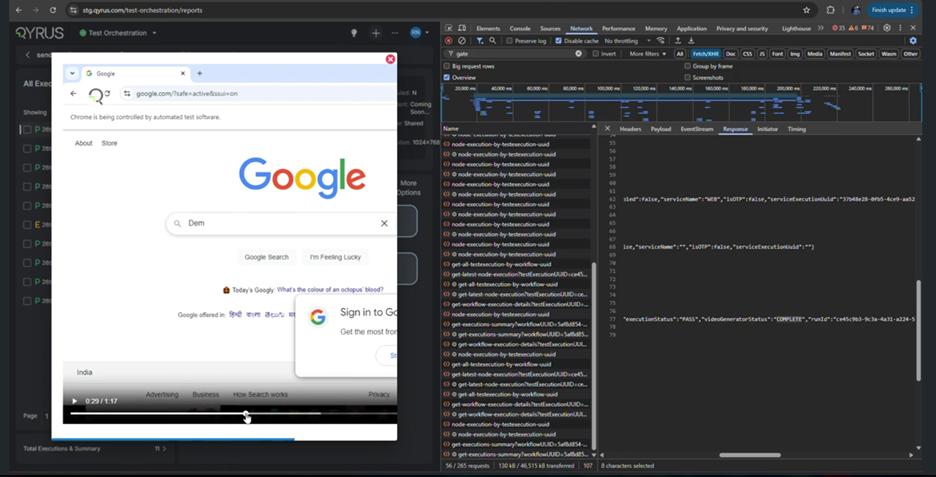
Take Command: Bulk Stop & Delete for Web Tests! 
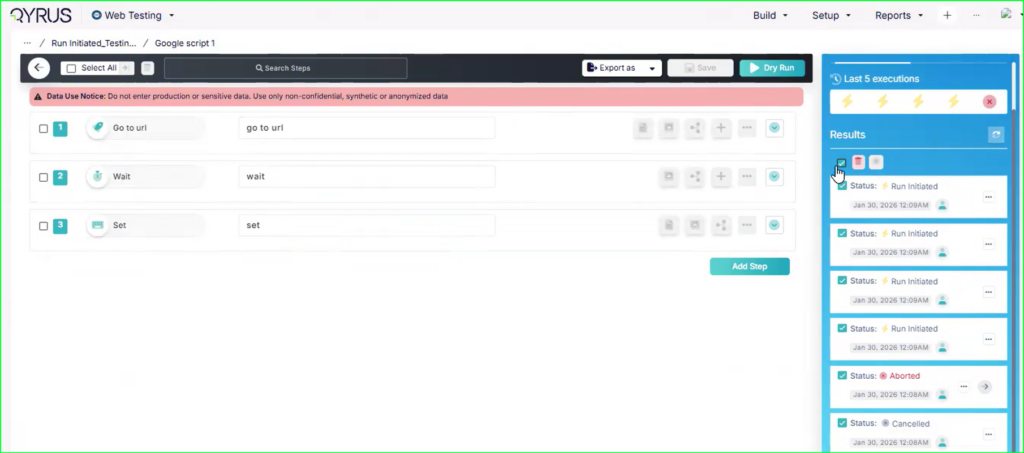
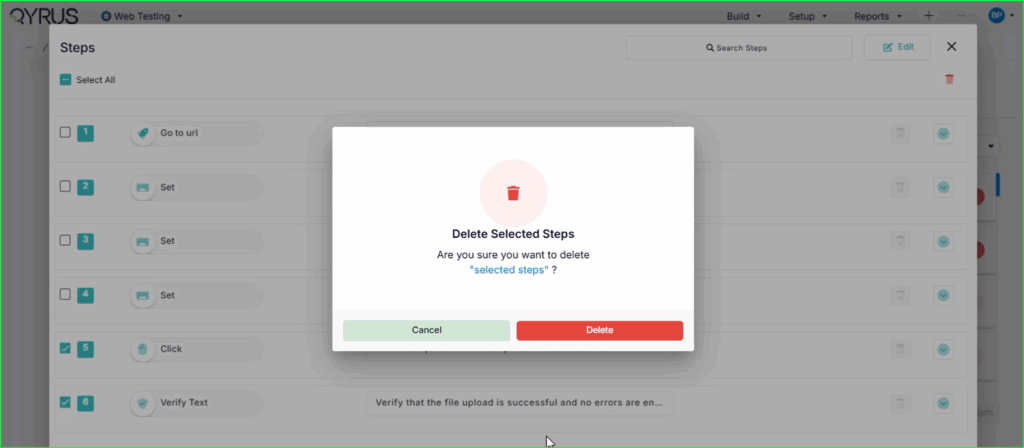
Bulk Stop & Delete for Web Tests

The Challenge:  

Previously, managing test execution queues could be a tedious, manual process. If you accidentally triggered a massive suite with the wrong configuration, or if a set of tests stalled while allocating browsers, you were often forced to stop them one by one. This inability to mass-cancel or clean up runs meant valuable concurrency slots were tied up unnecessarily, and report dashboards became cluttered with irrelevant data. 

The Fix:  

We have implemented a robust Bulk Stop and Delete functionality for Web Tests. You now have granular control over your execution queue: 

  • Selective Control: Select specific multiple tests or choose “Select All” to perform actions in bulk. 
  • Immediate Action: Instantly Stop running tests (updating them to “CANCELLED” or “ABORTED”) or Delete old runs to clean up your view. 
  • Broad Coverage: This works across various early-stage statuses like “Run Initiated,” “Allocating Browsers,” and “Running,” ensuring you can pull the plug before resources are wasted. (Note: Runs already generating reports will complete to ensure data integrity). 

How will it help?  

This feature gives you immediate command over your testing resources. 

  • Save Concurrency: Instantly free up browser slots by cancelling accidental or stuck runs in bulk, allowing legitimate tests to run sooner. 
  • Faster Cleanup: Keep your reporting dashboard organized by quickly deleting batches of irrelevant or failed execution entries. 
  • Safety First: Includes confirmation prompts to prevent accidental mass deletions, giving you confidence while managing high volumes of tests. 

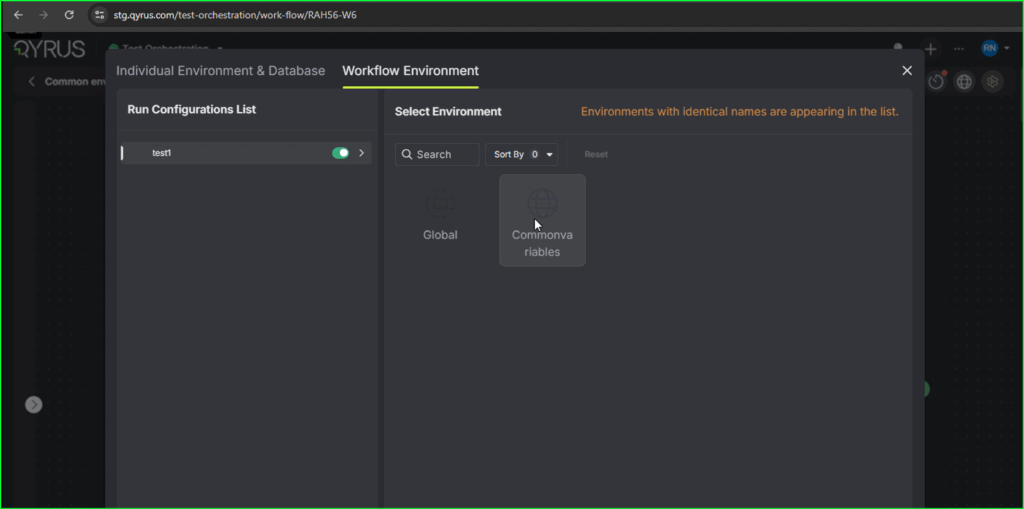
Smart Variable Resolution: Global Fallback Now Active! 

The Challenge:  

Managing test data across multiple environments (SIT, UAT, Pre-Prod) often resulted in unnecessary redundancy. If you had a variable that was constant across all environments—like a shared API key or a common database URL—you were previously forced to define that same variable repeatedly inside every single environment profile. This not only cluttered your workspace but also made maintenance a nightmare; updating a shared value meant editing five different files instead of just one. 

The Fix:  

We have introduced a smart fallback mechanism for environment variables. The system now employs a hierarchical lookup logic during execution. When a test step requests a variable, the system first checks your currently selected environment (e.g., SIT). If the key is missing there, it automatically “falls back” and retrieves the value from your Global environment. 

How will it help?  

This update brings the “Don’t Repeat Yourself” (DRY) principle to your test configuration. 

  • Reduce Redundancy: Define shared values (like standard timeouts or common endpoints) once in the Global profile, and they automatically work everywhere. 
  • Simplify Maintenance: Update a shared credential in one place, and the change propagates instantly to all environments that don’t override it. 
  • Cleaner Configuration: Keep your environment-specific profiles focused only on what actually changes between environments (like URLs or user accounts), keeping your setup lean and readable. 

Expand Your Reach: Run 10 Configurations in a Single Workflow! 
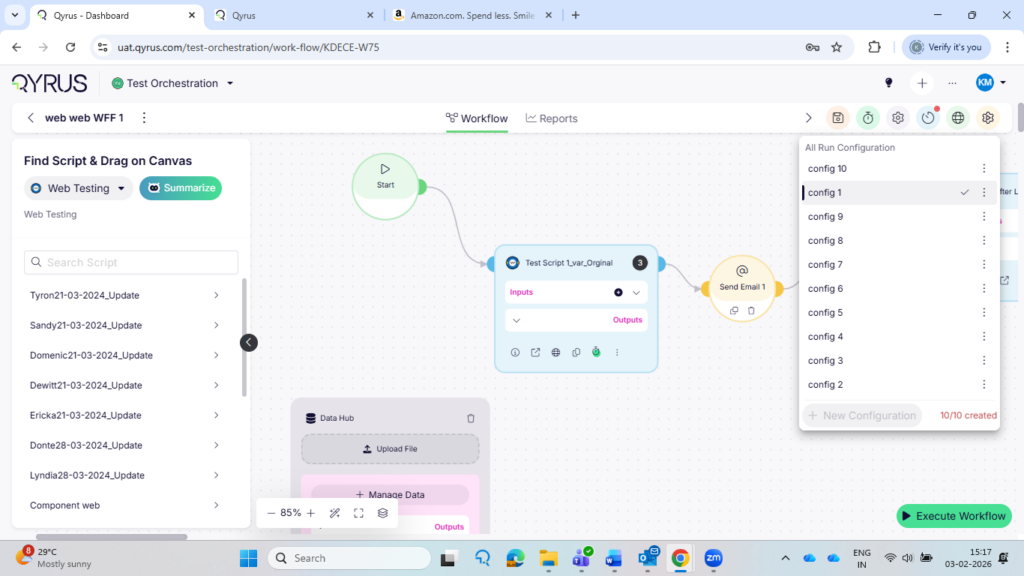
Run 10 Configurations in a Single Workflow

The Challenge:  

Previously, test workflows were limited to a maximum of 3 configurations. For global teams needing to validate scripts across multiple markets or environments simultaneously, this limit was a major bottleneck. Users were forced to fragment their testing into multiple separate schedules or workflows just to cover all their required bases, creating unnecessary management overhead and “configuration dependencies.” 

The Fix:  

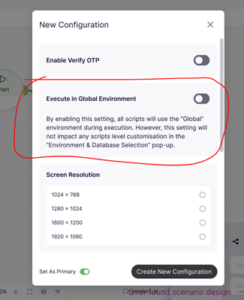
We have more than tripled the capacity for workflow customizations. You can now add up to 10 unique Run Configurations (Global Environment Configurations) within a single workflow. 

How will it help?  

This update streamlines your global testing strategy. 

  • One Schedule, All Markets: You can now validate a script across up to 10 different markets or environments in a single scheduled run. 
  • Reduced Clutter: Eliminate the need to create duplicate workflows just to bypass the previous limit. 
  • Simplified Management: Manage your entire multi-region or multi-config test strategy from a centralized, single pane of glass. 

Orchestrate at Scale: Execute Multiple Workflows Simultaneously! 
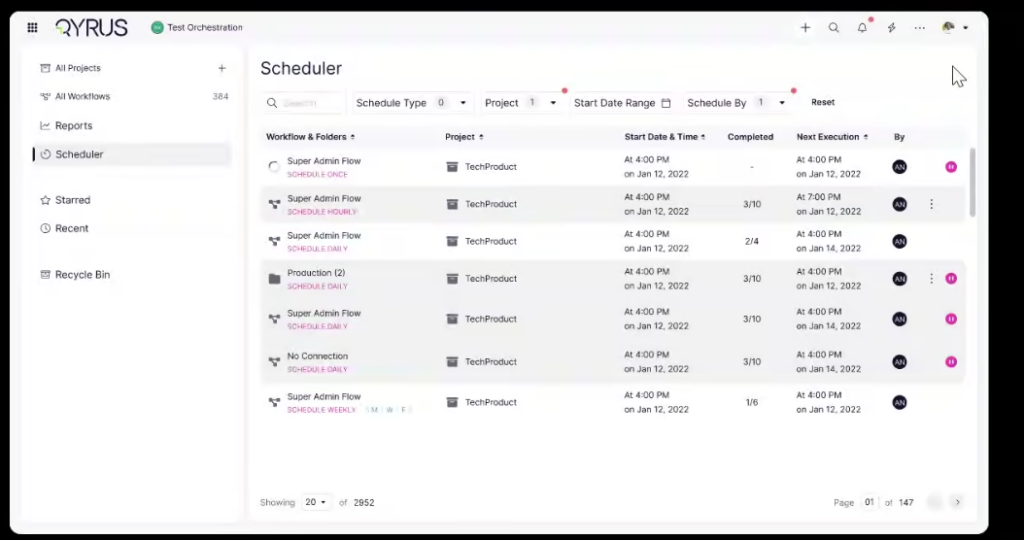
Execute Multiple Workflows Simultaneously

The Challenge:  

Previously, Test Orchestration was limited to a “one-at-a-time” execution model. If you had 20 different workflows that needed to run daily or weekly, you had to manually trigger or schedule each one individually. There was no mechanism to group them together and say “Run all of these now,” which made managing large-scale, recurring test cycles incredibly tedious and time-consuming. 

 The Fix:  

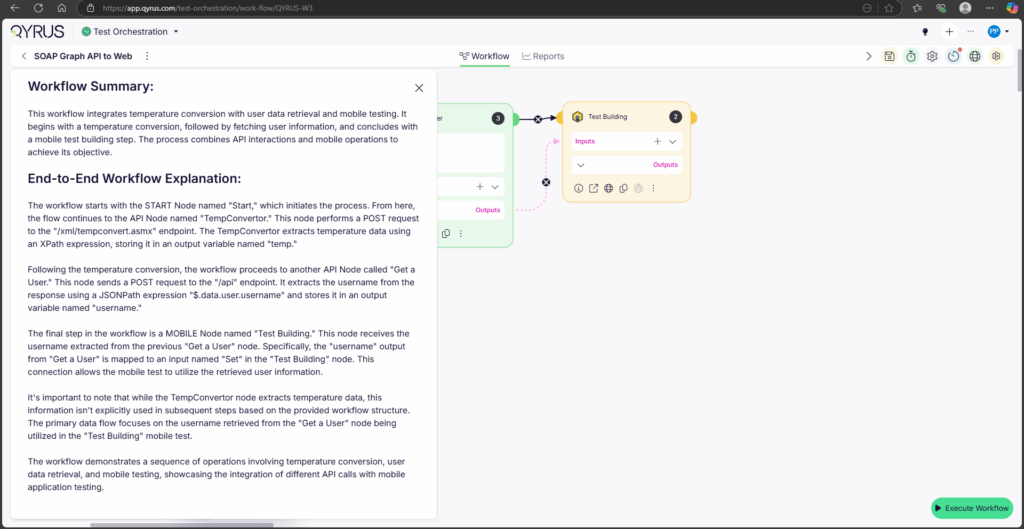
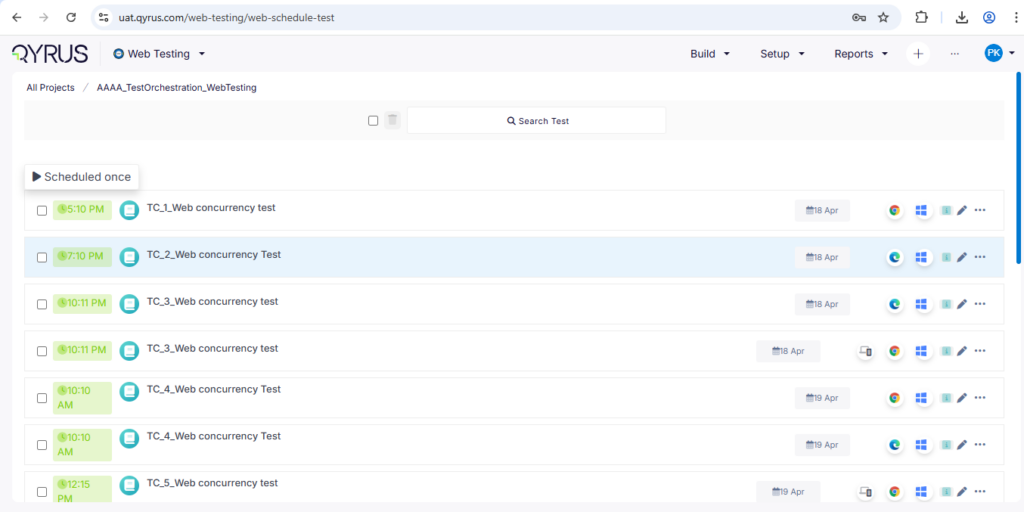
We have unlocked the ability to execute and schedule multiple workflows simultaneously. You can now select multiple workflows—whether they reside within a single folder or are scattered across different folders—and trigger them all in one go with their respective global environment configurations. 

 How will it help?  

This update transforms Test Orchestration into a true bulk-management tool. 

  • Massive Efficiency: Trigger your entire daily or weekly regression suite with a single click, rather than dozens. 
  • Parallel Execution: Leverage your grid’s full potential by spinning up multiple workflows at once. 
  • Simplified Scheduling: Set up complex, multi-workflow schedules easily, ensuring all your critical tests run exactly when they need to without manual intervention. 

Turbocharged Canvas: Load Complex Workflows Instantly!

The Challenge:  

As workflows grew in complexity with hundreds of steps and linkages, the Test Orchestration canvas struggled to keep up. Users with large projects (like those at Finzly) experienced frustrating load times—sometimes exceeding 15 minutes—or faced “Page Unresponsive” errors and browser timeouts. The sheer volume of data being rendered at once made the interface laggy and difficult to navigate. 

 The Fix:  

We have engineered a massive performance overhaul for the workflow builder. 

  • Web Workers: We now offload heavy processing tasks to background threads, keeping the UI responsive. 
  • Smart Rendering: We implemented incremental loading and pagination for IO variables, meaning the system only renders what you currently see or need, rather than trying to load the entire universe at once. 
  • Optimized Scroll: Navigation is now buttery smooth, even in massive workflows, thanks to optimized scroll performance and differential loading. 

 How will it help?  

This update transforms the user experience from “waiting” to “working.” 

  • Zero Wait Time: Open even your most complex workflows in seconds, not minutes. 
  • Stability: Eliminate browser crashes and “Unresponsive” errors, no matter how large your test logic grows. 
  • Fluid Experience: Zoom, scroll, and build without lag, allowing you to focus on orchestration rather than fighting the interface. 

Organize with Ease: Move Multiple Workflows & Folders!
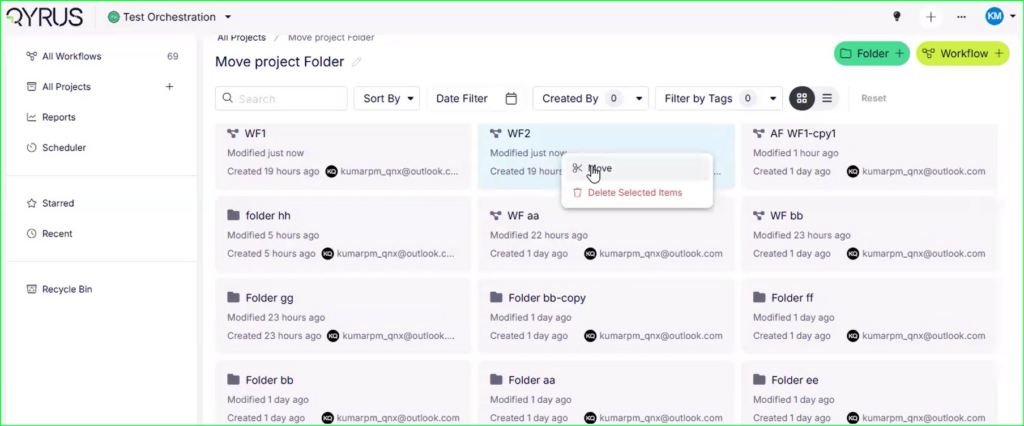
Move Multiple Workflows & Folders

The Challenge:  

As projects grew, test hierarchies often became cluttered or outdated. Previously, reorganizing these assets was a rigid and painful process. Users could not easily shift multiple workflows or folders to new locations in bulk. If you wanted to restructure your project or move a set of regression tests to a different folder, you were often stuck moving items one by one or, worse, having to recreate them in the new location. 

 The Fix:  

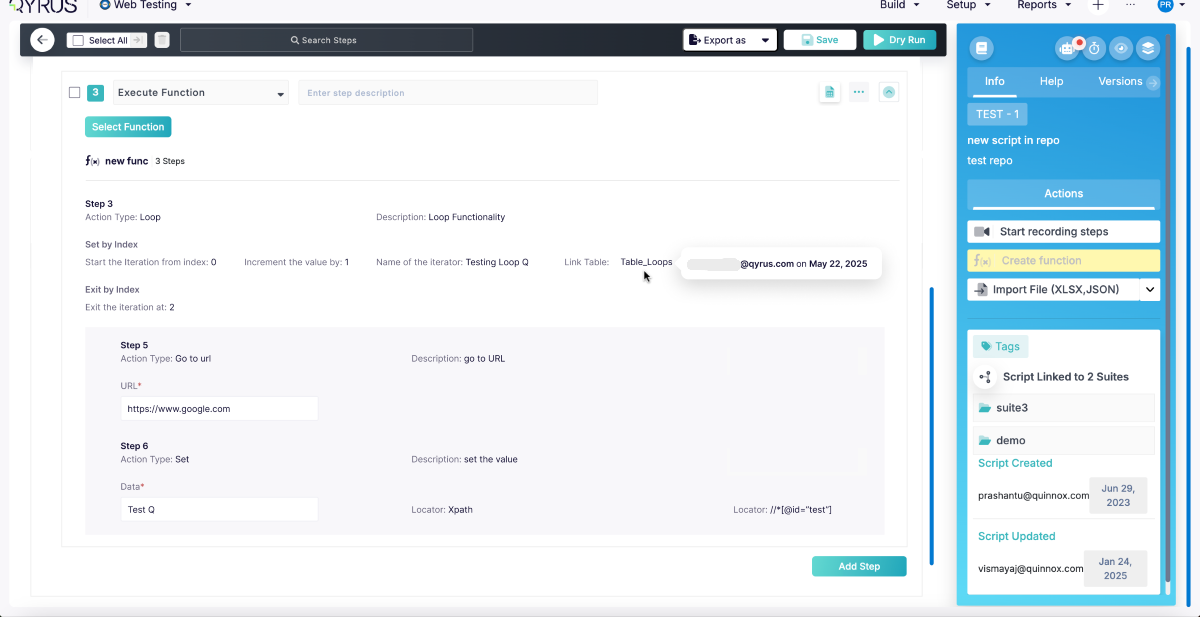
We have introduced Multi-Select and Move functionality for Test Orchestration. You can now hold Ctrl (or Cmd) and click to select multiple workflows or folders at once. With a simple right-click action, you can move these selected items in bulk to any other folder or project within your workspace. 

 How will it help?  

This update gives you the freedom to restructure your work as your project evolves. 

  • Declutter Your Workspace: Easily clean up messy projects by grouping related workflows into specific folders. 
  • Bulk Management: Save time by moving dozens of items at once instead of painstakingly reorganizing them individually. 
  • Project Refactoring: Seamlessly migrate workflows between projects or folders as your team’s testing strategy changes. 

Master the Clock: Wait Nodes Now Available in API Workflows!
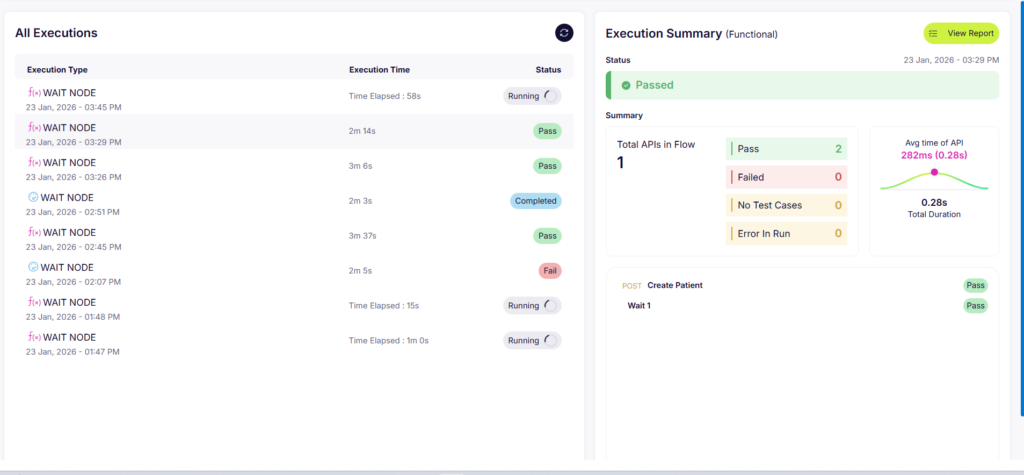
Wait Nodes Now Available in API Workflows

The Challenge:  

In real-world scenarios, systems don’t always respond instantly. A database might take a few seconds to update after a POST request, or a third-party service might need a moment to process a webhook. Previously, API workflows in QAPI executed steps as fast as possible. This speed often caused “flaky” tests—where a step would fail simply because the backend wasn’t quite ready yet—or resulted in unrealistic performance tests that hammered the server with unnatural intensity. 

 The Fix:  

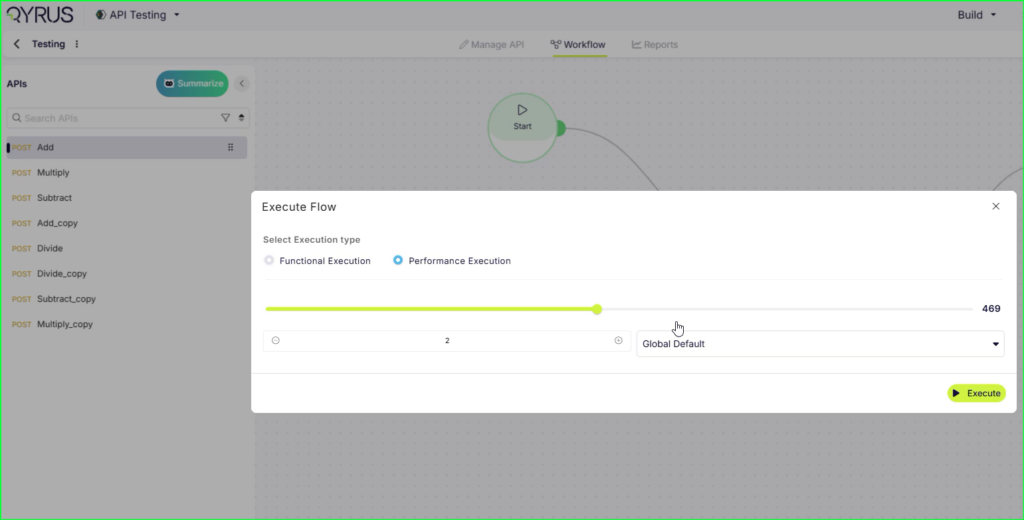
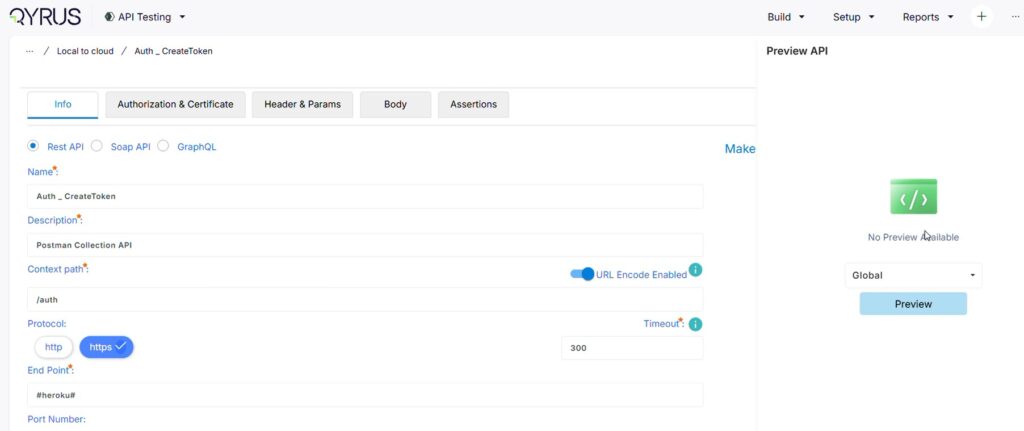
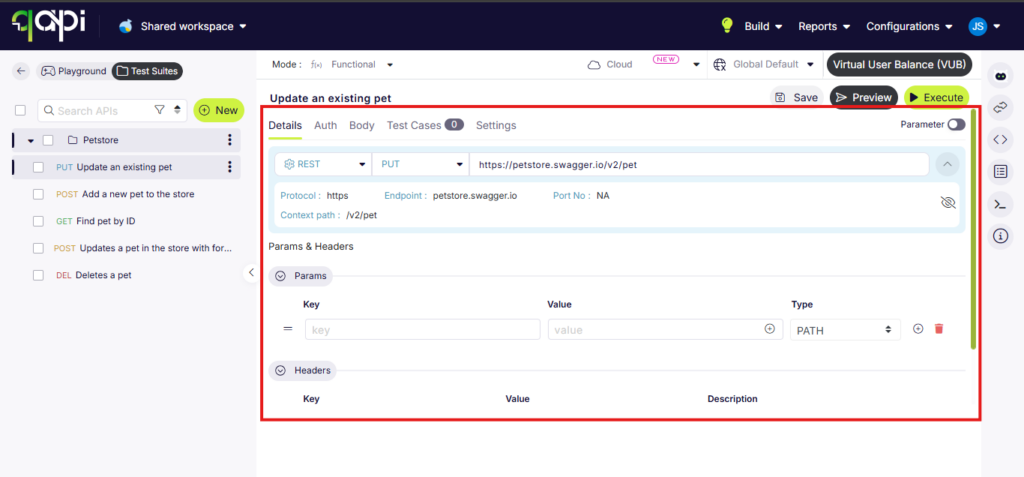
We have introduced a dedicated Wait Node to the API workflow builder. This feature is available for both Functional and Performance testing types. You can now drag and drop a wait step anywhere in your flow to pause execution for a specific duration. 

 How will it help?  

This update gives you precise control over the timing of your tests. 

  • Eliminate Flakiness: Give your backend the time it needs to process asynchronous tasks (like database writes or queue processing) before the next validation step runs. 
  • Realistic Performance Testing: Simulate “think time”—the natural pauses a real user takes between actions—to create more accurate and realistic load scenarios. 
  • Better Orchestration: easily handle race conditions and timing-dependent logic without writing custom scripts. 

Ready to Leverage February’s Innovations? 

We are committed to providing a unified platform that not only adapts to your evolving needs but also streamlines your critical processes, empowering you to release high-quality software with greater speed and confidence. 

Eager to explore how these advancements can transform your testing efforts? The best way to appreciate the Qyrus difference is to experience these new capabilities directly. 

Ready to dive deeper or get started? 
Welcome to our first update of 2026!  

As we kick off the new year, our focus is on empowering you with precision, security, and limitless scale. This January, we are delivering features that refine the granularity of your testing control while ensuring your enterprise ecosystem remains robust and secure.  

We believe that the foundation of a great year in quality assurance starts with tools that are not just powerful, but also transparent and safe. 

In this release, we’ve fortified the platform with end-to-end encryption for all sensitive configurations and unlocked unlimited potential for enterprise performance testing.  

We’ve also introduced granular controls for your test data and locators, added smart proactive warnings for resource management, and closed the feedback loop with automated evidence syncing for Xray. These updates are designed to give you a total command over your testing strategy from day one. 

Let’s explore the powerful new capabilities arriving on the Qyrus platform this January! 

Web Testing

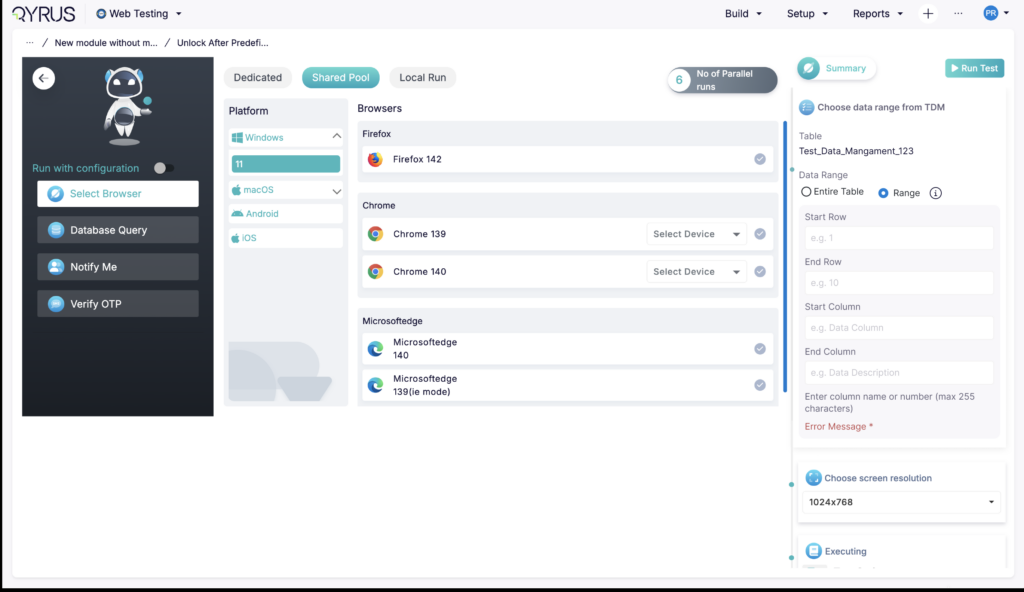
Precision Testing: Execute Suites with Specific Data Ranges! 

Precision Testing-Execute Suites with Specific Data Ranges

The Challenge:  

Previously, Test Data Management (TDM) was an “all or nothing” affair. While users could clone or remove rows, there was no way to simply select a specific subset of data for a test run. If you wanted to test just five specific scenarios out of a dataset of a hundred, you often had to create a separate data file or temporarily delete the unwanted rows, which was inefficient and risky. 

The Fix:  

We have introduced Data Range Selection for Test Suites. You now have the flexibility to select specific rows or define a range of data from your dynamic tables within TDM to be used for execution. 

How will it help?  

This feature gives you granular control over your test executions. 

  • Target Specific Scenarios: Easily isolate and test specific edge cases without running your entire dataset. 
  • Save Time: significantly reduce execution time by running only the data rows that matter for your current validation. 
  • Non-Destructive Testing: There is no need to modify or delete data from your master files just to run a partial test. 

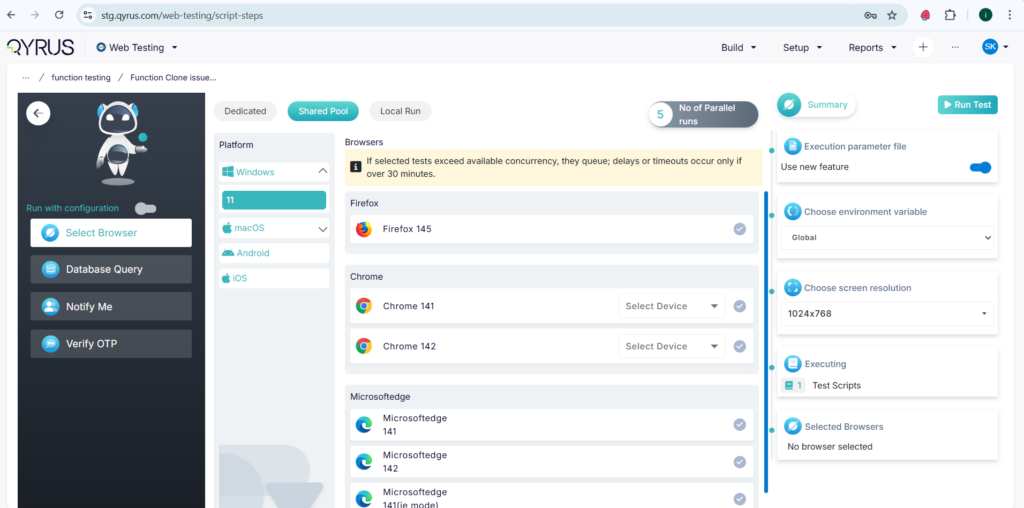
Proactive Alerts: Smart Warnings for High-Volume Executions! 

Smart Warnings for High-Volume Executions

The Challenge:  

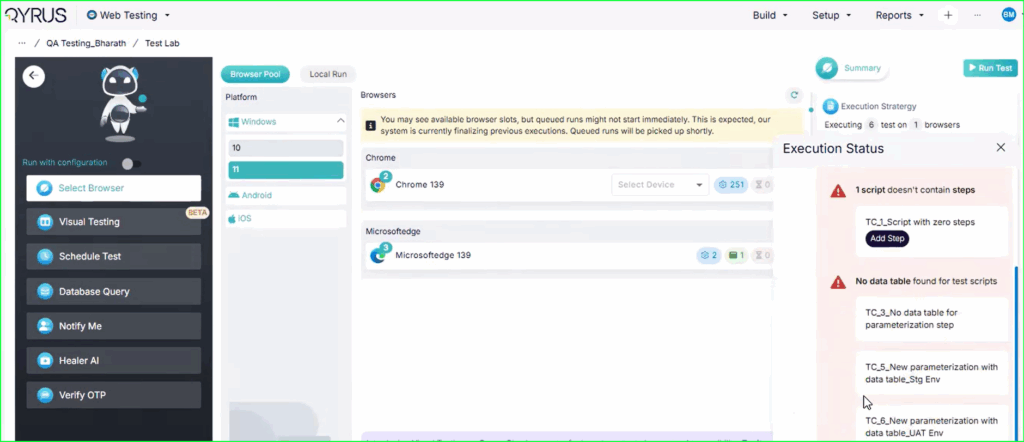
When executing a large number of scripts simultaneously, users were often unaware of their organization’s concurrency limits. This frequently led to situations where scripts would sit in a queue for too long and eventually time out, or where all available browsers were monopolized for extended periods. This lack of visibility caused confusion and frustration when tests failed or resources became unavailable without a clear explanation. 

The Fix:  

We have added intelligent prompt messages to the execution screen. The system now detects when the number of queued scripts is high relative to your available concurrency. If this threshold is crossed, a message will automatically display, warning you that due to the high volume and limited concurrency, timeouts may occur, and browsers may be unavailable for the duration of the run. 

How will it help?  

This update manages expectations and helps you plan your test runs more effectively. 

  • Prevent “Silent” Failures: You are immediately alerted to the risk of timeouts before you even start the run, rather than wondering why tests failed later. 
  • Better Resource Planning: It provides visibility into your concurrency usage, helping you decide whether to break up large suites or schedule runs differently. 
  • Clearer Troubleshooting: It removes the mystery behind “stuck” or timed-out tests, clearly linking the issue to queue volume and concurrency limits. 

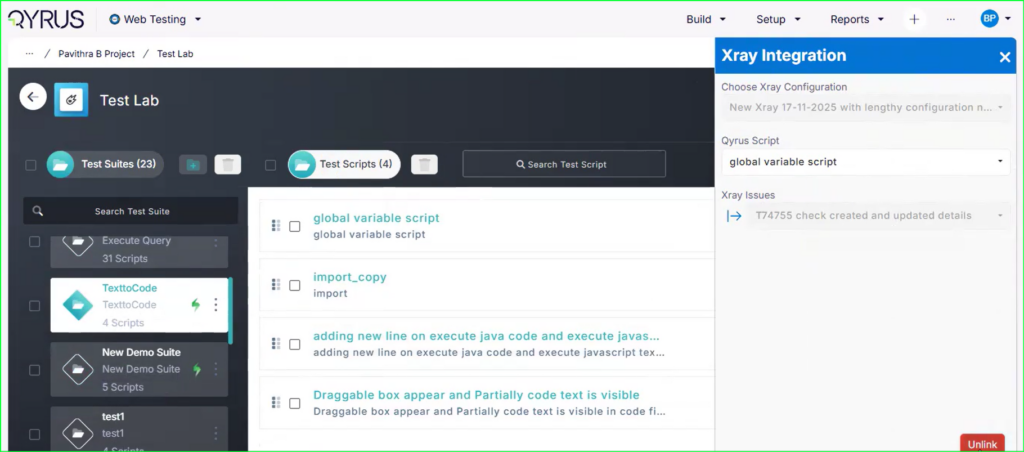
Complete the Picture: Automated Evidence Sync for Xray! 

Automated Evidence Sync for Xray

The Challenge:  

Previously, while Xray tracked the final status of a test (Pass/Fail), it lacked the detailed evidence needed to understand why a specific result occurred. To provide proof of execution or investigate a failure, users were forced to manually upload logs and screenshots to Xray or switch back to the Qyrus platform to find the data. This created a disconnected workflow and made audit trails difficult to maintain. 

The Fix:  

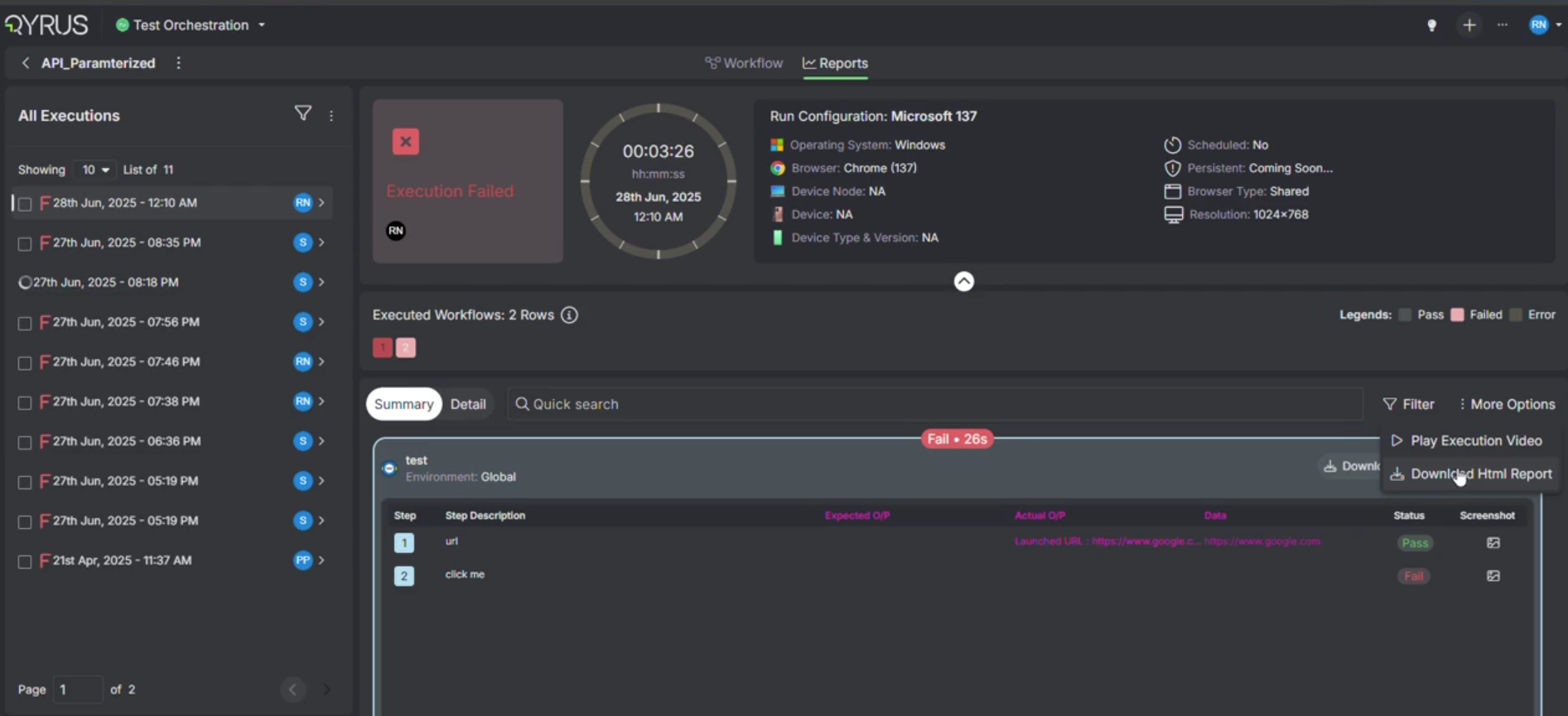
We have enhanced the Xray integration to support automatic evidence synchronization. Now, immediately after a test completes in Qyrus, all execution evidence—including detailed logs and screenshots—is automatically transmitted to Xray and attached directly to the corresponding test run. 

How will it help?  

This update ensures your test management tool becomes a complete, “single source of truth.” 

  • Eliminate Manual Work: No more tedious downloading and uploading of screenshots to prove a test passed or failed. 
  • Instant Traceability: Every test run in Xray is now automatically backed by concrete evidence, making audits and reviews seamless. 
  • Faster Debugging: Developers and testers can view logs and failure screenshots directly within Xray without needing to switch platforms. 

Mix, Match, & Locate: Build Powerful Composite Locators! 

Build Powerful Composite Locators

The Challenge:  

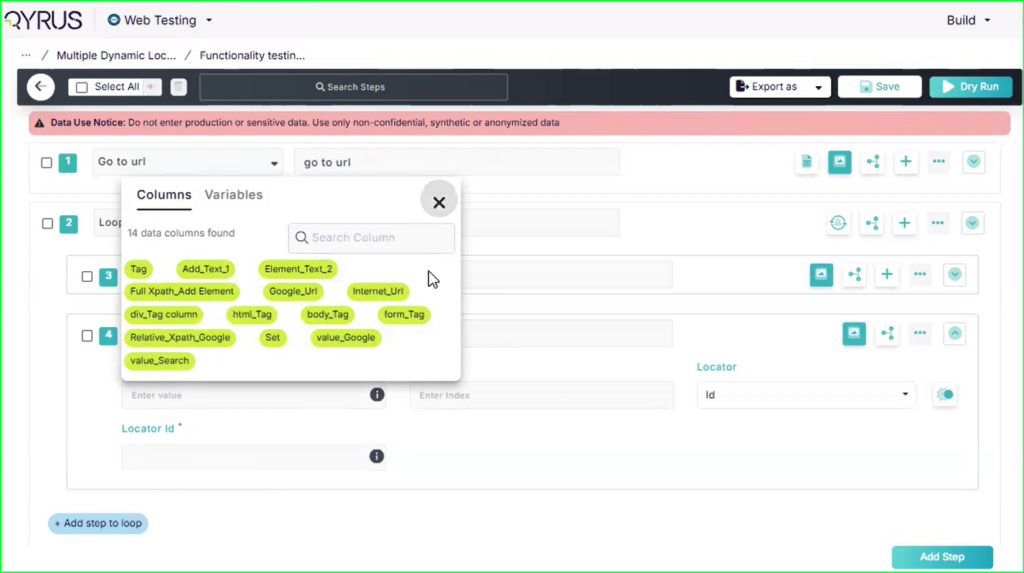
Previously, constructing locators for dynamic web elements was restricted by an “either/or” limitation. Users could use a static string, or a single TDM parameter, or a global Variable to define a locator. It was impossible to combine these elements—for example, creating an XPath that included both a static ID prefix and a dynamic user ID from a variable. This made interacting with complex, dynamically generated UIs (like grids or lists with unique, composite IDs) difficult and rigid. 

The Fix:  

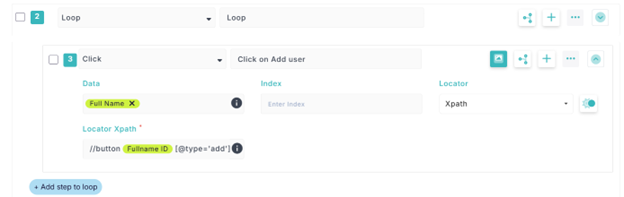
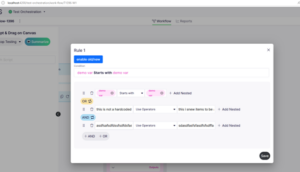
We have unlocked the ability to create Composite Dynamic Locators. You can now construct a single locator by combining multiple dynamic values along with static text. 

How will it help?  

This update significantly increases the flexibility and robustness of your object identification. 

  • Reduce Scripting: You no longer need complex scripting workarounds to construct these strings before the step runs; you can build them directly in the locator field. 
  • Improve Reliability: Create more precise locators that adapt to changing data, ensuring your tests stay green even when the data shifts. 

No More Guesswork: Instant Confirmation for Local Runs! 

Instant Confirmation for Local Runs

The Challenge:  

Previously, when running tests on a local agent (Local Run), the process would end silently. There was no explicit notification or popup to signal that the execution had officially finished. This left users in a state of uncertainty—wondering if the test was complete, if it was still processing in the background, or if the connection had simply hung. 

The Fix:  

We have improved the feedback loop for local executions. Now, the moment your local run finishes, the system will display a clear and prominent “Execution Completed” message. 

 How will it help?  

This simple but effective UI update removes ambiguity from your workflow. 

  • Immediate Certainty: You know exactly when you can proceed to the next task or review your results. 
  • Reduced Friction: It eliminates the need to double-check logs or wait unnecessarily to ensure the process is done. 
  • Better UX: It provides a polished, confident end-state to your local testing sessions. 

End-to-End Encryption for All Sensitive Fields Across Web, Desktop and API 

The Challenge:  

Previously, while the platform was secure, there were areas where sensitive configuration data—such as passwords in database connections, API keys in integrations, or secrets in global variables—might have been accessible in plaintext within the UI or API responses. In an enterprise environment, any visibility of these secrets poses a potential security risk and complicates compliance with strict data protection standards. 

The Fix:  

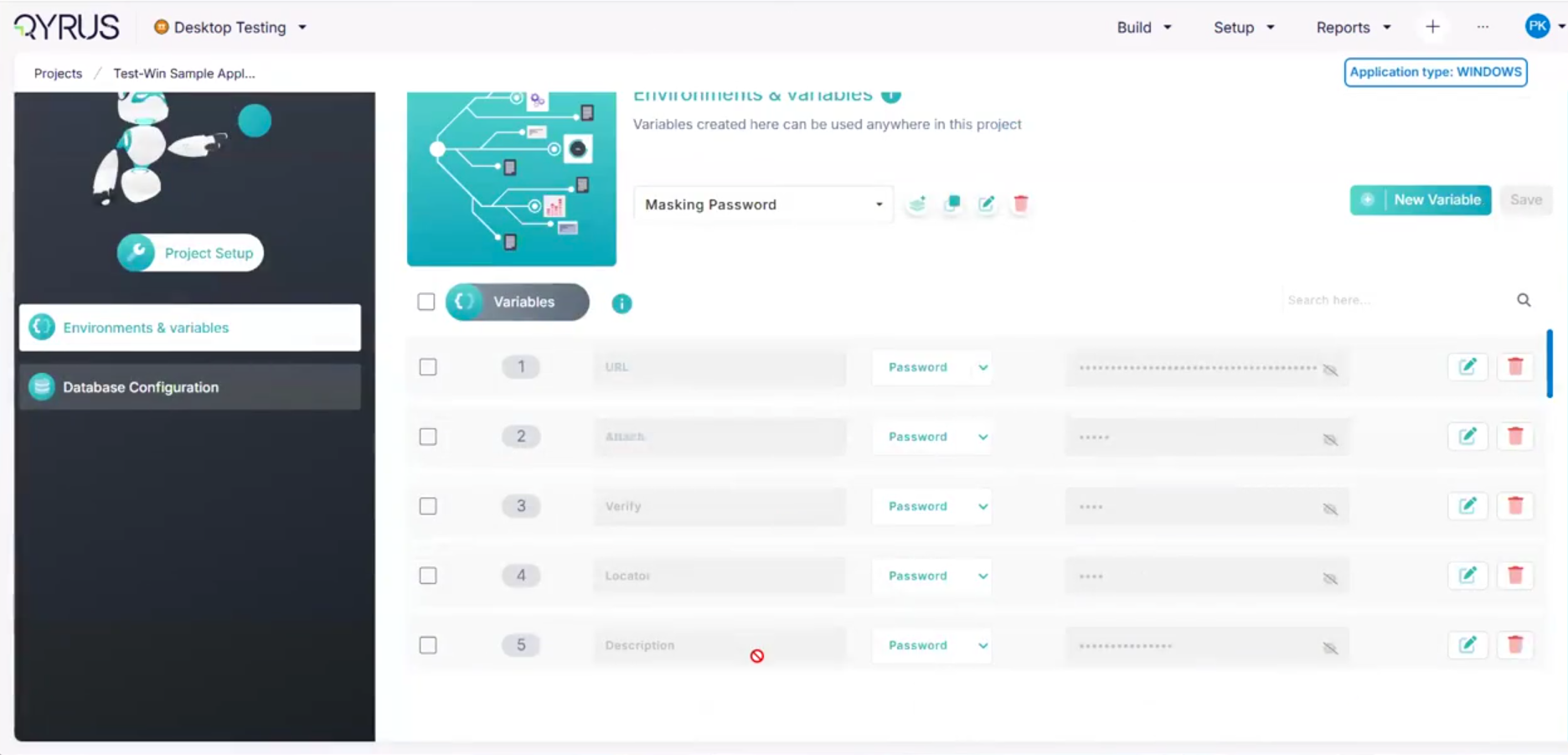
We have implemented a rigorous encryption protocol across the entire application. Now, all sensitive fields including Global Variables, Integrations, Database configurations, Authentication settings, and Certificates are strongly encrypted at rest and in transit. 

  • Zero Plaintext Visibility: These values are now permanently masked or hidden in the user interface. 
  • Secure API Responses: The backend API no longer returns these values in plaintext, ensuring they cannot be intercepted or viewed via network logs. 

How will it help?  

This update significantly strengthens your security posture. 

  • Data Leak Prevention: It guarantees that your most critical secrets (passwords, tokens, keys) are never exposed to unauthorized users, even those with access to the project. 
  • Enhanced Compliance: It helps you meet strict industry security standards and audit requirements regarding the handling of sensitive credentials. 
  • Peace of Mind: You can configure integrations and databases with confidence, knowing that your credentials are cryptographically secure. 

Scale Without Limits: Unlimited Virtual Users for Enterprise Performance Tests! 

Unlimited Virtual Users for Enterprise Performance Tests

The Challenge:  

Previously, performance testing was often constrained by licensing limits or caps on the number of “Virtual Users” (VUs) available to a project. This created a ceiling on how much load you could simulate, making it difficult to accurately stress-test enterprise-grade applications. You might have been able to test for normal traffic, but you couldn’t easily simulate massive spikes (like a Black Friday sale) without hitting an artificial wall or purchasing expensive add-ons. 

The Fix:  

We have unlocked Unlimited Virtual Users for our Enterprise plan users. You can now configure your API performance tests with as many simulated users as required to match your real-world scale, without being held back by platform restrictions. 

How will it help?  

This update empowers you to conduct truly comprehensive load testing. 

  • Simulate Real-World Scale: Accurately replicate massive traffic surges to see how your APIs hold up under extreme pressure. 
  • Find Breaking Points: Push your system until it breaks to identify true bottlenecks, rather than stopping because you ran out of VUs. 
  • No Extra Costs: Run high-volume tests as often as needed without worrying about purchasing additional user packs or licenses. 

Ready to Leverage January’s Innovations?

We are committed to providing a unified platform that not only adapts to your evolving needs but also streamlines your critical processes, empowering you to release high-quality software with greater speed and confidence. 

Eager to explore how these advancements can transform your testing efforts? The best way to appreciate the Qyrus difference is to experience these new capabilities directly. 

Ready to dive deeper or get started? 
Welcome to our October update! As we move into the final quarter of the year, our focus sharpens on refining the details that make a world of difference in your daily workflows. At Qyrus, we are continually committed to evolving our platform not just with big new features, but with smart enhancements that make your testing processes faster, simpler, and more powerful.

This month, we are excited to roll out a series of updates centered on intelligent workflow automation, enhanced user control, and advanced mobile testing capabilities. We’ve streamlined how you import, export, and manage test assets, unlocked a powerful new way to simulate offline conditions for iOS, and expanded our AI-driven analytics to cover your core API test suites. These improvements are all designed to give you more time back in your day and greater confidence in your results.

Let’s explore the latest enhancements now available on the Qyrus platform!


New Feature

Test Smarter, Not Harder: Impact Analyzer Now Supports Your qAPI Suites!

The Challenge:

Previously, our powerful Java and Python Impact Analyzers were limited in scope and could only analyze tests generated through DeepAPITesting. This meant that users could not leverage this smart, targeted testing capability for their primary, user-created functional test suites within the qAPI Workspace, missing out on the opportunity to optimize their regression cycles.

The Fix:

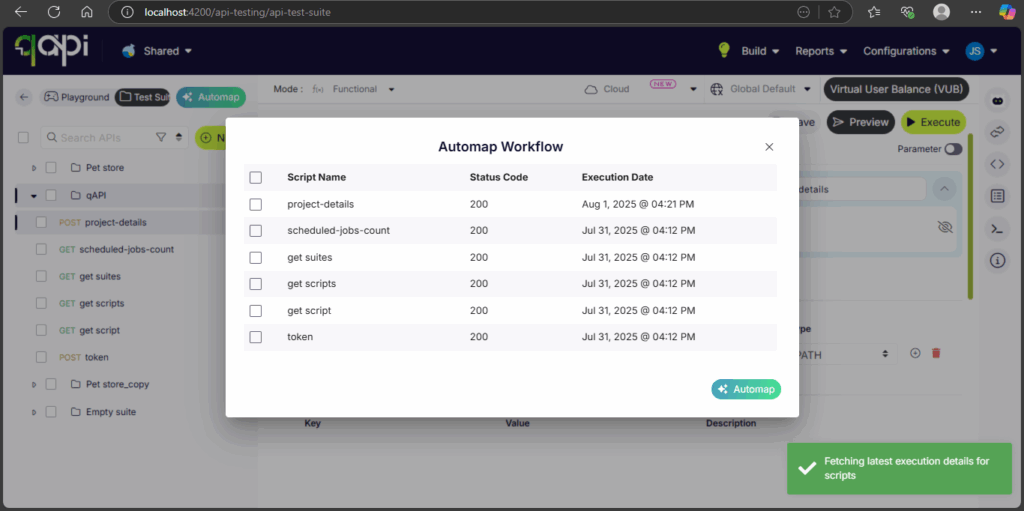
We have now fully integrated our Impact Analyzers (both Java and Python) with the tests you create and manage in the qAPI Workspace and Test Suites. The analyzer can now scan your codebase for changes and intelligently map those changes to the specific qAPI tests that cover the affected areas.

How will it help?

This integration unlocks a much smarter and more efficient way to run your regression tests. Instead of executing an entire qAPI test suite after every small code change, the Impact Analyzer will now tell you exactly which specific tests you need to run. This enables:

  • Targeted Test Execution: Dramatically reduce the scope of your regression runs.
  • Massive Time & Resource Savings: Get faster feedback by running only the necessary tests.
  • Smarter Regression Analysis: Confidently validate your changes without the overhead of a full regression cycle.


Ready to Accelerate Your Testing with October’s Upgrades?

We are dedicated to evolving Qyrus into a platform that not only anticipates your needs but also provides practical, powerful solutions that help you release top-quality software with greater speed and confidence.

Curious to see how these October enhancements can benefit your team? There’s no better way to understand the impact of Qyrus than to see it for yourself.

Ready to dive deeper or get started?


The world of software testing moves fast, and staying ahead requires tools that not only keep pace but actively drive innovation. At Qyrus, we’re relentlessly focused on evolving our platform to empower your teams, streamline your workflows, and make achieving quality more intuitive than ever before. May was a busy month behind the scenes, packed with exciting new features and significant enhancements designed to give you even more power and flexibility in your testing journey.
Get ready to explore the latest advancements we’ve rolled out across the Qyrus platform!

Complex Web Tests, Now Powered by AI Genius!

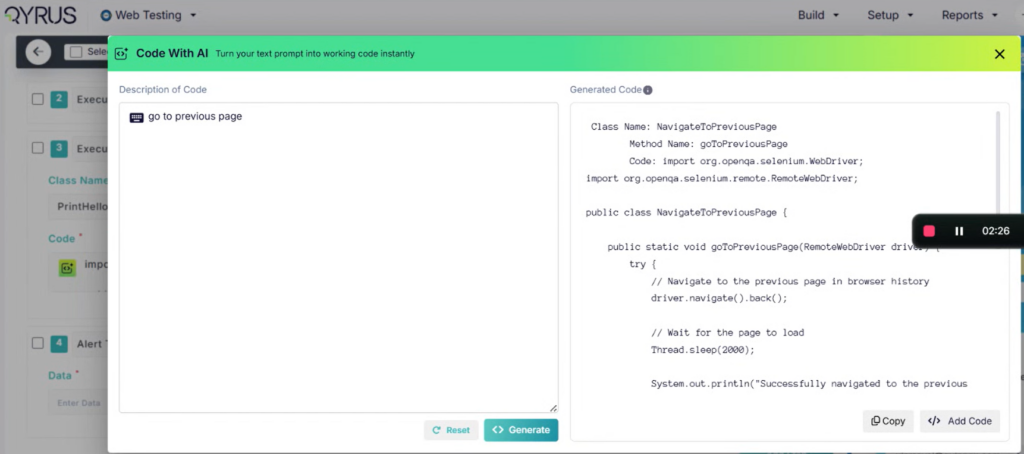
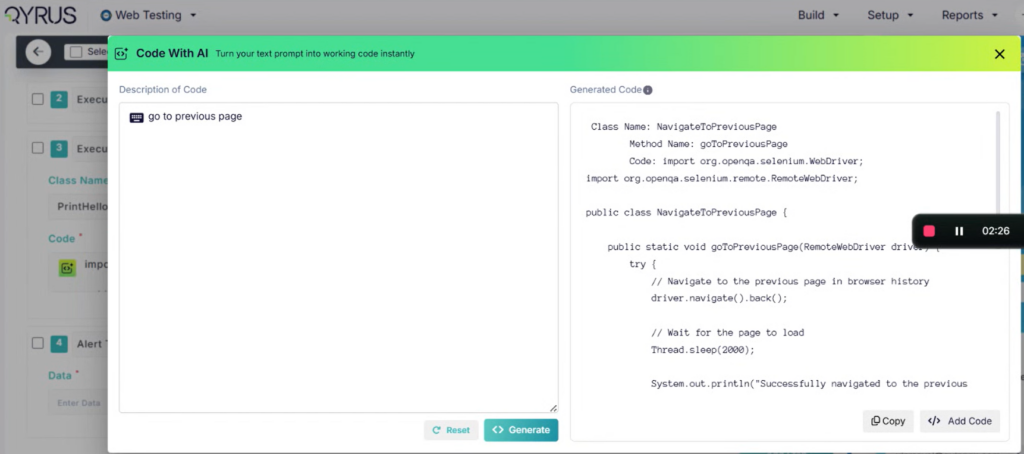
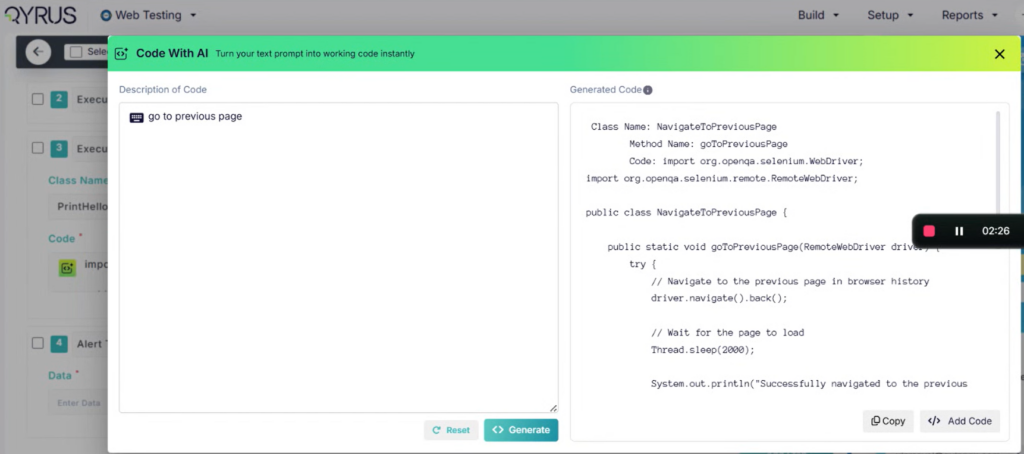
Manual coding for complex calculations in web tests? Consider it a thing of the past! We’re thrilled to introduce a game-changing AI feature that lets you generate custom Java and JS code using simple, natural language descriptions. Just tell Qyrus what you need the code to do, and our AI gets to work, even understanding the variables you’ve already set up in your test. This AI Text-to-Code conversion is seamlessly integrated with our Execute JS, Execute JavaScript, and Execute Java actions, designed to produce accurate, executable snippets right when you need them. You maintain control, of course – easily review, modify, or copy the generated code before using it.
A quick note: This powerful AI code generation is currently a Beta feature, and we’re actively refining it based on your feedback!

Enhanced Run Visibility for Web Tests

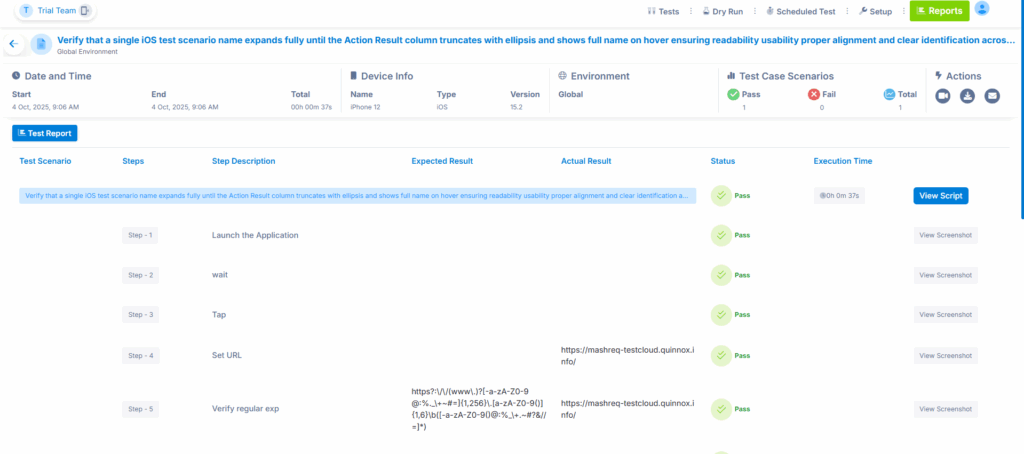
But that’s not all for Web Testing this month. For our valued enterprise clients, managing your test runs just got clearer. You now have enhanced visibility into your test execution queues, allowing you to see detailed information, including the exact position of your test run in the queue. Gain better insight, plan more effectively, and stay informed every step of the way.

Sharper Focus for Your Mobile Visuals

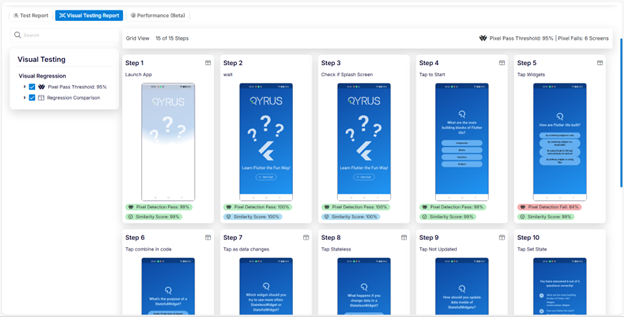
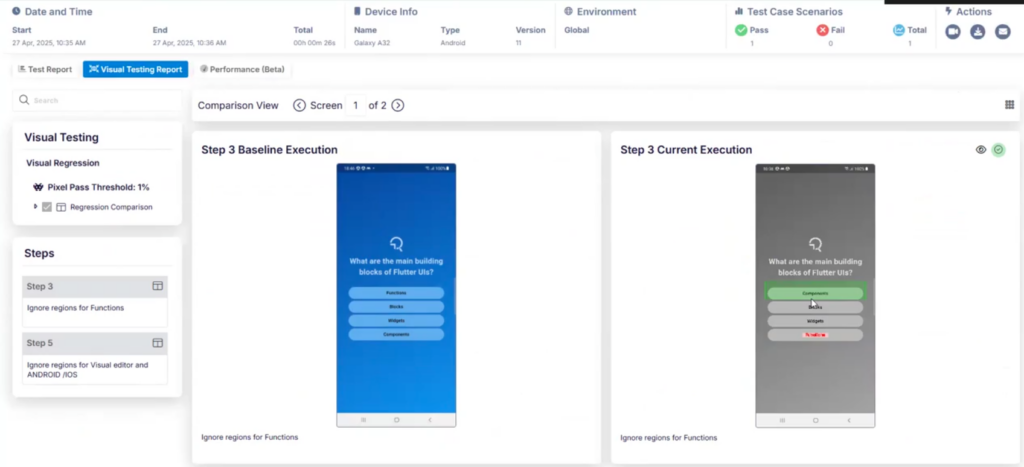
Visual testing on mobile is crucial, but sometimes you need to tell your comparison tools to look past dynamic elements or irrelevant areas. This month, we’ve enhanced our Mobile Testing Mobile Testing capabilities to give you more granular control. You can now easily ignore specific areas within your mobile application screens, excluding those regions entirely from visual comparisons.

Additionally, you can ignore the header or footer of the screen meaning that you can easily compare different execution results and not run into issues due to differences in the notification bar or in a footer.
This means cleaner, more relevant results and less noise when you’re ensuring your app looks exactly as it should across devices. Focus on what truly matters for your app’s user interface integrity.

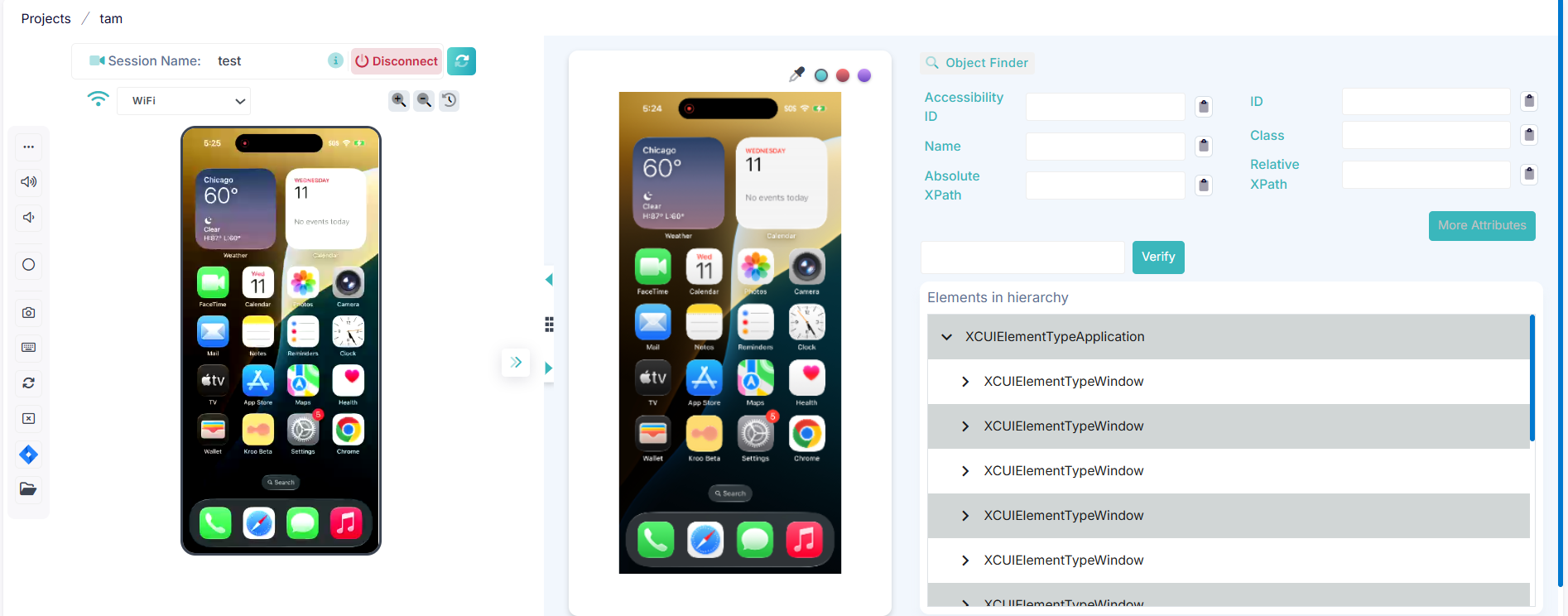
Device Farm: Smoother Streaming, Better Guidance

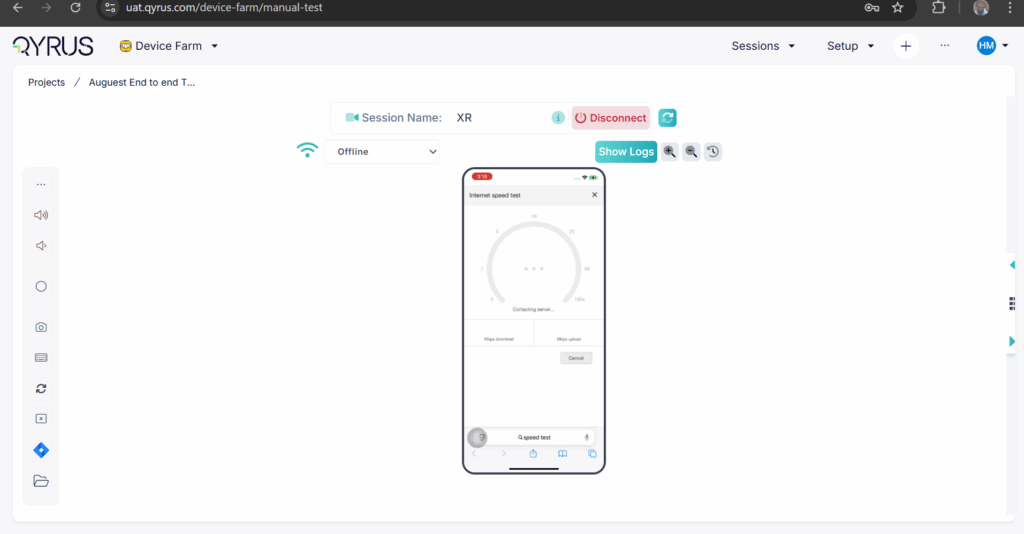
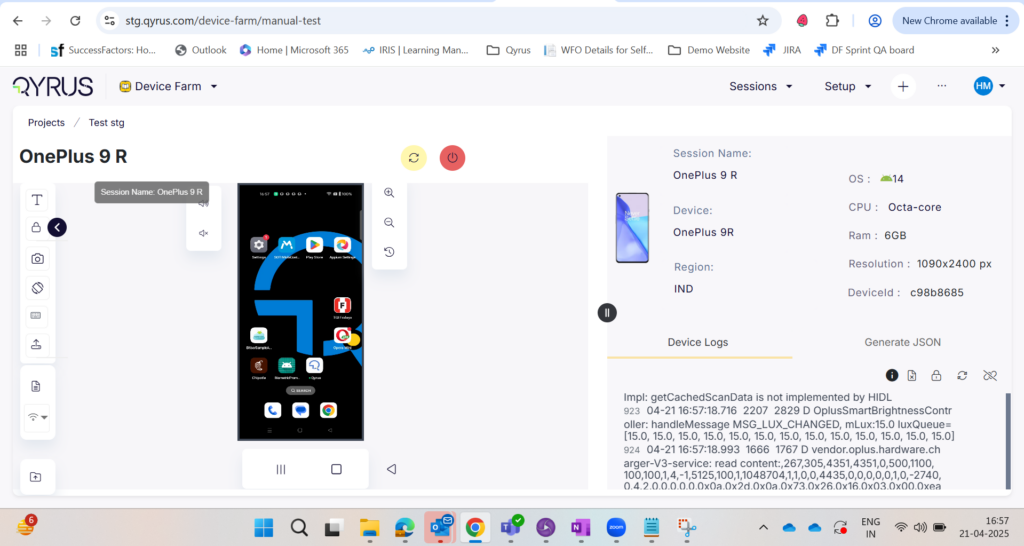
We know your time on the Device Farm Device Farm streaming screen is valuable, and a smooth experience is key. This month, we’ve rolled out several user experience improvements to make your interactions even more intuitive. The tour guide text has been refined to be more informative, guiding you clearly through the features.
We’ve also added a Global Navbar directly inside the device streaming page, providing consistent navigation right where you need it. Plus, for those times you’re working with a higher zoom percentage, we’ve included a handy scroll bar to make navigating the page much easier. Small changes, big impact on your workflow!

Desktop Testing: Schedule Your Success

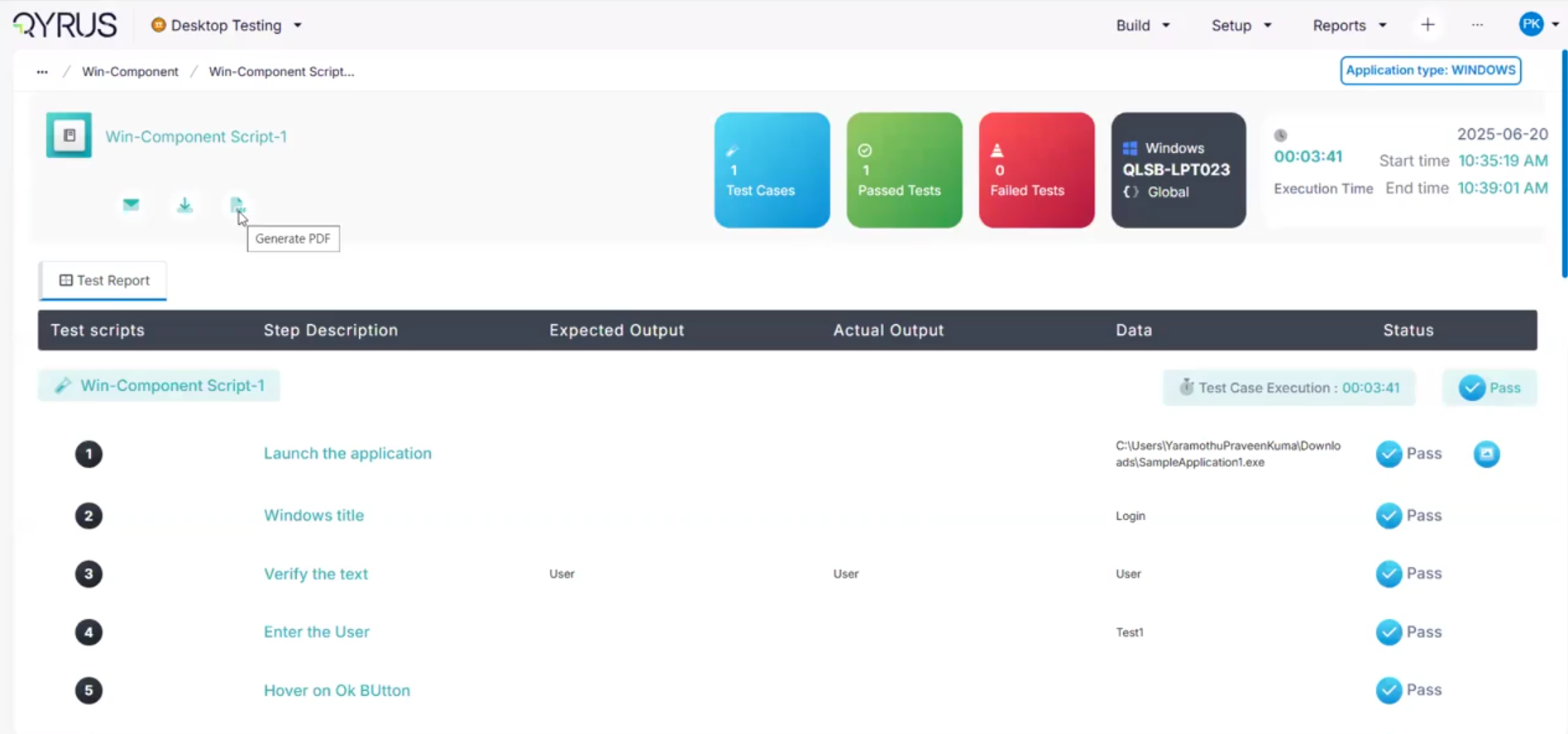
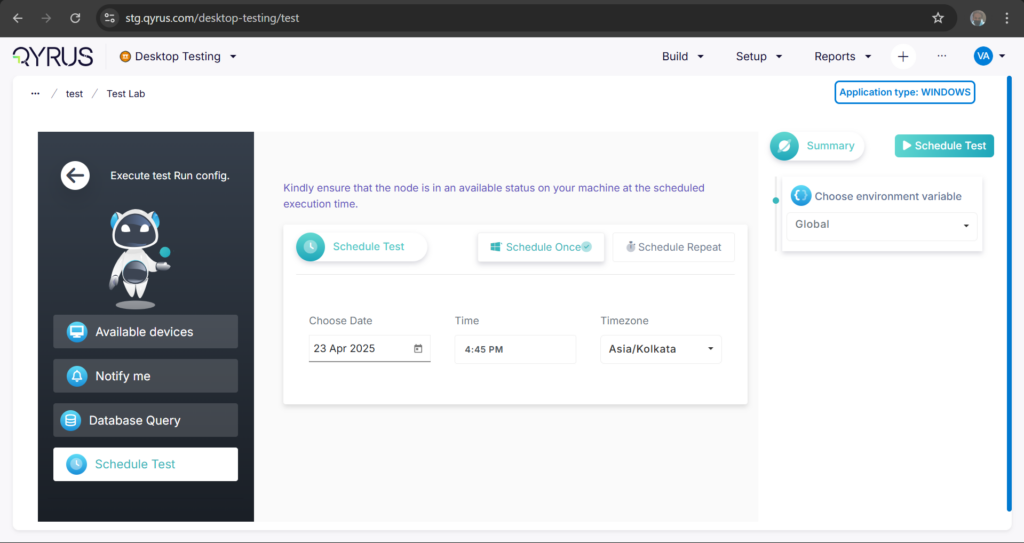
We’re excited to announce that test scheduling is now available in Qyrus Desktop Testing. This highly requested feature, already familiar from other modules, brings a new level of automation to your desktop workflows. It’s particularly powerful for those complex end-to-end test cases that span across different modules, perhaps starting in a web portal, moving through a back office, and ending in servicing.
Now, you can schedule these crucial test flows, ensuring your regression suites run automatically, even aligning with deployment schedules. This means no more worrying about desktop availability at the exact moment of execution – Qyrus handles it for you. With this feature, efficiently managing tests for workflows impacting dozens of test cases becomes significantly simpler.

Smarter AI for Broader Test Coverage

Our commitment to leveraging AI to make testing more intelligent continues this month with key improvements to both TestGenerator and TestGenerator+. We’ve been refining these powerful features under the hood, and the result is simple but significant: you should now see more tests built by the AI compared to previous versions.
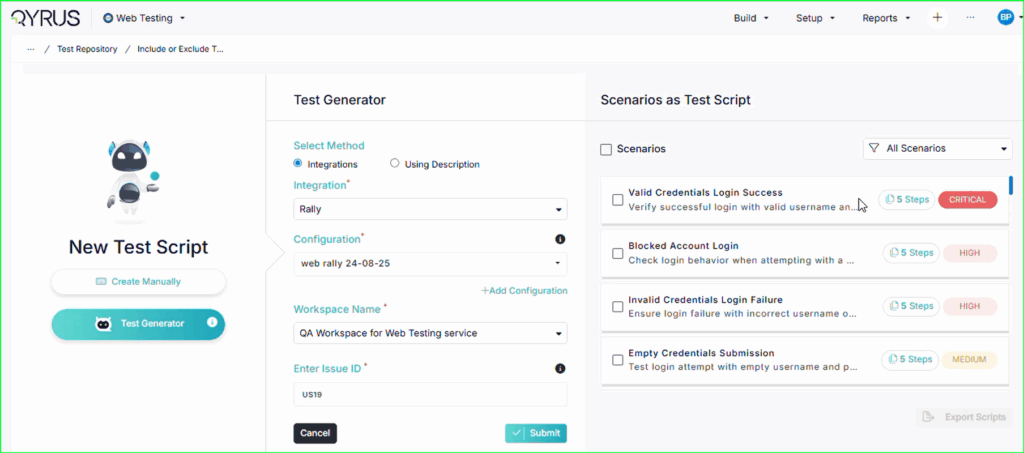
Remember, TestGenerator is designed to transform your JIRA tickets directly into actionable test scenarios, bridging the gap between development tasks and testing needs. TestGenerator+ takes it a step further, actively exploring untested areas of your application, intelligently identifying gaps, and helping you increase your overall test coverage. These enhancements mean our AI is working even harder to help you achieve comprehensive and efficient testing with less manual effort.

Ready to Experience the May Power-Ups?

This month’s Qyrus updates are all about putting more power, intelligence, and efficiency directly into your hands. From harnessing AI to generate complex web code to gaining sharper insights from mobile visual tests, scheduling your desktop workflows, and boosting the output of our AI test generators – every enhancement is designed with your success in mind. We’re dedicated to providing a platform that adapts to your needs, streamlines your processes, and helps you deliver quality software faster than ever before.
Excited to see these May power-ups in action? There’s no better way to understand the impact Qyrus can have on your testing journey than by experiencing it firsthand.
Ready to learn more or get started?
And don’t forget to explore our documentation for more details on these new features!

We’re constantly building, innovating, and looking for ways to make your testing life easier. Stay tuned for more exciting updates from Qyrus!

Welcome to our September update! As we continue to evolve the Qyrus platform, our focus remains squarely on enhancing your productivity and empowering your team to achieve more, faster. We believe in removing friction from the testing lifecycle, and this month’s updates are a direct reflection of that commitment.

We are excited to introduce powerful new capabilities centered around dramatic workflow acceleration, intelligent AI-driven assistance, and seamless CI/CD integration. From features that eliminate repetitive tasks to an AI co-pilot that can fix your scripts on the fly, every enhancement is designed to save you valuable time and make your testing efforts more intuitive and powerful.


Ready to Accelerate Your Testing with August’s Upgrades?

We are dedicated to evolving Qyrus into a platform that not only anticipates your needs but also provides practical, powerful solutions that help you release top-quality software with greater speed and confidence.

Curious to see how these August enhancements can benefit your team? There’s no better way to understand the impact of Qyrus than to see it for yourself.

Ready to dive deeper or get started?


Welcome to our August update! At Qyrus, we are driven by the goal of making every aspect of your testing journey more efficient, powerful, and intuitive. This August, we’ve delivered a host of significant upgrades with a special focus on overhauling the entire API testing experience, creating more powerful and resilient test automation, and enhancing overall platform reliability. From simplifying how you create and preview APIs to making your automated tests smarter and more robust, these updates are designed to remove friction and accelerate your path to delivering quality.


Ready to Accelerate Your Testing with August’s Upgrades?

We are dedicated to evolving Qyrus into a platform that not only anticipates your needs but also provides practical, powerful solutions that help you release top-quality software with greater speed and confidence.

Curious to see how these August enhancements can benefit your team? There’s no better way to understand the impact of Qyrus than to see it for yourself.

Ready to dive deeper or get started?

Welcome to the July edition of our platform updates! At Qyrus, our mission is to constantly evolve our platform, providing your teams with powerful, intuitive tools that streamline every phase of the quality lifecycle. This July, we’ve been laser-focused on delivering enhancements that bring you deeper workflow integrations, next-level AI automation, and foundational improvements to security and performance. These updates are designed to connect your existing tools seamlessly, accelerate test creation like never before, and give you even greater confidence in your testing environment.

 Let’s explore the powerful new features we’ve rolled out across the Qyrus platform this July! 


Ready to Accelerate Your Testing with July’s Upgrades?

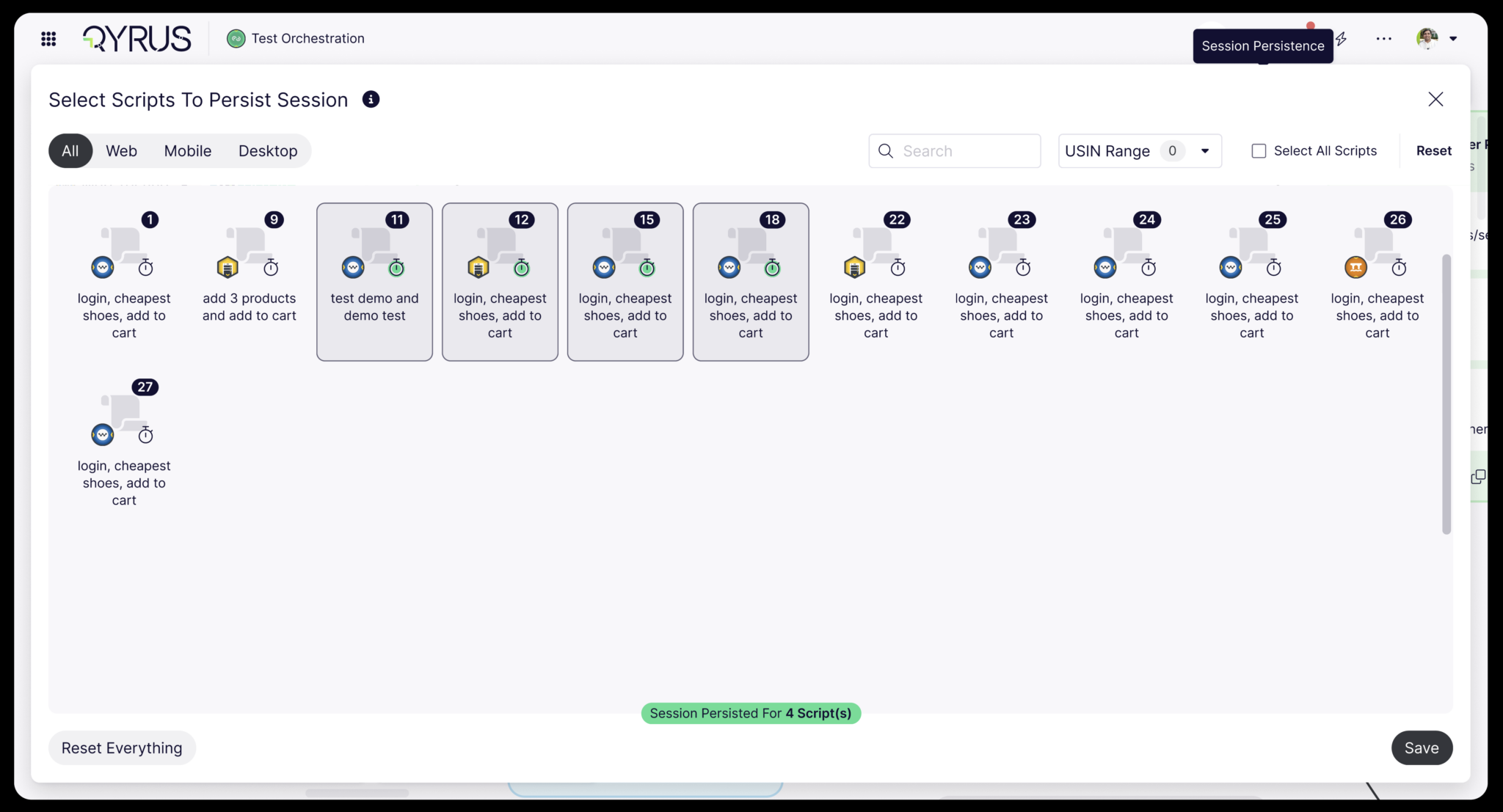
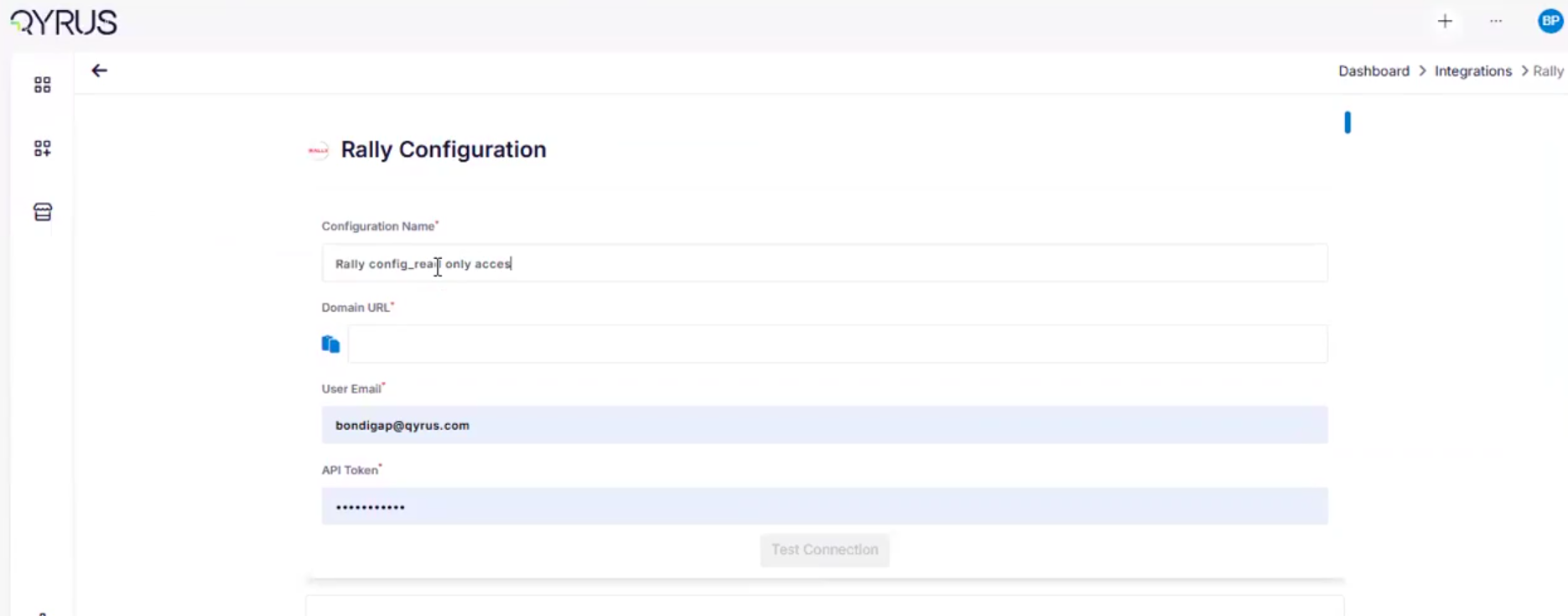
This July, we’re bringing you deeper workflow integrations, more powerful AI automation, and significant security and performance enhancements designed to streamline your entire testing process. From automatically generating detailed manual test steps with TestGenerator and enabling seamless end-to-end tests with session persistence, to connecting directly with Azure Data Lake and integrating with Azure DevOps and Rally, these updates are built to boost your team’s productivity. We are dedicated to evolving Qyrus into a platform that not only anticipates your needs but also provides practical, powerful solutions that help you release top-quality software with greater speed and confidence.

Curious to see how these July enhancements can benefit your team? There’s no better way to understand the impact of Qyrus than to see it for yourself.

Ready to dive deeper or get started?


At Qyrus, our commitment is to continuously advance our platform, equipping your teams with cutting-edge tools, simplifying complex testing processes, and making the path to quality clearer and more accessible. June has been another month of dedicated development, bringing forth a wave of innovative features and critical enhancements designed to offer you expanded data connectivity, deeper AI-driven insights, and more refined control across your entire testing journey. These updates are crafted to significantly boost your efficiency and provide unparalleled visibility into your applications.

Let’s dive into the latest capabilities we’ve integrated into the Qyrus platform this June!


Ready to Leverage June’s Innovations?


This June, Qyrus is putting enhanced connectivity, deeper AI intelligence, refined user control, and greater operational efficiency directly at your fingertips. From seamlessly integrating with NoSQL databases like MongoDB and generating complex test code from natural language with our advanced AI, to gaining precise control over visual comparisons with new ignore-region capabilities, every new feature is engineered to elevate your testing strategy. We are committed to providing a unified platform that not only adapts to your evolving needs but also streamlines your critical processes, empowering you to release high-quality software with greater speed and confidence.

Eager to explore how these June advancements can transform your testing efforts? The best way to appreciate the Qyrus difference is to experience these new capabilities directly.


Ready to dive deeper or get started?
 

At Qyrus, we’re relentlessly focused on evolving our platform to empower your teams, streamline your workflows, and make achieving quality more intuitive than ever before. May was a busy month behind the scenes, packed with exciting new features and significant enhancements designed to give you even more power and flexibility in your testing journey. Here’ re the latest advancements we’ve rolled out across the Qyrus platform!

Excited to see these May power-ups in action? There’s no better way to understand the impact Qyrus can have on your testing journey than by experiencing it firsthand.


Ready to Experience the May Power-Ups?


This month’s Qyrus updates are all about putting more power, intelligence, and efficiency directly into your hands. From harnessing AI to generate complex web code to gaining sharper insights from mobile visual tests, scheduling your desktop workflows, and boosting the output of our AI test generators – every enhancement is designed with your success in mind. We’re dedicated to providing a platform that adapts to your needs, streamlines your processes, and helps you deliver quality software faster than ever before.

Excited to see these May power-ups in action? There’s no better way to understand the impact Qyrus can have on your testing journey than by experiencing it firsthand.


Ready to learn more or get started?


QA Test Page

Tutorial Test Page

Buttons

Favorite Color:

Types of Tests:

Below this text is an iFrame with a True Random Number Generator.

Swap to the iFrame in order to click the "Generate" button!