
How Do You Validate User Experience Across Devices?
 Varun RS

Here is how most cross-device UX defects get discovered: a user leaves a one-star review mentioning that the checkout button is cut off on their phone. Or a support ticket comes in saying the app freezes on the payment screen. Or someone from the QA team happens to test on their personal device the week before launch and notices the login form is completely broken in landscape mode.
None of those are edge cases. They are the normal outcome of a testing approach that checks too few devices, relies too heavily on emulators, and treats cross-device validation as a box to tick rather than a specific discipline with specific failure modes.
Our guide skips the obvious parts — yes, you need to test on mobile, yes, screen sizes differ. Instead, it covers the questions that QA teams actually struggle with: which failure modes matter most and why, what emulators genuinely cannot catch, how to build a device coverage strategy that reflects your real users, and where Qyrus fits into all of it.
The Failure Modes That Actually Reach Production
Gesture issues with OS navigation
Android has shipped three navigation models since 2019 — three-button, two-button, and full swipe gestures. The swipe-from-edge gesture that triggers OS-level back navigation directly conflicts with in-app gestures: side drawer menus, swipeable carousels, bottom sheets, and horizontal scroll containers all compete for the same screen edge. On older devices with three-button navigation, your drawer opens fine. On a newer device using gesture nav, the same swipe sends the user out of the app entirely.
This does not show up in emulator testing because gesture navigation in emulators is inconsistent and does not replicate the sensitivity of real hardware input. It shows up in user reviews saying ‘I can’t open the menu’ — on specific devices, from specific OS versions onwards.
Keyboard behaviour that breaks form layouts
We all know that virtual keyboard height is not standardized. Gboard, Samsung Keyboard, MIUI Keyboard, and third-party keyboards all have different default heights, animation curves, and emoji/suggestion panel behaviour.
When the keyboard appears, it either pushes layout content upward or overlaps it — and which behaviour happens depends on how the view is configured, which keyboard is active, and which device it is running on.
The result: a form that is fully visible on your reference device has its submit button pushed below the viewport on a device with a taller keyboard. The user cannot complete the form without knowing to dismiss the keyboard first. Many do not know that. They leave.

Dark mode is not consistent across screens
Dark mode adoption sits between 55 and 82 percent depending on the demographic — for most apps, it is the majority experience. Yet it is still tested as just a basic functionality, if at all.
The specific failures are consistent across codebases: hardcoded colour values that do not respond to the system theme (producing black text on a black background), images with transparent backgrounds that assume a white canvas, and mixed-mode screens where the app header follows the theme but a modal component does not.
These are invisible if you test only in light mode on a single device. They are the first thing a user sees when they open the app at night.
Performance falls in mid-range and budget hardware
Development teams test on recent flagships or high-spec simulators. The median Android device shipped to users in Southeast Asia, Latin America, and South Asia — markets that represent enormous mobile user bases — has 3–4GB RAM, a mid-tier GPU, and aggressive OS-level memory management that kills background processes faster than any flagship device would.
Animations that run at 60fps on a Pixel 8 drop frames on a Redmi. JavaScript-heavy screens that load in under a second on a Galaxy S24 take three to four seconds on a budget Tecno or Itel device. Scroll performance that feels fluid in development feels like dragging in production for a significant portion of your users.
A survey by QualityAI/Google Consumer Surveys found that 88% of app users would abandon apps based on bugs and glitches, and 37% said they were likely to stop using an app the moment they experienced a bug.
Google has highlighted that memory requirements and device limitations are major reasons users uninstall or abandon apps, and more than 90% of users would reconsider an app if the underlying issue were fixed.
There’s more:
Research on load-time impact shows that mobile abandonment rises sharply as pages slow down, with one study reporting 53% mobile abandonment and significant drop-offs as load times increase
Font rendering and text overflow
System font rendering differs across manufacturers. A label that sits cleanly within its container on one device truncates mid-word on another. The problem is amplified by accessibility settings: users running Large or Extra Large system font sizes — a meaningful accessibility use case — see every text element scale up, which breaks layouts designed with fixed font-size assumptions. Testing at default font size only tests the experience of users who have never adjusted their display settings. That is not most users.
Orientation and foldable form factor edge cases
Rotation handling is one of the most consistently broken mobile behaviours, and one of the least tested. An app that handles portrait correctly may reset its state on rotation — losing form input, resetting a video, navigating back to the home screen.
For foldable devices (Galaxy Z Fold/Flip, and similar), there are two distinct display states and a transition between them. Apps that do not handle that transition gracefully crash, freeze, or present a broken layout to a growing segment of users who specifically chose a foldable device because they expected apps to work well on it.
What Emulators Cannot Do?

This question comes up constantly, and the answer is usually vague: ’emulators aren’t as accurate as real devices.’ Here is what that means in concrete terms.
What you are testing | On an emulator | On a real device |
Gesture navigation conflicts | Cannot replicate — emulator gesture nav is inconsistent | Accurate — real hardware input, real OS sensitivity |
Keyboard height and behaviour | Generic — does not vary by manufacturer keyboard | Accurate — real keyboard, real push/overlap behaviour |
GPU rendering and animation smoothness | Not possible — runs on host machine GPU | Accurate — device GPU with real thermal constraints |
RAM pressure and background kill | Not available — no memory pressure simulation | Observable — real OS memory management |
Manufacturer OS customisation | Not available — only stock Android/iOS | Accurate — real OneUI, MIUI, OxygenOS behaviour |
Dark mode across system components | Configurable — adequate for basic checks | Accurate — full system theme integration |
Foldable form factor transitions | Limited — emulator support still unreliable | Required — only real hardware validates transitions |
Real network radio behaviour | Simulated — WiFi throttling only | Accurate — real 4G/5G signal variation |
The point is not that emulators are useless. For functional validations like, does this API call succeed, does this form submit, or does this navigation route work, emulators are fast, scalable, and appropriate. The problem is using them as a substitute for real-device testing when the question being asked is ‘does this feel right and render correctly for real users on real hardware.’ That question requires real hardware.
How to Build a Device Coverage Matrix That Reflects Real Users
The most common mistake in device coverage planning is selecting devices based on what is available — whatever is in the office drawer, whatever the cloud provider surfaces first, whatever the team owns personally. The coverage matrix should be derived from data about actual users, not convenience.
Start with your analytics, not your assumptions
Pull the device and OS breakdown from your analytics platform for the last 90 days. Identify the combinations that represent 80% of your active users. That list which is not a generic ‘top devices’ ranking, is your coverage priority. A financial app serving users in India will have a fundamentally different top-device list than a gaming app serving users in Germany. They should not have the same test matrix.
Build three tiers, not one
Once you have your user data, split it into three hardware tiers:
- Flagship tier — devices with current-generation processors, 8GB+ RAM, high-density displays. Validates that the experience is correct on the best hardware your users own
- Mid-range tier — devices with 4–6 GB RAM, mid-tier processors from one to two generations back. This is the median hardware for most global user bases and the tier where performance issues first appear
- Budget tier — devices with 2–3 GB RAM, entry-level processors, and aggressive OS memory management. This is where your experience breaks first, and where the largest user growth is happening in high-growth markets
Testing only the flagship tier validates the experience for your least representative users. Every team does this. Almost no team does it intentionally.
What to Actually Test, and in What Order?
Given limited time and real-world release pressure, not every test gets to run on every device. Here is how to prioritise:
Tier 1: Run on every device in your matrix, every release
- Core user journeys end-to-end (onboarding, login, primary transaction flow, account management)
- Visual rendering of every primary screen at default font size and at Large system font
- Dark mode rendering — every screen, not a sample
- Form submission including keyboard appearance and layout shift
- Navigation gestures — back, drawer open, tab switching
Tier 2: Run on flagship and mid-range devices, every release
- Orientation change and state preservation across the full user journey
- Performance profiling on the primary transaction screens — frame rate and load time
- Network degradation — complete core flows on a throttled 3G connection
- Accessibility — touch targets, contrast, screen reader navigation
Tier 3: Run on the full matrix before major releases
- Full regression suite across all configured device and OS combinations
- Foldable device transitions (if applicable)
- Battery and thermal — extended session testing
- Visual regression diff across all screens — compare against last approved baseline
The Real Device Farm Question: What It Actually Gets You
Cloud device farms are the standard answer to the scale problem — access to hundreds of real devices without maintaining a physical lab. The decision to use one is easy. The decision about which one, and how to evaluate it, is where teams go wrong.
What matters most in a device farm — specifically
- Real devices, not VMs — some providers run tests on virtualised hardware that mimics device behaviour. This is not the same as a real device. Manufacturer OS customisations, real GPU rendering, and memory pressure behaviour only exist on actual hardware. Verify explicitly that the farm runs tests on physical devices
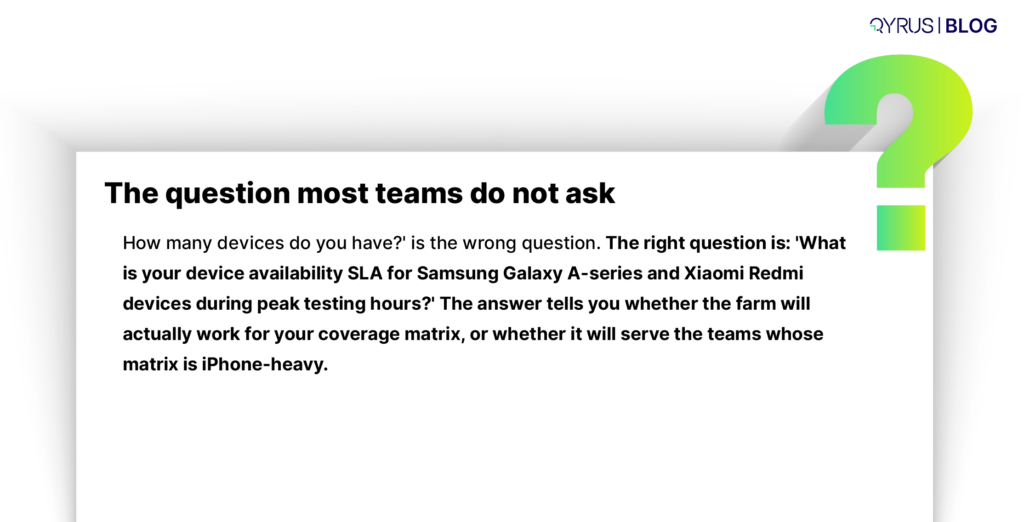
- The right devices, not the most devices — a farm with 3,000 devices is not useful if it has 2,800 iPhones and 200 Androids when your users are 70% Android. Evaluate coverage against your specific device matrix, not aggregate inventory numbers
- Parallel execution without throttling — the operational value of a device farm is running on 40 devices simultaneously in the time it takes to run on one. Farms that queue popular devices during peak hours negate this. Ask specifically about availability SLAs for the device models in your matrix.
- Video and log access on failure — when a test fails on a specific device configuration, you need the session recording, the device log, and ideally live access to reproduce the issue. Without this, a device farm produces failures you cannot diagnose
- Stable test script compatibility — moving from local automation to a cloud farm introduces configuration overhead. Appium session setup, app upload workflows, capability specification — factor this into the real cost of adoption, not just the subscription price
How Qyrus Handles This
The failures described in this guide — gesture conflicts, keyboard layout breaks, rendering inconsistency across manufacturers, performance collapse on budget hardware — are exactly the failure modes Qyrus’s mobile testing platform and real device cloud are built to surface.
Trust real devices, not simulations
Qyrus runs mobile tests on physical Android and iOS hardware across a broad matrix of manufacturers, OS versions, and hardware tiers. This matters because manufacturer-level OS customisations — MIUI, OneUI, OxygenOS — only exist on real devices. The gesture conflicts, keyboard behaviours, and memory management differences that produce production defects cannot be replicated in a virtualised environment. Qyrus does not use VMs for device testing.
Use visual regression that runs automatically
Qyrus captures screenshots across the full device matrix on every test run and uses AI-based comparison to detect rendering differences against a known baseline. The comparison is semantic, not pixel-level — it understands layout structure, so a minor animation frame difference does not produce the same alert as a broken layout. Visual validation is part of the automated pipeline, not a separate manual review step that gets skipped under release pressure.
Automated tests across device configurations
One of the biggest practical problems in cross-device automation is that a test written against one device’s element identifiers breaks on another device where the same element is identified differently.
Qyrus’s self-healing engine detects when an element cannot be located using the original selector and finds the correct element based on contextual analysis — maintaining test stability across the device matrix without manual repair after each configuration-specific failure.
Full matrix in parallel, fast enough for CI/CD
Qyrus runs tests simultaneously across all devices in the coverage matrix. A test suite that would take hours to run sequentially across 30 devices completes in the time it takes to run on one. This makes comprehensive device coverage compatible with pull-request-level CI/CD — the full matrix is validated before merge, not only before a major release.
No-code test creation framework that works across every device
Qyrus’s no-code recorder captures a user flow once and generates tests that execute across the full device matrix. There is no device-specific test authoring — the same test logic runs everywhere, with Qyrus handling device-specific element resolution automatically. Teams that do not have dedicated automation engineers can still run comprehensive cross-device suites.
Final Thought
Cross-device UX validation is not about covering more devices. It is about covering the right devices, testing the failure modes that actually reach production, and doing it in a way that fits into how your team ships software — not just before major launches when everyone is already under pressure.
The teams that get this right are not the ones with the largest device labs. They are the ones who derive their coverage matrix from real user data, use emulators for what they are actually good at, test on real hardware for what emulators cannot replicate, and automate enough of it to make comprehensive cross-device coverage a normal part of every release cycle.
See cross-device mobile testing with Qyrus
Qyrus combines a real device cloud, AI-powered visual regression, self-healing automation, and parallel execution across your full device matrix — in a single platform. If your team is finding device-specific defects in production, or your device coverage is limited by what hardware you happen to have access to, Qyrus is built for exactly this.
Request a demo to see how Qyrus validates cross-device UX on real hardware — before your users do.

FAQs
How many devices is enough to test on?
There is no universal answer — it depends on who your users are. Pull your analytics, identify the device and OS combinations that cover 80% of your active user base, and build a matrix around those. For most consumer apps that means 10–20 configurations across three hardware tiers. More important than the total is ensuring the matrix includes mid-range and budget hardware, not just the flagships that are easiest to access.
We already use Chrome DevTools mobile emulation. Is that not enough?
For layout and responsive design checks during development, it is a reasonable starting point. For UX validation before release, it is not. Chrome DevTools does not replicate manufacturer keyboard behaviour, real GPU rendering, touch input sensitivity, OS-level memory management, or performance on constrained hardware. Use it for development feedback. Use real devices for release validation.
How do we handle dark mode testing without doubling our test suite?
Dark mode does not require a separate parallel suite. Add a system-level dark mode toggle to the test setup configuration and run your existing visual regression suite in both states. The additional execution time is minimal. What it catches — hardcoded colours, broken transparent images, mixed-mode screens — is not minimal.
What is the right way to test performance on a device we do not own?
Cloud device farms with real device inventories are the standard solution. When evaluating a farm, specifically verify that their inventory includes the mid-range and budget hardware relevant to your user base — budget Android in particular is underrepresented in most farm inventories relative to its share of actual users.
Should accessibility testing be part of cross-device testing or a separate workstream?
Integrated, not separate. Accessibility failures are often device-specific: touch targets that meet guidelines on a high-density display fall below minimum size on a lower-density screen; font scaling at Large system size breaks layouts on specific devices; screen reader behaviour differs between VoiceOver and TalkBack. A single-device accessibility audit misses device-specific failures. Run accessibility checks as part of the cross-device matrix.
Our team does not have automation engineers. Can we still do cross-device testing at scale?
Yes — this is specifically what no-code mobile testing platforms address. Qyrus’s recorder captures user flows from a single session and generates tests that run across the full device matrix. You do not need to write device-specific test code. The platform handles element resolution and self-healing across configurations automatically.

 September 30, 2026
  9 min
9 min