SAP Integration Testing: How to Validate End-to-End Processes Across SAP and Connected Enterprise Systems
 Dona Zacharias
SAP integration testing is the practice of proving that SAP and the systems connected to it exchange data correctly and complete business processes end to end. Most teams test that a message arrived. Fewer test that the document it created is right. That gap is where go-live problems start.
TTC Global says that most SAP migration problems happen at the boundaries where SAP connects to systems, APIs and other programs it uses, not inside the main system. This guide explains what to test with IDocs, RFCs and OData services. It shows how to test a process that moves between SAP and non-SAP systems. It also helps decide what to do and how to pick the right tools. It follows one rule all the way: for every connection make sure it was sent handled and right.
What is SAP integration testing?
SAP integration testing checks that SAP modules, interfaces and connected applications work together across a business process. It sits between testing one function and testing the whole business flow, and it is where data crossing a system boundary is validated.
SAP’s own guidance separates several test levels. SAP Learning describes unit tests, string tests that chain unit tests, entire business process tests, end-to-end tests that run one or more processes in sequence, user acceptance tests and post-go-live regression tests. It also says integration and data migration tests are formal and should run once integrations are set up and data is migrated.
Integration testing is different from functional testing. Functional testing asks whether one transaction or module behaves correctly. Integration testing asks whether the handoff between modules and systems keeps the business result intact.
Why does integration testing matter in an ERP transformation?
Integration testing matters because an ERP transformation changes the logic, data formats and interfaces that connect SAP to everything. When something fails it doesn’t show up as a code error, but as a business process. Interfaces carry orders, invoices, payments and master data.
SAPinsider notes that, depending on conversion type, existing business logic and code may change, which can mean retesting whole systems and putting interfaces at risk. TTC lists three recurring challenges: satellite systems that’re not available when you need them compatibility between SAP changes and connected systems and limited visibility into external integrations, from internal impact analysis.
The problem does not end at go-live. Int4 points out that under SAP Integration Suite, SAP controls the release calendar, so changes can land in your tenants whether you are ready or not. Int4 also admits that companies with only a few interfaces may not need heavy automation. That is a fair test of your own situation: count your interfaces before you decide how much to invest.
What should you test in SAP integrations?
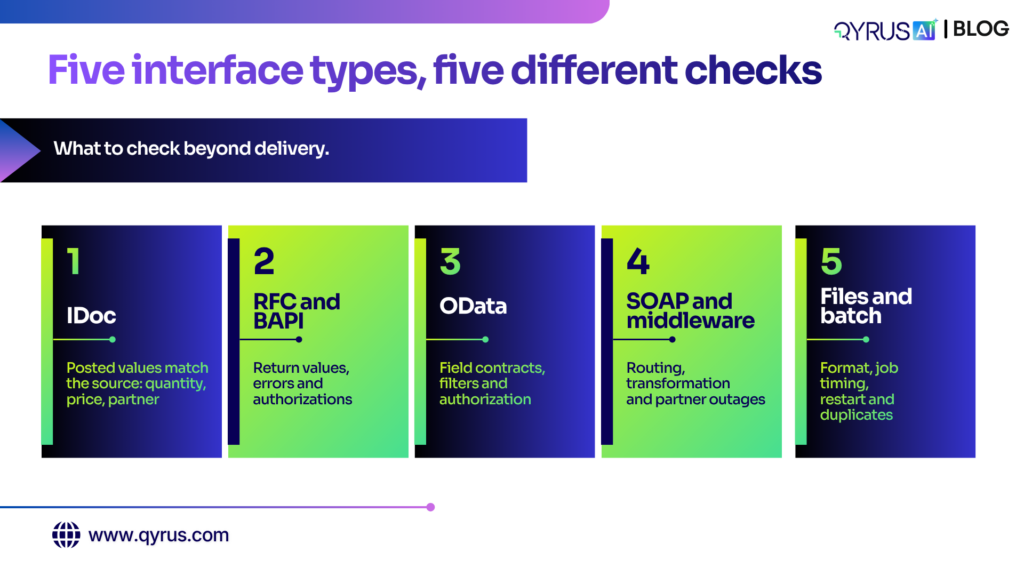
Test every interface type for three things: it was delivered, it was processed and the resulting business document is correct. List your interfaces first, because each type fails in a different way and needs its own checks before you can trust the result.
Interface type | What flows | What to check beyond delivery |
IDoc | Business documents sent asynchronously, such as orders, invoices and master data | The posted document has the right values, and mapping did not change quantity, price or partner |
RFC and BAPI | Synchronous calls between SAP systems or from other systems | Return values and error messages, authorizations and behavior after a function change |
OData service | Data for Fiori apps and external applications | Field contracts, filters, authorization and response handling after an update |
SOAP, proxy and middleware | Messages routed through SAP Process Orchestration or SAP Integration Suite | Routing, transformation and what happens when a partner is unavailable |
Files and batch | Flat files, scheduled jobs and file transfers | File format, job timing, restart behavior and duplicate handling |
Add three checks that cut across all five. Test negative cases, such as a missing field or a rejected message. Test volume, because an interface that works for one message can fail for many. Test master data, because customer, vendor and material records drive what every transaction does.
How do you test IDocs, RFCs and OData services during an S/4HANA migration?
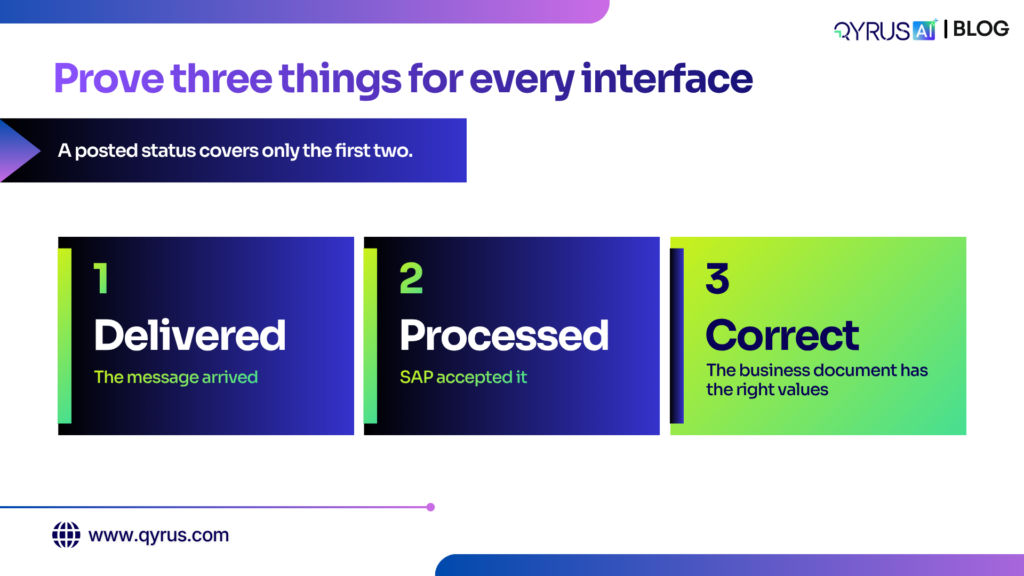
Test each one at three layers: delivery, processing and business outcome. Run the same set of messages before and after conversion, then compare the business documents they create. A technically successful status proves the message was handled, not that the result is right.
The IDoc is the clearest example. An IDoc can finish with a posted status and still create a document with the wrong quantity or price if the mapping is flawed. We cover that trap in detail in our guide to IDoc and EDI data integrity. The check that catches it is a comparison of the IDoc data against the document it posted.
SAPinsider describes a practical approach for conversions: store the messages that carried data before conversion, reprocess them after, and compare the business documents created before and after. It gives you a baseline without writing every test by hand.
For RFC, BAPI and OData, the same three layers apply:
- Delivered. The call reaches the service with the right authorization.
- Processed. The service returns the expected response, and errors are handled.
- Correct. The record it created or changed has the right values, and the dependent records updated.
Run all three after each change that could touch the interface: a conversion, a support package, a transport or a middleware update.
How do you test an end-to-end process across SAP and non-SAP systems?
Start from the business process, then list every system it crosses. An order-to-cash flow, for example, may touch a CRM, SAP sales and billing, a warehouse system, a payment provider and a reporting tool. Test the whole path with shared data, not each system alone.
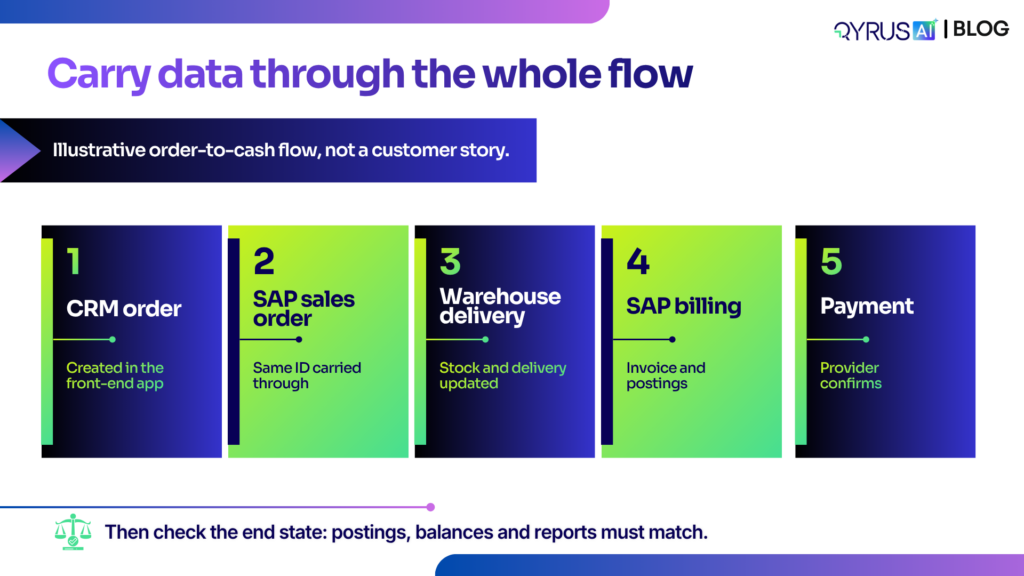
Hyperbots lists the common scenarios as procure-to-pay, order-to-cash, record-to-report and financial close. Pick the ones your business runs and write each as a sequence of handoffs: what leaves one system, what the next system receives, and what must be true at the end.
Three practices make this work:
- Carry data through the whole flow. The identifier created in step one must reach step six. A broken handoff is easy to miss if each step uses its own test data.
- Check the end state, not just each step. Confirm that the final postings, balances and reports match.
- Plan for systems you cannot reach. Partner systems are often unavailable in test. SAP’s S/4HANA interface testing service describes service virtualization at the API and transport layer to simulate unavailable legacy applications and B2B partners, and the use of historical messages to generate test scenarios. Virtualization covers the interface, not the partner’s internal processing, so keep a final test against the real system where you can.
How do you decide what to test first?
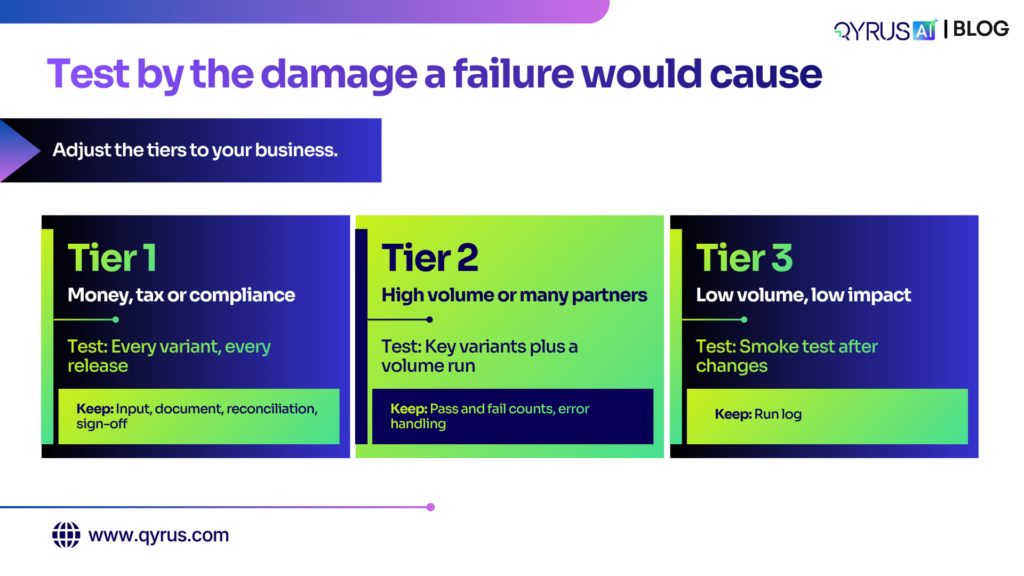
Rank interfaces by the damage a failure would cause, then test the highest tier most thoroughly and most often. You rarely have time to test every interface equally, so tiering turns a long list of interfaces into a workable plan.
Tier | Interfaces that belong here | How to test | Evidence to keep |
1 | Money, tax or compliance: payments, billing, invoices, bank files | Every variant, including negative cases, on every release | Input message, resulting document, reconciliation and business sign-off |
2 | High volume or many partners: orders, shipments, master data sync | Key variants plus a volume run | Pass and fail counts, error handling results |
3 | Low volume and low impact: informational feeds, internal notices | Smoke test after changes | Run log |
Adjust the tiers to your business, and revisit them when a process changes. Choosing what to retest after a change is a related problem, which our guide to AI for SAP regression testing covers.
Keep the evidence. When an auditor or a business owner asks why you signed off an interface, the stored input, the output document and the reconciliation are the answer.
How can SAP integration testing be automated?
Automate the repeatable checks: sending messages, comparing documents and re-running flows after each change. Keep people on the decisions: which interfaces matter, what the business rule is and when a result is good enough for the business to sign off.
Task | Automation handles well | People still own |
Creating test messages | Replaying or generating messages from past traffic | Choosing the scenarios that matter |
Running flows | Executing the same sequence across systems after every change | Setting the schedule and the gate |
Checking results | Comparing documents, balances and statuses | Deciding what counts as correct |
Impact selection | Finding which interfaces a change affects | Approving the scope |
Evidence | Collecting logs and reports | Business sign-off |
Four challenges recur. Test cases are written for a project and abandoned afterward, so they are stale at the next release. Test data is hard to build with valid links between records. Partner systems are unavailable. And testing sits apart from development, so interface changes arrive without test updates. Automation helps with the first three only if someone maintains it.
What are the best SAP integration testing tools, and how do you choose one?
The best tool depends on which problem you have: testing messages at the interface, testing a process across applications or managing the test program. QyrusAI is our product. The other entries come from each vendor’s own page, so confirm current details with the vendor.
Tool | What it focuses on | Notes |
QyrusAI | IDoc validation that links a message to the document it posted, API-first checks across OData, BAPIs, IDocs and database queries, and cross-system test orchestration | Part of Assure. Release-specific coverage |
Tricentis | End-to-end testing across SAP and connected applications, integration risk detection that scans SAP for IDoc and BDC integration points, and service virtualization | Integrates with SAP Cloud ALM |
Worksoft | Automated end-to-end business process tests, business process discovery and cross-application visibility | Codeless approach |
Int4 | Captures real messages as test cases and runs them on a schedule or from CI tools | Basis of SAP’s interface testing service |
SAP interface testing service | Managed service for protecting integrations in private cloud projects, with service virtualization | A service, not a self-serve tool |
For a wider comparison, see our guide to choosing an SAP testing platform. When you shortlist, ask five questions:
- Does it check the business document, or only the message status?
- Can it test across SAP and non-SAP systems in one flow?
- Can it simulate a partner system that is unavailable?
- Does it show which interfaces a change affects?
- Can you keep the evidence for audit?
How QyrusAI supports SAP integration testing
QyrusAI is an enterprise AI platform that helps organizations Modernize, Assure and Operate their critical systems. For integration testing, the work sits in Assure: prove that processes still work across the systems they touch.
For interfaces, QyrusAI’s Relationship Spotter links an incoming IDoc to the business transaction it posted, and compares IDoc data with the posted document so discrepancies show up. Its API-first approach validates SAP backend services directly through OData, BAPIs, IDocs and database queries, instead of relying on screen recordings. Qyrus reports 65% faster regression preparation and 50% fewer resources to maintain test suites for this approach.
For processes, Test Orchestration runs one flow across web, mobile, API and database steps, including journeys that cross SAP and other applications. The SAP API Mapping Agent turns a process such as order-to-cash into a connected API test workflow. It needs usable API access, and your team should review the workflow it generates. Support varies by release.
In practice, a North American Coca-Cola bottler automated 500+ scripts across 40 applications and cut test execution time by 88%, from 10,020 to 1,186 minutes. That project covered SAP GUI, web and mobile testing with end-to-end orchestration, not interface testing specifically. To see which systems a process depends on before you test it, start with dependency mapping.
Prove the outcome, not just the delivery
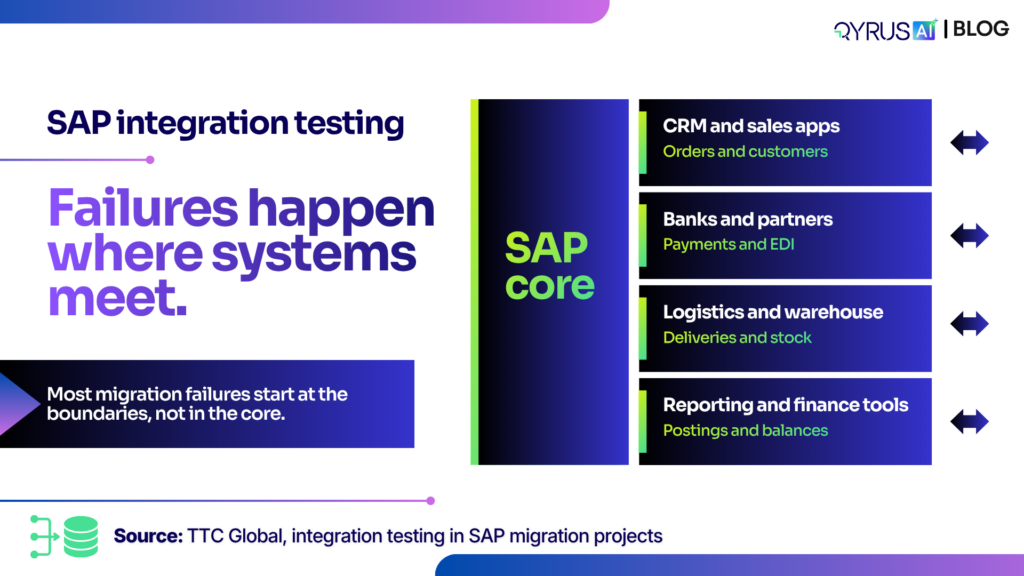
SAP integration testing works when you test each interface at three layers, tier your interfaces by the damage a failure would cause and run whole processes across the systems they touch. A passing status is a start, not a result.
QyrusAI helps you check the business document behind each IDoc, validate SAP services through their APIs and orchestrate flows across SAP and connected applications. Request a demo to see how QyrusAI tests your end-to-end processes.
Frequently asked questions of SAP Integration testing
How is integration testing different from functional testing?
Why is SAP integration testing important?
What should be tested in SAP integrations?
How do you test IDocs and EDI?
What are the common challenges in SAP integration testing?
Can SAP integration testing be fully automated?
When should integration testing start in an S/4HANA project?
Stay Ahead, Stay in the Loop with QyrusAI!
One Platform for Modernization, Quality Assurance and Intelligent IT Operations.
 October 29, 2026
  12 min