A top bank in the United Kingdom, committed to delivering secure and seamless digital banking experiences, faced a critical challenge to its growth. As its digital banking applications grew more complex, the institution faced significant testing challenges that slowed innovation and increased operational costs.
The existing infrastructure suffered from limited device and browser coverage, while time-consuming manual testing processes delayed release cycles. Legacy methods were inefficient, failing to adequately cover critical use cases.
To overcome these hurdles and enhance its digital customer experience, the bank partnered with Qyrus, implementing a modern device farm automated testing strategy to transform its quality assurance process.
Demonstrating immense scalability and adoption, the bank built and ran over 300,000 tests, logging more than 26,000 hours of execution time.
About the Client
The client, a top bank in the United Kingdom, provides safe and easy digital banking experiences. As the financial sector changes, the client has focused on innovation. This helps meet the rising expectations of its customers.
The organization focuses on improving the digital customer experience. It has invested in updating its infrastructure. This is especially true for software development and quality assurance.
To support its digital transformation, the client has adopted new technologies. These technologies make its mobile and web platforms reliable, secure, and easy to use.
As digital banking applications became more complex, the need for a better testing solution grew. This made the client look into better mobile software testing tools. They decided to implement a strong device farm automated testing strategy to ensure quality and speed at scale.
Why Legacy Testing Failed to Deliver a Premier Digital Customer Experience
Before partnering with Qyrus, the bank’s ability to deliver a flawless digital customer experience was compromised by several significant roadblocks. The existing testing methods were ill-equipped for the demands of modern digital banking, leading to inefficiencies that impacted everything from release speed to operational costs. The core challenges included:
Inadequate Device and Browser Coverage: The testing environment was restricted to a limited number of devices and browsers. This posed a significant risk to the digital customer experience, as bugs and performance issues on the wide variety of platforms used by customers could easily go undetected.
Time-Consuming Manual Processes: Labor-intensive manual testing was slow, prone to human error, and significantly delayed product release cycles. These inefficient processes not only slowed down innovation but also contributed to rising operational costs and resource constraints.
Inefficient Legacy Systems: The bank’s previous testing method, CITS, was inefficient and slow. This outdated approach was unable to keep up with the demands of complex banking applications, leaving critical use cases untested.
Lack of Actionable Insights: Reporting capabilities were basic and lacked the necessary tools for deep analysis, such as comprehensive screenshots, video playback, and analytics dashboards. This made it difficult for teams to diagnose and resolve issues quickly.
Difficulty Scaling On-Demand: The client struggled to scale testing efforts to align with the rapid pace of digital product development. It became clear that without adopting superior mobile software testing tools and a robust strategy for device farm automated testing, the organization could not efficiently ensure quality at scale.
Life with Qyrus: Scalable, Reliable, and Automated Testing
The choice to use Qyrus’ device farm for automated testing changed the client’s digital strategy. What started as a small trial quickly grew into a large deployment. It involved 44 devices and 75 to 85 active users.
This expansion allowed the client to test its apps on Android and iOS devices. They also were able to test with major browsers like Chrome, Firefox, Safari, and Edge on Windows, Mac, and Linux.
The Qyrus platform provided the client with powerful reporting and analytics tools that significantly improved visibility into test performance. Detailed reports, complete with screenshots, video logs, and advanced dashboards, allowed teams to quickly diagnose and resolve issues. This led to a substantial reduction in production bugs and a more stable, reliable digital platform.
Automation became a core component of the client’s testing strategy. With Qyrus, the client doubled their automated test cases.
They also reached over 90% test coverage on web and mobile platforms. Testers executed more than 308,000 tests, logging over 26,000 hours of test execution time. These results highlight the scalability and efficiency of the device farm automated testing approach.
Non-technical users can contribute to test creation and execution because of the simplicity of Qyrus. This method of testing helped bridge the gap between business and technical teams. This further helped to foster a more collaborative and agile development environment.
The client also benefited from the ability to simulate real-world scenarios across different devices and browsers. This comprehensive testing approach ensured that the digital products were robust and user-friendly. This would be regardless of the platform used by the customers.
Security and Compliance
In the financial services industry, security and compliance are paramount. The client required a testing solution that could meet stringent regulatory standards while supporting its need for scalability. Qyrus delivered on both fronts. The secure infrastructure protected sensitive financial data, while the flexible architecture allowed the client to expand its testing capabilities without compromising compliance.
The client decided to deepen its partnership with Qyrus because it can keep high security standards while growing operations. The platform’s enterprise-grade security certifications provided the assurance needed to innovate confidently in a highly regulated environment.
Moreover, Qyrus’ stringent security compliance gave the peace of mind that the client needed. Qyrus ensured a seamless and secure testing environment. This integration further strengthened the client’s ability to protect data and maintain regulatory compliance.
Results So Far
The results of implementing device farm automated testing have been impactful for the client. The organization reported a 150% increase in testing efficiency, enabling faster release cycles and significantly reducing the number of bugs in production. This improvement has directly affected the digital customer experience. Users now enjoy more reliable and responsive digital services.
Workflows have become automated, teams have become more agile, and collaboration between them is on a rise. Teams are now able to respond more quickly to changing requirements and deliver high-quality software at scale. The move to automation has led to significant cost savings. It has greatly reduced manual testing work and person-days.
The client has also seen improvements in team morale and productivity. With fewer repetitive tasks and clearer insights into testing outcomes, teams can focus more on innovation and continuous improvement.
Additionally, the client has been able to leverage the detailed analytics provided by Qyrus to make data-driven decisions. These insights have helped the client optimize its testing processes and identify areas for further improvement.
What’s Next for the Client
The client plans to build on its success. They will add AI-powered testing tools to their current system. These tools will allow for smarter automation, better analytics, and real-time issue detection. This will improve the efficiency of its device farm testing strategy.
The organization also aims to expand the involvement of non-technical teams in the testing process. Thanks to Qyrus’ easy low-code and no-code features, business users can help with test design and execution. This creates a more collaborative and inclusive way to ensure quality.
Compliance testing will remain a top priority. As rules change, the client promises to stay ahead by using Qyrus’ advanced security features. The organization will keep working to lower costs and increase test coverage.
The client is also exploring the use of machine learning algorithms to predict potential issues before they occur. This proactive approach to testing will further enhance the reliability and performance of their digital products.
Furthermore, the client is considering expanding its device farm to include more devices and browsers. This is to ensure even greater coverage and more comprehensive testing. This expansion will help the client stay ahead of the curve.
Why Qyrus?
The client selected Qyrus after a comprehensive evaluation of available solutions. Qyrus’ real device cloud impressed the organization. It offered the flexibility needed to test on many platforms.
The platform has an easy-to-use interface. Its low-code and no-code features make it accessible for everyone. It also integrates well with current workflows, ensuring a smooth transition.
Qyrus provided strong security and reporting features. These were important for the client to stay compliant and protect customer data. This combination of scalability, usability, and security made Qyrus the ideal partner for the client’s digital transformation journey.
By using device farm automated testing and advanced mobile software testing tools, the client has improved its operations. This change has also enhanced the digital customer experience. The organization is now better equipped to innovate, adapt, and lead in the competitive world of digital banking.
The client also values Qyrus’ commitment to continuous improvement and customer support. The Qyrus team has been responsive and proactive in addressing any issues and providing guidance on best practices. This strong partnership has been instrumental in the client’s success and will continue to drive future innovations.
We live in a world dominated by small screens. It’s the first thing we check in the morning and the last thing we see at night. This mobile-first reality has created a staggering digital economy, with mobile apps generating over $935 billion in revenue in 2024 and users spending a combined 4.2 trillion hours glued to their applications. In this hyper-competitive arena, your native mobile app isn’t just another channel; it is your brand, your store, and your relationship with the customer.
But here’s the stark reality: user tolerance for mistakes is virtually zero. In a market with endless choices, a single bug can have devastating consequences. Consider that a staggering 88% of users will abandon an app after a bad experience , and 71% will uninstall it simply because it crashes or has errors. The stakes are clear. For any business to thrive, delivering flawless native experience through robust mobile application automation testing is not just an advantage—it’s a fundamental requirement for survival.
This post explores why a strategic investment in an intelligent automation tool for mobile application testing is critical, and how a next-generation platform can be the key to unlocking success.
The Bedrock of Quality: How Mobile Testing Automation Pays for Itself
To keep up with the demands of the modern market, development teams have learned that treating testing as an afterthought is a recipe for failure. Smart organizations perceive automation not merely as a project-specific expense but as a capital investment in their quality assurance process. It’s a strategic imperative that delivers compounding returns in speed, cost-effectiveness, and reliability.
The most immediate benefit is a dramatic increase in speed. While manual testing is slow, tedious, and vulnerable to human error; automated scripts can run around the clock, executing hundreds of test cases in a fraction of the time without missing a single issue. This is especially true for repetitive but crucial tasks like regression testing, where companies report slashing test times by a massive 70-80%. By integrating mobile app automation testing tools into their development pipeline, teams can shrink feedback cycles by up to 80%, reducing QA time from days to mere hours and empowering developers to fix bugs faster than ever before.
This efficiency translates directly into significant long-term cost savings. While automation requires an initial investment in tools and setup, these costs are consistently offset by long-term gains. Consider the incredible returns: one report found that every dollar invested in user experience—a direct result of high-quality testing—can yield up to $100 in return, yielding an staggering 9,900% ROI.
Finally, automation provides a level of accuracy that humans simply cannot match. Manual testing, especially for repetitive tasks, is highly prone to fatigue and error. Automated scripts, however, execute the exact same steps with perfect consistency every time, free from distractions or oversight. This eliminates human error, leading to more reliable results and a higher-quality product that users can trust.
Meeting the “Native Expectation” in Mobile Application Automation Testing
The general shift to mobile phones is only half the story. To truly understand the landscape, you must recognize that the world isn’t just mobile-first; it’s native-app-first. Users don’t just prefer native applications; they live inside them, creating an incredibly high standard for quality and performance. This isn’t a niche preference—the data shows it’s an overwhelming majority, with a massive 85% of mobile users preferring native apps over mobile websites. This is where they spend their time, with native apps commanding a staggering 70% of all digital media time.
This strong preference isn’t arbitrary. It’s rooted in the superior, seamless experience that only native applications can provide. Because they are built for a specific operating system, native apps are inherently faster, more responsive, and more reliable. This performance advantage translates directly into powerful business outcomes. For businesses, this is where the magic happens: conversion rates on native apps are often 3x higher than on mobile websites , and remarkably, 65% of all e-commerce sales are now driven through them.
This combination of preference and performance has created what is known as the “native expectation.” Users have been conditioned to expect a certain level of polish, speed, and flawless functionality. When an app fails to meet this high bar, the result is jarring, and forgiveness is in short supply. This is why thorough mobile application automation testing is not just a technical process but a crucial component of customer satisfaction and brand management
The Gauntlet: Why Native Mobile App Testing Is a Perfect Storm
While the “native expectation” creates a huge opportunity, delivering it requires navigating a gauntlet of technical challenges that are far more complex than those in web or desktop testing. This perfect storm of variables makes a comprehensive manual testing strategy not just impractical, but logistically impossible.
The single greatest challenge is device and OS fragmentation. The ecosystem is not one unified market, but thousands of micro-environments. Consider the mind-boggling reality of the Android market alone, which features over 24,000 distinct device models from different manufacturers—compared to only around 40 for iOS. Each of these devices can have a different screen size, resolution, hardware configuration, and OS version. Manually testing even a fraction of these is a futile effort, creating a scenario where achieving comprehensive coverage is practically impossible without automation.
Beyond the sheer number of devices, native apps present other deep-seated complexities. Effective mobile automation testing tools must account for:
Platform-Specific Interactions: iOS and Android have their own distinct design guidelines, gestures (swipes, pinches, long-presses), and navigation patterns. An app must be tested separately on each platform to ensure its UI and UX feel truly native and intuitive.
Hardware and Network Variables: Native apps integrate deeply with device hardware like cameras, GPS, and microphones. They must also perform flawlessly under a wide variety of network conditions, from high-speed Wi-Fi to spotty cellular data.
Rapid Release Cycles: In the world of Agile and CI/CD, updates are frequent. Running a full regression test with each new build is essential to ensure new features don’t break existing ones, and attempting this manually quickly becomes a severe bottleneck that grinds development to a halt.
This combination of fragmentation, deep integration, and the need for speed creates a testing matrix of exponential complexity. It’s a challenge that demands a smarter, more scalable approach.
The Intelligent Answer: Conquering Native App Challenges with Qyrus
The complexity of the native mobile ecosystem doesn’t have to be a roadblock. It’s a challenge that can be met with the right strategy and a smarter platform. Qyrus is a next-generation, AI-powered automation tool for mobile application testing designed specifically to overcome these hurdles, ensuring exceptional quality while accelerating your speed to market. It directly addresses the most painful aspects of native testing by mapping its intelligent features to your biggest challenges.
Challenge 1: Impossible Device Fragmentation
Qyrus Solution: The Qyrus Device Farm. Instantly test your application—manually or with automation—across a massive and diverse inventory of real Android and iOS devices. You can achieve comprehensive device coverage and eliminate the immense cost and effort of maintaining an in-house lab.
Challenge 2: Slow, Tedious Test Creation
Qyrus Solution: Mobile Automation & Rover AI. Use the intuitive Mobile Recorder to build complex automated test cases in minutes by simply recording your actions on a device. To go even faster, leverage Rover AI to visually scan your app, automatically identify UI and usability issues, and then seamlessly convert that entire analysis into a functional automation test with a single click.
Challenge 3: Brittle Tests and Constant Maintenance
Qyrus Solution: AI-Driven Script Correction. One of the biggest drains on resources is fixing tests that break due to minor UI changes. Qyrus’s AI automatically detects and corrects flaky scripts when elements shift or identifiers change, dramatically reducing the time your team spends on maintenance and allowing them to focus on creating new tests.
Challenge 4: Finding the Root Cause of Bugs
Qyrus Solution: Advanced Reporting. Go beyond a simple pass or fail. Every test run on the Qyrus platform generates a rich report including step-by-step screenshots, full video recordings, and detailed performance profiling (CPU, memory, network usage) to help your developers pinpoint the exact cause of any issue instantly.
Conclusion: Your App, Flawless
The verdict is clear. In a world where your business is defined by its mobile presence, and where 88% of users will leave after just one bad experience, quality is not negotiable. The sheer complexity and fragmentation of the native app ecosystem make traditional manual testing obsolete. The only path to success is a smart, strategic investment in automation.
By embracing a powerful, AI-driven platform like Qyrus, you are not just buying a testing tool; you are adopting a business strategy. It’s a strategy that protects your revenue, enhances your brand reputation, and empowers you to innovate faster and more confidently in the highly competitive mobile market.
Ready to give your mobile application the quality and speed boost it deserves? Explore the Qyrus mobile testing solution and see how our next-gen AI can transform your testing process.
It’s a frustratingly common story in the world of software development. Your highly skilled, expensive QA team is ready to get to work, but instead of testing, they’re spending a staggering 30-50% of their time just setting up test environments. This isn’t just a minor delay; it’s a critical bottleneck that results in approximately 74% of projects getting delayed. For organizations whose operations live and breathe on SAP, this problem is magnified tenfold.
The core challenge lies in effective SAP data testing as part of the overall SAP testing. SAP landscapes are intricate webs of interconnected modules and vast data volumes, making the task of creating realistic, compliant test data a monumental effort. The failure to manage this process effectively has predictable and painful consequences: project delays spiral into budget overruns, software quality suffers, and significant security vulnerabilities are left wide open.
This isn’t just an operational headache anymore. It has become a strategic imperative.
This post explores how a modern, automated approach to Test Data Management (TDM) can transform this critical challenge into your competitive advantage. We will unpack the real costs of outdated methods and introduce a new way forward with advanced SAP test data management tools like Qyrus DataChain, designed to cut through the complexity and deliver real results.
The Root of the Challenge: Why SAP Test Data Management is Uniquely Complex
To understand why so many resources are spent on SAP data testing, we first need to appreciate the platform’s unique nature. The problem isn’t just about handling large amounts of data; it’s about managing data that is vast, intricate, and deeply interconnected. This inherent complexity is the primary reason that manual approaches are no longer viable.
At their core, SAP systems manage enormous quantities of information, characterized by complex inter-relationships and dependencies between different modules and data objects. Generating representative test datasets that accurately reflect these complexities—without introducing redundant data—is a significant hurdle.
The most critical challenge is maintaining Data Consistency and Referential Integrity. Multiple SAP modules, such as finance, sales, and HR, are tightly linked. For a test process to be valid, the data must respect these connections. For example, a test of an “order-to-cash” cycle must preserve the referential links between customer records, sales orders, and financial documents to behave realistically. If the test data for a sales scenario lacks consistent master data in the finance module, tests are likely to fail for reasons unrelated to the function being tested, leading to “false positives” and wasted time.
This difficulty is compounded by the need for multiple testing environments. A typical SAP project requires several non-production systems for development, QA, UAT, and performance testing. Ensuring that test data is consistent and relevant across these diverse environments is vital for reliable outcomes. Manually refreshing these landscapes to keep the data realistic is a labor-intensive and disruptive process that often gets neglected, causing test environments to grow stale and unreliable.
These fundamental challenges—data volume, referential integrity, and environment synchronization—are why a strategic approach to sap test data management is no longer a luxury, but a necessity.
The Hidden Toll: Unpacking the Real Costs of Poor SAP Data Testing
An inadequate strategy for SAP data testing isn’t just an inconvenience that slows things down; it’s a constant drain on resources that silently chips away at your bottom line and exposes your organization to significant risk. The true cost manifests in tangible financial burdens, operational drag, and a growing list of compliance dangers.
The Financial Burden
When test data is a bottleneck, the financial repercussions are swift and severe. It is a primary contributor to the widely observed phenomenon where SAP implementation projects frequently exceed their initial budgets, with overruns of 40% to 60% being common. This is often compounded by the outdated practice of creating full copies of production systems for testing. This not only leads to bloated storage but also incurs ongoing maintenance costs that can be up to seven times higher than the initial cost of the storage capacity.
Beyond the direct costs, poor data management grinds productivity to a halt. Teams waste countless hours investigating “false positives”, bugs that aren’t real software defects but are simply the result of inconsistent or corrupt test data.
This problem is rooted in what can only be described as a referential integrity nightmare. A single, seemingly simple business process, like an “Order to Cash” scenario, triggers a cascade of corresponding data across completely different modules. A sales transaction in the Sales and Distribution (SD) module can create financial postings in Financial Accounting (FI) and inventory movements in Materials Management (MM). If the test data for this scenario lacks the corresponding data in FI or MM, the test will fail for reasons completely unrelated to the function being tested. Manually tracking and synchronizing this complex chain of data is an almost impossible, error-prone task.
The Compliance and Security Risk
In today’s regulatory landscape, the stakes for data privacy have never been higher. Protecting Personally Identifiable Information (PII) to comply with stringent regulations like GDPR and HIPAA is non-negotiable. Yet, a staggering survey found that only about 7% of companies were fully compliant with data privacy laws within their test environments.
This creates a breeding ground for “shadow data”—untracked or unmanaged sensitive data that proliferates across test systems. Breaches involving this specific type of data are even more costly, averaging an alarming USD 5.27 million. The message is clear: using the right SAP test data management tools is no longer optional for organizations that take security and compliance seriously.
The Path Forward: A Modern Approach to SAP Test Data Management
The solution to this complex data maze isn’t to work harder or hire more people to manage spreadsheets. The solution is to fundamentally change the approach. A modern strategy for SAP data testing hinges on automation—streamlining the entire process to eliminate manual effort, ensure data integrity, and provide data on demand. The goal is to empower testing teams, not to bury them in data preparation.
This is precisely why we are excited to introduce Qyrus DataChain.
Qyrus DataChain is a powerful solution designed specifically to streamline the entire process of test data creation for both SAP master data and business transaction processes. It was built from the ground up to directly address the core challenges of complexity, manual error, and the dependency on specialized system knowledge that plague traditional testing cycles. It represents a strategic shift, turning test data management from a bottleneck into an accelerator.
How Qyrus DataChain Works: From a Single Input to Test-Ready Data
Qyrus DataChain was designed for simplicity and power, replacing hours of painstaking manual work with a streamlined, automated workflow. It moves your team beyond error-prone spreadsheets by treating complex, related data as a single, manageable unit. Here’s how it transforms the process.
Step 1: Seamless Data Extraction
Everything starts with a single piece of information. The user simply provides one document or transaction number—like a sales order number, for instance—as the starting point. There is no need to manually hunt down every related document; this one input is all the tool needs to begin.
Step 2: Automated Transaction Mapping
This is where magic happens. Once the initial transaction number is provided, Qyrus DataChain automatically scans your SAP system to identify and map every single linked transaction. It intelligently follows the entire document trail, finding the associated quotation, the follow-on delivery, the final billing document, and the corresponding accounting entries. This automated mapping finally solves the “referential integrity nightmare,” ensuring that the entire end-to-end process data is captured accurately and completely.
Step 3: Comprehensive Data Generation
With all the linked transactions identified, the tool automatically extracts the relevant data from each step. This information is then instantly compiled into a single, structured file that is synchronized, traceable, and ready to be used for testing. This eliminates the need for manual data collection and spreadsheet maintenance, which is not only time-consuming but a primary source of errors and inconsistencies.
Step 4: Extensive Coverage
This powerful capability isn’t limited to just one business scenario. As one of the most versatile SAP test data management tools available, DataChain works across all common SAP transactions. This includes Inquiry, Quotation, Purchase Requisition, Quality Notifications, Accounting, and Material Movement, ensuring broad applicability for your most critical testing needs.
The Measurable Impact: The ROI of Automated SAP Data Testing
Adopting a modern approach with advanced SAP test data management tools isn’t a leap of faith; it’s a strategic investment that delivers substantial and quantifiable returns across cost, speed, and quality. The statistics from industry reports paint a compelling picture of the transformation.
Dramatically Reduce Time and Costs
By automating the most labor-intensive parts of the testing process, organizations see an immediate and significant reduction in wasted time and expense.
Faster Data Creation & Refreshes: Some organizations have achieved up to 92% faster test data creation and have accelerated their data refresh processes by as much as 90%.
Accelerated Testing Cycles: On average, the time required to complete testing cycles can be reduced by 51%.
Infrastructure & Hardware Savings: By creating lean, relevant data subsets instead of full copies, companies have reported reducing SAP HANA infrastructure costs by up to 70% and cutting S/4HANA hardware costs by up to 80%.
Ensure Complete Coverage and Enhance Quality
Automating data extraction and generation eliminates the primary source of testing issues: human error. This leads to higher quality data, which in turn leads to higher quality software.
Minimize Manual Errors: By removing error-prone spreadsheet maintenance and manual data collection, the risk of data inconsistencies is virtually eliminated, leading to more reliable testing.
Improve Defect Detection: Better data leads to better testing. One case study demonstrated a 70% improvement in test data coverage, which allowed the team to find more defects earlier.
Reduce Defect Leakage: Finding defects before they reach production is crucial. A notable case study at Yorkshire Water showed that implementing a modern TDM strategy resulted in the average defect leakage per release decreasing dramatically from 2.19 to just 0.67.
Accelerate Overall Project Delivery
The cumulative effect of these efficiencies is a significant acceleration in the entire software development lifecycle.
Impressive ROI: The financial returns on a mature SAP data testing strategy can be extraordinary. Organizations using Tricentis SAP testing solutions, which rely on effective TDM, have reported an average three-year ROI of 576%, demonstrating that this is an investment that pays for itself many times over.
Real-World Results with Qyrus: A Case Study
These industry statistics are powerfully demonstrated in a real-world scenario. A global automobile manufacturer was struggling with slow, resource-intensive manual testing for its critical SAP S/4HANA business processes. By implementing the Qyrus platform for SAP testing, which combines codeless automation with powerful test data management, the company achieved transformative results:
Overall testing effort was slashed by 88%.
Regression testing time was reduced by a staggering 92%.
Test execution time for critical Order-to-Cash and Procure-to-Pay cycles plummeted from 40 hours to just 5 hours.
100% test automation coverage was achieved for the processes in scope.
This case study showcases how leveraging a holistic platform that excels at SAP data testing can turn impressive industry statistics into a reality for your organization.
From Bottleneck to Business Accelerator: Redefine Your TDM Strategy
In today’s fast-paced digital enterprise, inefficient and manual processes are a significant liability. As we’ve seen, clinging to outdated methods for SAP data testing is not just slowing you down—it’s actively costing you money, exposing you to risk, and preventing your teams from delivering their best work. The data is clear: the hidden costs of poor test data management are too high to ignore.
By embracing a modern, automated approach with powerful sap test data management tools like Qyrus DataChain, you can fundamentally change this dynamic. You can transform Test Data Management from a painful bottleneck into a powerful catalyst for innovation and operational excellence. It’s time to move beyond the limitations of spreadsheets and empower your teams with the accurate, complete, and instantly available data they need to build better software, faster.
Take the Next Step
Ready to see how Qyrus DataChain can make a substantial difference in your SAP testing processes? We would love to schedule a brief demo to show you how our SAP Testing solution can directly benefit your team.
Schedule Your Qyrus DataChain Demo Today
APIs are business drivers.
The global market growth for APIs is set to cross the 1 Billion US Dollar market capitalization by 2026. The real question here is why is the market growing so big? It’s one thing to develop APIs and completely other to make money of them.
Yes, there are companies who are actively making money off their APIs. The important thing here is to understand the difference is the key to leveraging what APIs hold and that’s where Functional API testing becomes crucial.
We did a small survey of 50 participants where we found some interesting revelations. Many surveyed members dealt with APIs, and some made even money from their APIs. Example The largest payment gateway providers, Tech unicorns and etc.
Strikingly the one thing was common across all successful API implementations. They created frameworks and invested in API Functional testing tool that set the scale for them.
What Is Functional API Testing?
API testing is the process of validating whether an API works as expected — correctly, reliably, securely, and under different conditions. Instead of testing through the UI, API testing checks the core logic, data flows, and interactions between services that power your application.
And Functional testing focuses only on your API functions it ensures that it works from the business and users’ point of view.
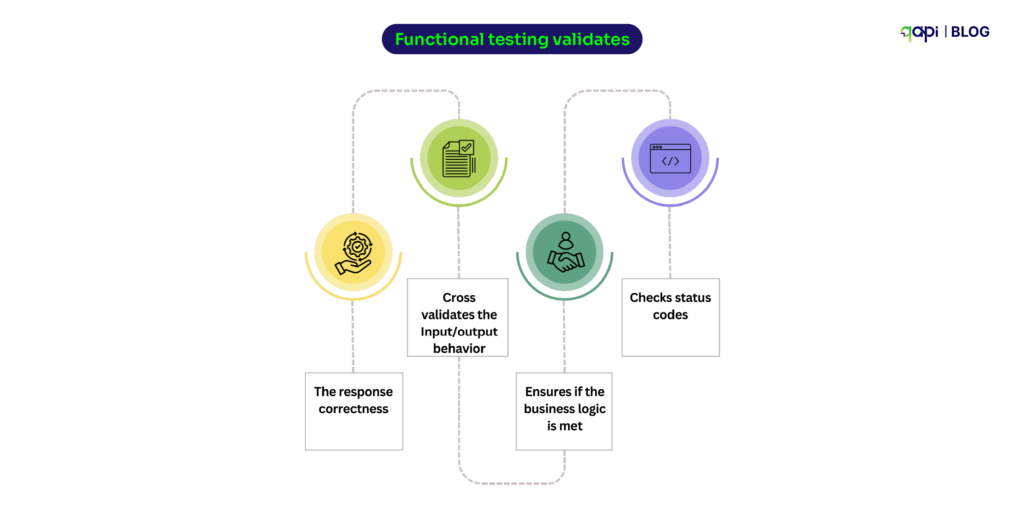
Functional testing validates:
• The response correctness
• Cross validates the Input/output behavior
• Ensures if the business logic is met
• Checks status codes
Why Should You Invest in a Functional API Testing Tool?
During our survey we noticed that a lot of API users, they just build APIs. But the way the APIs are tested is inefficient or lacks a collective outcome.
They’re just checking status codes and hoping everything else works.
That’s the problem.
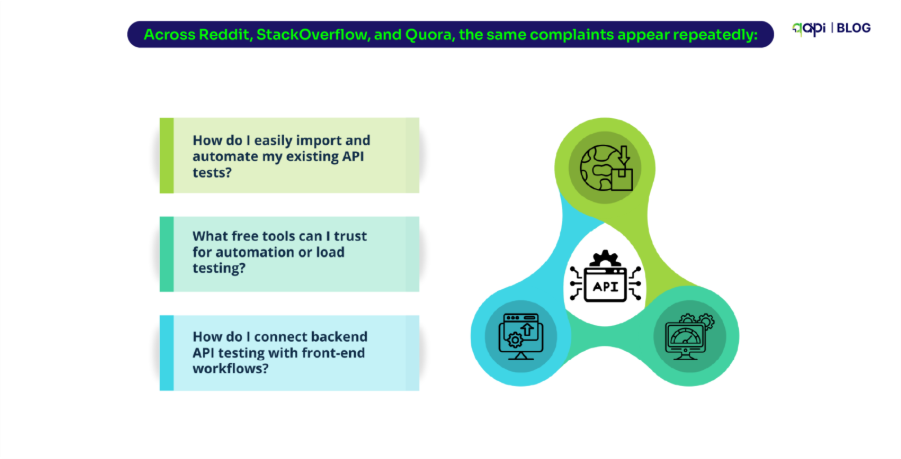
In our conversations and surveys with API teams, one pattern kept repeating:
Developers need to build APIs fast… but structured, automated API testing remains unclear for some.
And that gap becomes expensive — delay in releases, hidden logic failures, contract breaks in microservices, and production incidents that should’ve been caught earlier.
So here are some real questions developers ask (and the answers they actually need)
Why do API tests fail even when the UI works?
Because UI tests can’t identify API failures. A loading spinner can mask a 500 error. This is why with functional API tests you can get the visibility— and you fix issues before users see them.
It exposes broken contract fields, inconsistent logic, or microservice failures long before users ever experience them. This gap is exactly why teams eventually adopt deeper API-first testing practices: you can’t rely on the UI to tell you whether the backend is healthy.
What are the best API testing tools for automation?
Depends on your stack.
When teams begin evaluating tools for automation, they quickly discover that “best API testing tool” depends entirely on their workflow.
Code-first teams often prefer libraries like Rest Assured, Karate, or Postman fraeworks because they align with developer-centric pipelines. Teams wanting easier API handling qAPI, where low-code workflows, shared workspaces, and faster onboarding matter more than writing assertions by hand.
The real upside though, is toward with qAPI because it provides scripting flexibility with cloud-native, automation-ready execution — a space where developer dependency is removed. As the application is skilled enough to take care of all the test cases and coding aspect.
Why do we say that
How do you test 1000+ API endpoints efficiently?
Things become significantly more challenging when you’re staring at an API surface with 1000+ endpoints. At that scale, manual test creation is let’s just say not ideal.
The only sustainable approach is automation-first: import your OpenAPI or Postman collections, let AI generate a baseline suite, and then refine coverage using analytics, usage patterns, and risk scoring.
qAPI does that by offering parallel execution and contract testing — the moment your API schema drifts, dozens of downstream services can break. So qAPI helps by automatically generating tests from imports, mapping coverage gaps, and running tests completely end-to-end in just a few clicks.
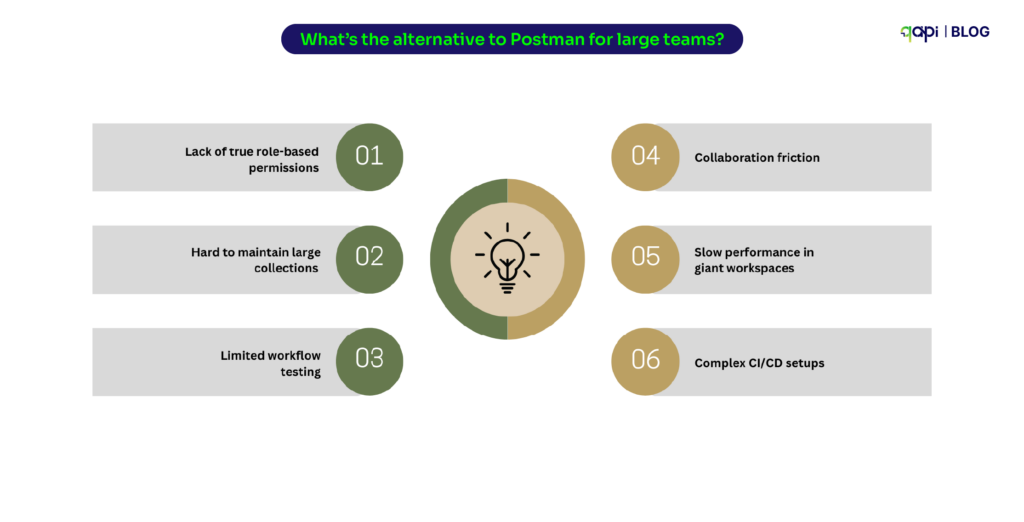
What’s the alternative to Postman for large teams?
Look for: RBAC, version control, CI/CD gates, audit trails, and centralized reporting. Postman is great for development and debugging — but large teams face issues:
• Lack of true role-based permissions
• Hard to maintain large collections
• Limited workflow testing
• Collaboration friction
• Slow performance in giant workspaces
• Complex CI/CD setups
If Postman is for building APIs, qAPI is for building and testing APIs end-to-end at scale. It’s less about “replacing Postman” and more about evolving from a development tool to a testing platform that is affordable and built for scale.
How do you test APIs for mobile vs web?
Mobile APIs behave differently: they must handle network drops, offline caching, token refresh logic, background sync, and device-level fragmentation.
Web APIs on the other hand, run on more predictable networks and face browser-level constraints like CORS, cookie handling, and session expiry.
Your Testing strategies must adapt accordingly. Tools that allow network load testing, Functional API testing, chained workflows, and multi-environment validation—such as qAPI—are particularly useful here, because they capture all the needed edge cases mobile teams deal with daily.
Can AI really automate API testing accurately?
Yes — when guided by humans. AI excels at generating tests, detecting flakiness, and suggesting repairs. But coverage strategy, business logic validation, and risk-based prioritization still require human insight.
qAPI treats AI as a co-pilot instead of a replacement — increasing the speed and accuracy of testing while keeping engineers in control to drive the overall quality and testing outcome.
Versioning Conflicts How to Handle Them?
With the pace of APIs changes it’s hard as new fields appear, old parameters get removed, and validation rules shift quietly. The problem? Your test suite doesn’t automatically know this happened. So tests suddenly fail — not because the system is broken, but because the contract changed.
Teams search for this constantly because manual tracking is impossible. What’s needed is automated detection of what changed, why it changed, and how it affects existing tests. That’s why a version-aware testing tool matters as it can catch contract drift before it becomes a production issue.
Flaky Endpoints — when tests fail for reasons unrelated to the code
Flaky API tests are the biggest source of frustration in QA especially when running functional API tests, we’ve seen it as a common point among all the surveyed teams. There was a pattern: You run a test → it passes. You run it again → it fails. Nothing changed.
This usually happens because:
• The database returns inconsistent data
• Upstream services respond slowly
• Test environments aren’t stable
Teams search for this because flaky tests destroy trust.
What they need is a way to identify patterns behind failures — not just rerun tests 10 times hoping they pass.
qAPI helps by analysing run history and pinpointing where problem repeats.
How do you handle breaking changes across API versions during functional testing?
Versioning issues happen when an API’s request/response schema changes, but dependent services or tests still expect the old format. The solution is to:
• Test every version of the API that is still in use
• Automatically detect schema drift using contract testing
• Maintain version-specific test suites or test conditions
• Fail tests early when incompatible changes appear
Why do some API tests pass sometimes and fail other times ?
Even a small delay can cause timeouts, inconsistent data states, or partial responses. The way teams write their test cases can make teams lose confidence because they pass one moment and fail the next.
The solution is to stabilize dependencies, create dedicated datasets, add retries where appropriate, and use mocks for unreliable integrations. Once this is done, functional tests become far more predictable.
How can you simulate API rate limiting in functional API tests?
When applications send too many requests too quickly, APIs intentionally throttle them. Functional API Testing tools ensures your system can retry correctly, slow down gracefully, or notify the user instead of crashing.
Teams can simulate rate limits by sending parallel bursts of requests, recreating rate-limit headers, or using qAPI that can run controlled traffic spikes. This is especially important for fintech, e-commerce, and consumer apps.
How do you automate OAuth or JWT authentication in API testing?
Authentication is no longer a simple API key. You now deal with:
• OAuth 2.0 authorization flows
• JWT tokens with expiry rules
• Role-based or scope-based permissions
To automate auth:
• Auto-generate tokens inside your test suite
• Store secrets securely per environment
• Refresh tokens programmatically
• Test endpoints under different roles/scopes
This is where many functional tests break after long periods of stability.
Why do large Postman collections get slow, and how do you scale them?
Postman works great initially — until the collection crosses 300+ requests. Symptoms include:
• Slow run times
• Very large JSON files
• Hard-to-track assertions
• Increased maintenance effort
Teams scale beyond Postman by using qAPI to:
• Break collections into modules
• Run tests in parallel
• Skip rewriting test cases
• Shifting to schema-based / automated test generation
This becomes important choice for teams as they hit microservices-level scale.
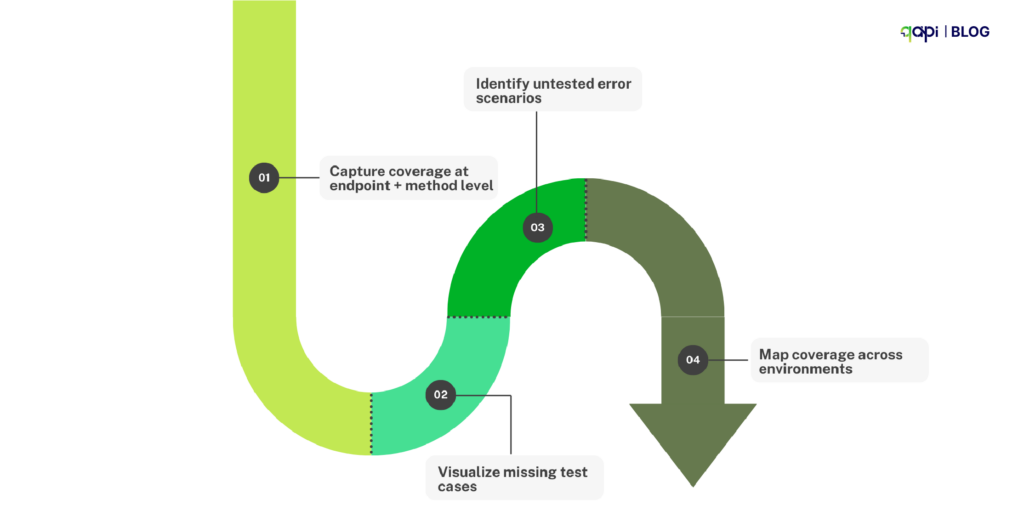
How do you measure which APIs are covered by your tests?
Most organizations don’t know their coverage percentage.
To fix this:
• Capture coverage at endpoint + method level
• Visualize missing test cases
• Identify untested error scenarios
• Map coverage across environments
Coverage analytics gives your QA and engineering a clear, shared picture of risk — something long missing in API testing tools.
Why do API tests pass in dev but fail in staging or production?
Environment inconsistencies are extremely common: different configs, missing data, disabled services, or outdated versions. An API test that passes in dev may hit a slightly different setup in staging, causing failures that look like bugs but aren’t.
Teams can solve this by syncing environment variables, standardizing configurations, validating endpoints before running tests, and maintaining consistent datasets. This reduces false failures and speeds up debugging dramatically.
How do you stop flaky API tests from breaking your CI/CD pipeline?
CI/CD instability often comes from slow APIs, wrong sequencing, token failures, and flaky dependencies. When tests randomly fail in CI, teams start ignoring real issues. To prevent this, teams should use smoke tests to validate health, run high-value tests early, remove unstable integration tests, and re-run only failed tests intelligently. This reliable CI/CD testing strategy will allow teams to release faster without compromising quality.
How can you speed up regression testing for 500–1000+ APIs?
Regression cycles stretch into hours, pipelines slow down, and releasing confidently becomes harder with every added endpoint. This is exactly where modern functional API testing platforms make a difference — and where qAPI is created to excel.
qAPI handles large-scale regression intelligently: tests run in parallel across the cloud, suites are generated from imports or AI-driven workflows, and only impacted tests execute when an API changes. Instead of waiting for full suites to run, teams get instant signals on what matters.
Coverage gaps become visible, environment stays in sync, and even complex workflows remain maintainable without heavy scripting.
Excellent point. The key is to provide value and solve the reader’s problem first, then subtly position qAPI as the ideal tool for implementing the solution.
How to Architect an API Functional Testing Strategy That Actually Works
Start Going Beyond Status Codes: Validate the Whole Transaction
A “200 OK” means nothing if the data is wrong. Your tests must validate the entire contract: status, headers, response time, and the JSON payload itself. Is the `order_id` a string or an integer? Is `created_at` in the right format?
So, you catch data integrity issues before they corrupt downstream systems.
Systematically Test Happy Paths and Sad Paths
Of course, test that a valid payment goes through. But also test:
– What happens with an expired credit card?
– A duplicate transaction ID?
– A request with a missing auth token?
qAPI can auto-generate these negative test cases from your API spec.
Mock Your Dependencies from Day One
Don’t let your testing rely on a staging environment that’s always down or a third-party API that’s rate-limited. Use mock servers to simulate dependencies.
The result: Your tests are fast, reliable, and can run anywhere — including a developer’s laptop in 30 seconds. This is a core meaning of “shift-left” testing.
Make Tests a Non-Negotiable CI/CD Gate
If a developer can merge code that breaks an API contract, your safety net has failed. Your core functional tests must run on every commit or pull request. No exceptions.
You should catch breaking changes in minutes, not days. This single practice can slash bug leakage by up to 80%.
Make the move
Adopting this architectural approach isn’t just “better testing” it’s the right move.
Functional API testing is no longer just about checking status codes. It’s about proving your business logic across distributed systems, managing change at speed, and delivering reliable experiences in a world where microservices evolve daily.
With AI-assisted test creation, codeless automation, contract validation, and cloud-native execution, qAPI helps teams shift from reactive defect hunting to proactive quality engineering.
The teams that invest in functional API testing today will be the ones shipping faster, fixing earlier, and building more resilient systems tomorrow. And qAPI makes that shift not only possible, but effortless.
The dust has just settled from Apple’s Worldwide Developers Conference (WWDC), and the entire tech world is buzzing about one thing: iOS 26. This isn’t just another annual update. Apple has officially unveiled what many are calling the most significant redesign of the iPhone operating system since iOS 7, marking a revolutionary new chapter for the user experience. From a groundbreaking visual overhaul to a massive leap in AI capabilities, iOS 26 is set to redefine how we interact with our most personal devices.
The developer beta is officially out, and the race is on for development teams to prepare their applications for a public release expected this September. In this crucial early phase, having access to a reliable testing environment is paramount. That’s why we are incredibly excited to make a major announcement of our own.
Qyrus is proud to be the first test automation solution to provide full support for the new iOS 26 beta.
We believe in empowering developers to stay ahead of the curve. This blog post will explore the most exciting iOS 26 features and demonstrate how you can start testing them today with Qyrus, ensuring your app is not just compatible, but truly shines on this next-generation OS.
A Glimpse into the Future: Exploring the Key iOS 26 Features
Before we discuss testing, it’s essential to understand the magnitude of change in the iOS 26 beta. This update is packed with foundational shifts and exciting new functionalities.
First, you might be wondering why Apple skipped from iOS 18 to iOS 26. In a major strategy shift, Apple has changed its naming convention to align all its operating systems under a unified numbering scheme reflecting the year of use. This brings us iOS 26, iPadOS 26, and macOS 26, all designed for the 2026 software cycle.
Now, let’s look at the groundbreaking iOS 26 features that developers need to prepare for:
The “Liquid Glass” Design Language: This is the centerpiece of iOS 26, representing the first major visual redesign since iOS 7. Interface elements now behave like translucent glass, with properties like refraction and specular highlights that respond dynamically to device movement. This new design creates an enhanced sense of depth and motion and extends across the entire system, from a more transparent Control Center to an edge-to-edge Browse experience in Safari.
A Leap in Apple Intelligence: iOS 26 significantly expands Apple’s AI capabilities.
Live Translation provides real-time translation of text and audio conversations directly in Messages, FaceTime, and Phone calls, all processed privately on-device.
Enhanced Visual Intelligence now works on screenshots, allowing you to ask ChatGPT questions about screen content or search for similar images and products on supported apps like Google or Etsy.
Revolutionized Phone and Messages Features: Daily communication gets a massive upgrade.
Call Screening lets your iPhone automatically answer calls from unknown numbers to ask for the caller’s name and purpose before you decide to answer.
Hold Assist monitors calls for you when you’re on hold and notifies you the moment a live agent becomes available, saving you from waiting endlessly by the phone.
The Apple Games App: iOS 26 introduces a new, dedicated Apple Games hub. This app serves as a central destination for all gaming activities, unifying access to installed games, Apple Arcade, multiplayer sections, leaderboards, and Game Center achievements.
These are just a few of the many foundational changes in iOS 26. The sheer scope of this update, from its visual core to its AI-powered features, underscores the critical need for early and thorough testing.
Don’t Wait for September: Why Testing on the iOS 26 Beta is Business-Critical
With a public release expected in mid-September 2025, it might seem like there’s plenty of time. However, the sheer magnitude of the changes in the iOS 26 beta makes early, rigorous testing a non-negotiable for any serious development team. Waiting could mean scrambling to fix major issues just before launch.
Here’s why you must start testing your applications on the iOS 26 beta immediately:
Adapt to the “Liquid Glass” Revolution: This isn’t just a new coat of paint; it’s a fundamental shift in UI philosophy. The new translucent and refractive materials of the “Liquid Glass” design can directly impact the readability and visual integrity of your app’s interface. Early testing is the only way to catch visual bugs, ensure your custom UI elements don’t clash with the new aesthetic, and guarantee a seamless visual experience for your users.
Validate New API and Framework Integrations: iOS 26 introduces powerful new frameworks for developers, like the Foundation Models Framework that allows apps to integrate Apple Intelligence features with just a few lines of code. To leverage these new capabilities, you need to test the integrations now, ensuring they perform correctly and add real value to your application.
Mitigate Core Functionality Risks: An update of this scale, described as Apple’s most ambitious software redesign in over a decade, inevitably introduces the risk of breaking existing features. Running your full regression test suites now on the iOS 26 beta is crucial to identify and fix any critical bugs that could disrupt your app’s core functionality.
Secure a Competitive Advantage: The public release in September is a hard deadline. Teams that start testing now will be prepared to launch fully compatible, optimized, and potentially feature-rich updates the day iOS 26 becomes available. This readiness is a powerful differentiator in a competitive market.
In short, proactive testing on the iOS 26 beta allows you to move from a reactive, last-minute rush to a strategic, confident launch plan.
Leading the Market, Not Following It
In a moment of significant technological change, speed and reliability are what matter most. Responding to the critical need for early testing, we are immensely proud to announce a major milestone: Qyrus is the first test automation platform to offer full support for the new iOS 26 beta.
This isn’t by accident. It’s a direct result of our commitment to providing development teams with the tools they need to innovate without boundaries. This immediate support is powered by the Qyrus Device Farm, our robust infrastructure designed for streamlined, secure, and comprehensive testing. We provide on-demand access to real mobile devices, ensuring your testing reflects real-world usage. Our entire test cloud is ISO 27001/SOC 2 compliant, giving you class-leading security, and we stand by our 99.9% real device availability promise.
To facilitate deep and thorough testing of the iOS 26 beta, we offer extensive capabilities, including being the only company to provide dedicated devices for your specific testing needs. This allows you to conduct focused, uninterrupted validation. You can further tweak your test scripts with advanced features like network throttling, biometrics (beta), and seamless CI integration to simulate a wide range of conditions your users might face.
Our device farm is already being equipped with the specific hardware required to run iOS 26. Apple has confirmed that the iOS 26 beta supports iPhone 11 and newer models, officially ending support for the iPhone XR, iPhone XS, and iPhone XS Max. The full list of compatible devices you can expect to find on our platform includes:
iPhone 16, 15, 14, 13, 12, and 11 series (all models)
iPhone SE (2nd and 3rd generation)
It is important to acknowledge the nature of this software. The iOS 26 beta is a pre-release version, and the OS itself is subject to change and potential instability. That is precisely why early access to a secure, stable, and highly available testing environment like Qyrus is so valuable. We provide the reliable infrastructure to navigate the beta phase, identify issues, and validate your app’s performance with confidence.
Testing the New iOS 26 Features: Practical Use Cases with Qyrus
Understanding the new iOS 26 features is the first step; validating your app against them is the next. As the first automation platform to support the iOS 26 beta, Qyrus provides the tools you need to tackle these unique testing challenges head-on. Here are some practical use cases for how you can use Qyrus today:
Validating the “Liquid Glass” UI: The new “Liquid Glass” design is a complete visual overhaul with translucent materials that create unprecedented depth and motion. This is where visual testing becomes essential.
Qyrus in Action: Use Qyrus’s visual regression testing to capture baseline screenshots of your app on a current OS and compare them against its appearance on the iOS 26 beta. This will instantly highlight any unintended layout shifts, broken elements, or readability issues caused by the new refractive and transparent interface components. Automate user journeys to ensure your custom UI remains crisp and functional against the new dynamic backgrounds.
Testing Apple Intelligence Integrations: iOS 26 introduces powerful on-device AI, including Live Translation in calls and messages and Enhanced Visual Intelligence that can analyze screen content.
Qyrus in Action: Automate UI tests to verify that these new AI-driven features integrate cleanly with your app. For example, you can create a test that takes a screenshot within your app and validates that the new Visual Intelligence contextual menu appears and functions as expected without disrupting your app’s interface.
Ensuring Compatibility with New Communication Features: Game-changing features like AI-powered Call Screening and Hold Assist will alter how the OS manages phone calls. While testing the core OS feature is Apple’s job, you need to ensure your app doesn’t break when they are active.
Qyrus in Action: Design tests that check your app’s stability and UI integrity while a call is in one of these new states. For example, does your app’s UI remain stable and responsive in the background while Hold Assist is active? Does your app correctly handle contacts that are now filtered by the new Unknown Sender Screening in Messages?
Verifying Integration with the Apple Games App: The new, dedicated Apple Games app acts as a central hub for all gaming activities.
Qyrus in Action: Automate test workflows that launch your game from the new Apple Games app. You can then run scripts that verify achievements, scores, and leaderboards are correctly reported back and displayed within the hub’s interface, ensuring a seamless experience for gamers.
Executing Full Regression on the iOS 26 Beta: Above all, a major OS update of this scale—the most ambitious in over a decade —requires comprehensive regression testing.
Qyrus in Action: Run your entire existing test suite on real iPhones running the iOS 26 beta in the Qyrus Device Farm. This is the most effective way to catch critical bugs in your app’s core functionalities before the public release in September.
By leveraging these use cases, you can move beyond basic compatibility checks and ensure your app is truly optimized for the revolutionary experience iOS 26 promises to deliver.
Get Ahead of the Curve: Start Your iOS 26 Beta Testing Today
With a developer beta currently available and a public release slated for mid-September 2025, the time to act is now. Being the first automation platform to support the iOS 26 beta, Qyrus makes it simple to begin your essential mobile app testing and validation cycles.
Here’s how you can get started on the Qyrus platform:
Access Our Real Device Farm:Log in to the Qyrus platform and navigate to our extensive mobile device farm. As the only company providing dedicated devices for testing, you can ensure a focused and stable environment.
Select Your iOS 26 Beta Device: Browse the available iPhones that are compatible with iOS 26, such as the iPhone 11 series or newer. Select a device running the new iOS 26 beta to begin your session.
Upload and Test: Upload your application’s build file (.ipa) and start executing your test cases. You can run your existing regression suites to check for compatibility or build new tests to validate the exciting new iOS 26 features.
Don’t let the public release date sneak up on you. Being prepared means starting today.
Take the next step to future-proof your application. Contact our team to schedule a personalized demo or start a trial to see how Qyrus can accelerate your iOS 26 beta testing and ensure you’re ready for launch day.
Be First, Be Ready
The launch of the iOS 26 beta marks a pivotal moment for the mobile landscape. This is not a simple incremental update; it is a revolutionary leap forward, representing Apple’s most ambitious software redesign in over a decade. From the foundational shift of the “Liquid Glass” design to the deep integration of Apple Intelligence, iOS 26 will fundamentally change user expectations.
In this new environment, waiting is not an option. Proactive, early, and thorough testing is the only way to ensure your application is ready to thrive.
As the first automation platform to provide support for the iOS 26 beta, Qyrus offers you a critical head start. We remove the environmental barriers, giving you immediate access to a secure, real-device testing platform so you can focus on what truly matters: ensuring your app delivers a flawless and innovative experience from day one. Embrace the future of iOS with confidence and a trusted partner by your side.
To know more about our mobile testing capabilities and get a personalized demo, please contact us.
SAP. The very name evokes images of comprehensive business solutions, a digital backbone powering the world’s largest enterprises. It’s a sprawling empire, underpinning critical business processes from finance and supply chain to sales and human resources for countless organizations. In fact, an astounding 77% of global transactions touch an SAP system, and over 400,000 companies worldwide rely on these solutions for their core operations. Think about that for a moment. The vast majority of the world’s commerce, the distribution of 78% of the world’s food and 82% of its medical devices, all flows through SAP systems. This incredible reach, while a testament to SAP’s power, also presents a monumental challenge for quality assurance teams. How do you even begin to test something so vast, so interconnected? The sheer scale can easily make testing feel like an insurmountable task, leaving teams feeling overwhelmed before they even start.
For those on the front lines of SAP quality assurance, the daily reality is often a complex matrix of difficult decisions. The primary struggle? Pinpointing what absolutely, critically needs to be tested amidst millions of potential scenarios. Then comes the automation question: which areas are genuinely ripe for automation to yield the best return, and which will just lead to maintenance nightmares? And perhaps one of the most persistent headaches is accurately analyzing the true impact of frequent releases, updates, and customizations. Even a seemingly minor change in one module can send ripples across the entire integrated landscape, from sales and distribution to materials management and finance. Many organizations find themselves wrestling with these challenges, leading to inefficiencies and, more critically, potential risks.
The traditional, often manual, approach of trying to test “everything” is not just inefficient; but in the complex world of SAP, it’s practically impossible and economically unviable. Manual testing alone can devour 30% or more of an SAP project’s budget. Clearly, a shift is needed. It’s time to move beyond brute-force tactics and chart a course for a more intelligent, strategic, and ultimately more effective SAP S/4HANA testing approach. The goal isn’t just to test more, but to test smarter, focusing efforts where they deliver the most value and mitigate the highest risks. This is where a well-defined strategy becomes not just helpful, but absolutely essential for success.
Introducing the “3 Cs”: A Framework for Focused SAP Testing
To truly start optimizing SAP S/4HANA testing, we need a guiding philosophy, a framework that cuts through the noise and directs our attention to what genuinely matters. Enter the “3 Cs”—a powerful lens through which to view your SAP landscape and prioritize your testing efforts with intelligence and precision.
The Three Pillars of Smart SAP Testing: Critical, Complex, and Changing
The “3 Cs” provide a simple yet profound way to categorize and understand different aspects of your SAP environment:
Critical: This pillar focuses on identifying those business processes and transactions that are absolutely vital to your organization’s survival and success. Think about your core financial operations where errors could lead to significant financial misstatements or compliance breaches. Consider customer-facing processes where a glitch could directly impact revenue and reputation, or supply chain activities where downtime can cause huge disruptions. SAP systems often underpin these very core functions, and the financial stakes of failure are enormous, with unplanned SAP downtime potentially costing organizations hundreds of thousands, or even millions, per hour. Identifying these critical pathways is the first step in a resilient SAP S/4HANA testing approach.
Complex: SAP landscapes are inherently intricate, often featuring multiple interconnected modules like FICO, SD, and MM, along with extensive customizations. Each organization’s SAP setup is frequently tailored to its unique needs, with customization levels varying significantly across modules—FI (Financial Accounting) might see 30% customization, while BI/BW (Business Intelligence/Business Warehouse) could reach 60%. This pillar helps you understand transactions and processes characterized by high intricacy. This could involve numerous steps, multi-system integrations (including bespoke code and third-party add-ons), or complex custom development that standard scripts simply can’t cover. These complex areas are often where hidden defects lie.
Changing: The digital world is in constant motion, and SAP systems are no exception. This pillar directs your focus to areas of your SAP environment that are dynamic and volatile. This includes functionalities undergoing recent modifications, planned updates, or frequent patches, such as those common with SAP S/4HANA cloud editions that may release quarterly updates. Continuous testing becomes necessary to ensure that these regular updates do not disrupt existing SAP functionalities. Keeping a close eye on these changing elements is crucial for effective regression testing and ensuring stability.
From Volume to Value: The Strategic Impact of the “3 Cs”
Adopting the “3 Cs” framework fundamentally shifts your testing paradigm. Instead of attempting the impossible task of “testing everything,” you transition to a strategic, risk-based methodology. This is where the real value in optimizing SAP S/4HANA testing emerges.
This focused approach enables far more efficient resource allocation. By understanding what is critical to the business, complex in its structure, and frequently changing, you can direct your valuable testing resources—both human and technological—to the areas where they will have the most impact. This means prioritizing test cases that cover high-risk functionalities, ensuring that your most critical operations are robust, your most complex interactions are verified, and your most recent changes haven’t introduced instability. It’s about moving from a mindset of sheer volume to one of strategic value, ensuring your SAP S/4HANA testing approach is both efficient and highly effective in safeguarding your business operations.
Bringing the “3 Cs” to Life: The Qyrus Methodology
Understanding the “3 Cs” is the foundational step; operationalizing this framework is where the real transformation in your SAP S/4HANA testing approach begins. This is precisely where Qyrus steps in, offering a suite of intelligent modules designed to dissect your SAP landscape through the lens of Criticality, Complexity, and Change, thereby truly optimizing SAP S/4HANA testing efforts.
Spotlighting the Essentials: Qyrus Business Analysis for Criticality and Change
To zero in on what’s “Critical” and what’s “Changing” within your daily operations, Qyrus Business Analysis offers a powerful arsenal of analytical tools. It equips users with insightful charts and tables that illuminate T-code (transaction code) usage, data activity, user behavior, and frequently changed transactions. Imagine being able to clearly see which SAP modules are most frequently used, distinguishing between Master and Business data activity.
This module doesn’t just present data; it provides deep insights that allow you to pinpoint business-critical areas based on actual system usage and identify evolving functionalities by tracking frequently used and altered transactions. By understanding these dynamics, you can confidently identify which parts of your SAP system are absolutely critical to test and which are undergoing significant change, directly informing users of a smarter testing strategy.
Navigating Development Dynamics: Qyrus Workbench Insights for Complexity and Flux
The “Complex” and “Changing” aspects often stem from ongoing development activities within your SAP system. Qyrus Workbench Insights is tailored to shed light on these very elements. This module typically focuses on development changes, such as the creation of new programs, tables, or enhancements. These are often system-wide modifications that necessitate transport requests, clearly flagging them as areas of active change and potential complexity.
A key feature here is the ImpactAnalyzer, a tool designed to help identify and analyze the impact of such changes within the SAP system. By leveraging Workbench Insights, your team gains a clearer understanding of what new developments are occurring, how frequently objects are being changed by developers, and crucially, the potential ripple effects of these modifications, allowing you to proactively address areas of induced complexity and recent change.
Mastering Configuration Nuances: Qyrus Customization Insights for Evolving Complexity
Beyond code development, SAP systems are heavily shaped by “Changing” configurations and the “Complexity” these customizations introduce. Qyrus Customization Insights provides essential visibility into this domain. It focuses on configuration changes, such as setting up company codes or altering business process settings, which are typically managed through customizing requests. Qyrus allows you to track these modifications, offering clarity on what’s modifiable versus what has been released, and even presenting trends in system customizations over selected periods. Furthermore, by highlighting the top 5 business customizations and detailing user-wise customization activities, this module helps you understand not just what is changing, but also which specific business needs are driving these customizations and potentially adding layers of unique complexity to your SAP environment. This granular view is invaluable for a targeted SAP S/4HANA testing approach.
The Qyrus Transformation: From SAP Chaos to Testing Clarity and Confidence
Implementing the “3 Cs” framework through Qyrus isn’t just a theoretical exercise; it’s a practical pathway to transform your SAP testing from a source of stress into a pillar of strength and confidence. By leveraging the deep insights gleaned from its specialized modules, Qyrus empowers organizations to move beyond reactive problem-solving to proactive risk management, truly optimizing SAP S/4HANA testing outcomes.
Cutting Through the Clutter: Pinpoint Prioritization with Qyrus
One of the most immediate and significant benefits of adopting the Qyrus methodology is the newfound ability to prioritize testing efforts with surgical precision. Qyrus’s Test Strategy Module, inherently driven by the “3 Cs,” empowers your QA teams to make informed, data-backed decisions, ensuring that focus is squarely placed on high-risk and high-impact areas first. Imagine having a consolidated view where insights from Qyrus Business Analysis clearly flag “Critical” processes based on actual usage and highlight “Usage Changes”.
Simultaneously, Qyrus Workbench Insights brings “Development Changes” and associated “Complexity” to the forefront, while Qyrus Customization Insights reveals “Configuration Changes”. This integrated intelligence allows you to cut through the clutter of an expansive SAP landscape, ensuring that your most valuable testing resources are directed where they matter most, a cornerstone of an effective SAP S/4HANA testing approach.
Intelligent Automation, Real Results: Qyrus’s Blueprint for SAP Test Automation
While the benefits of SAP test automation are well-documented, with organizations reporting an 85% reduction in testing efforts, the challenge often lies in knowing what and how to automate effectively within complex SAP environments. Many organizations struggle with SAP automation, reports indicate that around 72% of companies still depend on manual testing to validate critical SAP processes, and only about 25% have largely automated their SAP testing. Qyrus fuels a smarter automation strategy by providing clear, actionable metrics on criticality, complexity, and change frequency derived directly from its Business Analysis, Workbench Insights, and Customization Insights sub-modules.
This data-driven approach helps identify the most suitable candidates for automation – those that are critical, frequently used, complex, or prone to change. Furthermore, Qyrus enhances this by offering capabilities to intelligently filter your existing test repositories, whether they are Automated Regression Suites (ARS), Core Qyrus tests, or Smoke tests, based on these dynamic insights. This ensures your automation efforts are not just expansive but also highly relevant and efficient.
De-risking Releases: Qyrus for Proactive SAP Impact Analysis
A major source of anxiety in SAP operations is the uncertainty surrounding new releases and updates. Qyrus helps transform this uncertainty into confidence through proactive impact analysis. Qyrus Workbench Insights, for example, features an Impact Analyzer that is instrumental in identifying and analyzing the potential ripple effects of development changes before they are deployed. Imagine being able to see how a specific transport request might affect various objects and programs.
Insights into frequently changed objects, the top 5 workbench customizations (like PROG, SUSH, TABL), and even user-specific workbench activities allow your teams to anticipate potential issues and mitigate risks proactively. Coupled with visibility into customization trends from Qyrus Customization Insights, you gain a much clearer picture of what’s changing and what the potential consequences are, a vital component for optimizing SAP S/4HANA testing and ensuring smoother, de-risked releases.
The Qyrus Advantage
Ultimately, the Qyrus transformation culminates in a significant competitive edge: The Qyrus Advantage. By harnessing the integrated intelligence of its platform and the precision of the “3 Cs” framework, organizations achieve a marked reduction in wasted effort, moving away from costly manual processes that can consume over 30% of project budgets. This strategic focus inherently improves test coverage on what truly matters, ensuring critical business functions are robustly validated.
The result is demonstrably faster release cycles through such optimized approaches. Most importantly, this leads to minimized business risk, evidenced by significant reductions in production errors and a more resilient SAPS/4HANA testing approach that safeguards your core operations, all facilitated by the comprehensive, data-driven Qyrus platform.
Fine-Tuning Your SAP Test Strategy with Qyrus’s Intelligent UI
Having a robust framework like the “3 Cs” is crucial, but the ability to dynamically apply and refine it is what truly elevates your SAP S/4HANA testing approach. Qyrus bridges this gap with an intelligent and interactive user interface, specifically designed to put you in control and enable a highly tailored strategy for optimizing SAP S/4HANA testing.
The Command Center: Qyrus’s UI for Strategic SAP Test Design
Think of Qyrus’s Test Strategy Customization Screen as your central command center. This powerful, yet remarkably user-friendly interface is where the “3 Cs” framework comes alive, allowing you to move from theoretical understanding to practical application. It’s designed to empower users to fine-tune numerous parameters, effectively translating your strategic priorities into actionable criteria that guide the entire test selection process. This screen provides a transparent and interactive way to define exactly what criticality, complexity, and change mean for your specific SAP landscape and testing goals.
Dialing in Precision: Granular Controls in the Qyrus Test Strategy UI
Qyrus offers an impressive level of granular control, allowing you to meticulously define your testing priorities:
3C’s Parameter Controls: You have direct influence over how each ‘C’ is weighted.
For Criticality, adjust sliders for minimum score thresholds (typically on a 1-10 scale) and select specific aspects such as “Financial Impact,” “Customer Facing,” or “Compliance Related” to ensure these areas are prioritized.
For Complexity, similar slides for minimum scores can be set, along with options to specifically include elements like “Multi-System Integration” or “Custom Development” which inherently add layers of intricacy.
For Change, again, sliders can define minimum change scores, and you can flag “Recent Modifications” or “Planned Changes” to ensure these volatile areas receive due attention.
Impact Analysis Parameters: Beyond the “3 Cs,” Qyrus allows you to factor in the broader impact of potential issues.
An “Impact Score Threshold” slide (e.g., 1-100) helps filter based on the severity of potential impact.
“Dependency Depth” controls allow you to define how far upstream or downstream the analysis should consider related processes, ensuring a comprehensive view of potential knock-on effects.
These detailed controls ensure that the subsequent test selection aligns perfectly with your nuanced understanding of risk and business priorities.
Intelligent Execution: AI-Driven Test Selection with Qyrus
The true power of these granular settings is unleashed when Qyrus’s AI engine gets to work. The parameters you define directly fuel an intelligent, AI-powered test selection process from your existing test repositories.
Filtered Test Selection: You can specify which types of tests the AI should consider, with checkboxes for your Automated Regression Suite (ARS), Core Qyrus testing (covering Web, API, Mobile, Desktop, Data), and dedicated Smoke Tests.
Real-Time Visibility: As you apply these filters, the Qyrus interface provides instant feedback.
A “Selected Transaction Codes & Business Processes” table dynamically updates, showing precisely which codes and processes match your criteria, along with their “3C’s” tags (often color-coded for easy identification) and an overall impact score.
The “AI-Selected Tests Section” then populates with the specific test cases chosen by the AI. This includes key performance metrics like the total number of tests selected, estimated test coverage percentage, and projected runtime. You’ll see a table detailing each selected test case (ID, description, test type with visual indicators, and the related transaction/process).
Smart Logic at Work: The AI prioritizes transaction codes with higher criticality, complexity, or change scores. It intelligently matches tests to business processes and transaction codes, optimizing comprehensive coverage while minimizing redundancy. The estimated runtime also gives you a practical understanding of the testing effort required.
This seamless integration of user-defined strategy with AI-driven execution, visualized clearly on a single screen, offers a sophisticated yet simple way to ensure your testing is both targeted and efficient, truly optimizing your SAP S/4HANA testing efforts.
Conclusion: Conquer SAP Testing Complexity with Qyrus
The journey through the SAP testing labyrinth, with its sheer scale—where 77% of global transactions flow through SAP systems and downtime can cost an average of $336,000 per hour —can indeed feel overwhelming. Traditional testing methods often buckle under this pressure, proving inefficient and economically draining. However, as we’ve explored, a path to clarity and control exists. The strategic “3 Cs” framework—focusing on what’s Critical, Complex, and Changing—provides the guiding principles needed to navigate this intricate environment, and Qyrus expertly brings this framework to life.
Qyrus’ comprehensive Test Strategy Module stands as the definitive solution for truly optimizing SAP S/4HANA testing. By seamlessly integrating the deep analytical power of its Business Analysis, Workbench Insights, and Customization Insights sub-modules, Qyrus provides unparalleled visibility into your SAP landscape. This is further amplified by its intelligent Test Strategy Customization UI, which empowers you to meticulously fine-tune your SAP S/4HANA testing approach based on these “3 Cs” and precise impact parameters, driving AI-powered test selection.
If the challenges of SAP testing complexity, inefficient resource allocation, and release uncertainty resonate with your experience, it’s time to explore a smarter path. Don’t let your SAP testing efforts remain a source of apprehension. We urge you to learn more about how Qyrus can revolutionize your approach. Take the next step towards clarity, confidence, and control.
Request a personalized demo of the Qyrus SAP Testing solution today and witness firsthand how the power of the “3 Cs,” combined with our intelligent platform, can transform your SAP testing from a monumental hurdle into a strategic advantage.
If there’s one thing developers, testers, and SDETs will agree on in 2026, it’s this: API automation is no longer optional.
A API automating testing strategy is a plan that ensures the speed and reliability of your APIs , the goal is to identify high-intent issues that are most likely to hurt once the team and application grows. Whether you’re building microservices, mobile apps, or enterprise backend systems, automating your API testing process will be the most promising move you make and help you clear issues much faster.
Across Reddit, StackOverflow, and Quora, the same complaints appear repeatedly:
• “How do I easily import and automate my existing API tests?”
• “What free tools can I trust for automation or load testing?”
• “How do I connect backend API testing with front-end workflows?”
This guide answers those exact questions — with real forum insights, practical workflows, tool comparisons, and how qAPI fits into modern testing stacks.
API Automation Testing Is Essential
On Reddit’s r/softwaretesting, a user recently posted: “My team spends 30% of every sprint manually testing the same API endpoints. We’re moving slow and still finding bugs in production. Is this normal?”
The answer is: it’s common, but it’s not normal.
What users get wrong is that API automation isn’t just about “testing faster.” It’s about building a safety net that allows your team to work efficiently.
One Quora answer explains it best:
• Manual API testing = exploratory, ad hoc
• API automation = consistent, repeatable, CI/CD-friendly
This distinction matters because teams that rely only on manual tests are shipping blind. If we compare it to the release velocity teams globally are working towards, that’s a deal-breaker.
The transition from manual-heavy testing to API-first automation isn’t just a surfacing now; it’s a response to deep architectural and workflow changes happening across the software industry for more than a decade.
1️⃣ Microservices Usage are Exploding
Current systems we develop and use are no longer monolithic. They’re divided into dozens or hundreds of microservices, and every service exposes multiple APIs. Which clearly means:
More endpoints, More integrations, More dependencies, More failure points
A single release can impact 15–30 upstream or downstream services — something manual testing cannot reliably validate. So, it’s just poetic that API testing automation becomes the only scalable way to maintain confidence across distributed systems.
2️⃣ CI/CD Pipelines Demand Fast, Stable Feedback
Companies are moving toward high-frequency deployments, and CI/CD pipelines expect tests to run faster without any human intervention.
Manual API tests simply do not fit into the CI/CD loop.
3️⃣ AI-Generated Code Introduces New Types of Hidden Risk
With Copilot, Replit AI, Lovable, and LLM-based code generation tools everywhere, teams are shipping more code, faster — but not always more reliable code.
AI-generated functions often introduce:
• unhandled edge cases
• silent schema drift
• subtle regressions
• missing validation logic
Without an API testing automation tool, these issues will show up late in QA or worse — in production.
4️⃣UI Tests Can’t Handle Modern Complexity
Teams everywhere have learned the hard way that relying on UI tests for backend validation leads to slow execution and late-stage bug discovery.
As systems become more distributed, UI tests reveal symptoms, not root causes. API tests go deeper by validating logic at the source, reducing the cost and complexity of debugging.
API Load Testing Methods — What Users Ask & Need
Performance testing is one of the most searched API topics on Reddit’s r/devops and r/softwaretesting.
We saw the recurring questions:
❓ “How do I simulate 1k–50k virtual users?”
❓ “What’s the best way to integrate load tests into CI/CD?”
❓ “How do I track p95 / p99 latency under heavy traffic?”
Traditional vs Modern Load Testing
Users often confuse peak vs spike load (a top-ranking question on multiple forums).
• Peak load = sustained high traffic
• Spike load = sudden unexpected traffic burst
Load testing is no longer optional— it’s essential for mobile-heavy APIs, fintech apps, e-commerce, and B2B SaaS workflows.
The Import Advantage — The Fastest Way to Kick-Start API Automation
When teams search for the best import API testing tools for software testing, they’re all looking for the same thing: “How do I move fast without rebuilding everything from scratch?”
And honestly, that’s the biggest psychological barrier in API automation today.
You’ll see it everywhere on Reddit, Slack groups, and testing forums — people frustrated because they’ve already built hundreds of requests inside Postman, Swagger, or cURL… and now every “new tool” expects them to rebuild those tests manually.
That’s not just tedious. It’s demotivating. It’s why so many teams delay automation for months.
Currently, teams don’t have the time and bandwidth to start from zero. They need automation now — and the fastest path is through smart importing.
“How do I import Postman or Swagger collections directly into my automation tool?”
This is the #1 question asked across Quora, Reddit, and Stack Overflow.
Today’s API automation testing tools come with native import support. You upload a Postman file, OpenAPI spec, Swagger doc, or even a cURL snippet — and the tool instantly generates your test suite.
“Can I re-use existing API tests without manual reconfiguration?”
This is where great tools stand apart from the merely “popular import API testing tools.”
Basic import = list of endpoints. Smart import = usable, runnable workflows.
Because qAPI can:
• Detect environment variables
• Identify authentication flows
• Chain dependent requests
• Build functional workflows automatically
This is why testers say importing API specs cuts setup time by up to 60%.
And that’s why qAPI’s import features are now the defining safeguards of the best import API testing tools for software testing.
Why Import + Automation = A Strategic Advantage
Importing clubbed along with Automation it’s what makes large-scale API automation realistic for small and large teams alike.
A smart import system will help you:
• Launch automation in hours, not months
• Avoid rewriting years of Postman work
• Maintain consistent test coverage across microservices
• Accelerate regression testing
• Automatically support CI/CD pipelines
For busy QA teams, this is the difference between falling behind releases and being ahead of them.
How You Should Solve the Biggest User Pain Points
Every pain point testers mention online led to a specific design choice in modern platforms — especially unified, smart-import tools. Here are some of the major one’s that will help you out.
Pain Point #1: “I’m a manual QA, and I don’t know how to code.”
Many subscribers say this is what stops them from trying automation.
The Solution: Use a 100% no-code visual builder where workflows feel more like user journeys than scripts. If you can describe a scenario, you can automate it.
Pain Point #2: “We have years of Postman collections. Migration will take forever.”
This is the fear that blocks API automation from even starting.
The Solution, Import everything in qAPI:
• Postman
• OpenAPI
• Swagger
• cURL
• JSON definitions
AI converts those imports into clean, maintainable workflows — in minutes, not weeks.
Pain Point #3: “We use one tool for functional tests and another for load tests.”
This fragmentation is one of the most common frustrations in online communities.
The Solution: qAPI is a unified platform where you can:
1️⃣ Build a functional test
2️⃣ Add virtual users
3️⃣ Instantly turn it into a load test
One workflow. Multiple testing modes. Zero duplication.
This solves a major market gap that current tools miss and aligns perfectly with how fast paced engineering teams work.
Why This Matters for You
If you’re a QA lead, tester, or developer, here’s the real benefit:
You finally get time back. You finally get clarity. You finally get automation that feels doable, not daunting.
With qAPI the Import capabilities remove the intimidation factor from API automation. Unified workflows eliminate juggling multiple tools. And the No-code features remove the fear of getting left behind.
This is why testers today look specifically for:
• API automation testing tools with strong import support
• Popular import API testing tools that reduce setup time
• API load testing methods that reuse the same workflows
Free import API testing tools for software testing to get started quickly
The industry is shifting. Tools are evolving. So is qAPI to help with your growing needs And teams that adopt import-first automation gain speed, consistency, and quality — all without burning out their testers.
How qAPI Solves the Biggest Pain Points
Based on Reddit threads and user conversations, qAPI stands out for solving:
1️⃣ No-code automation workflows
Testers without scripting expertise can automate and build end-to-end flows.
2️⃣ Full import support
Postman, Swagger, OpenAPI, Insomnia, cURL — all in one platform.
3️⃣Integrated load testing
You can start with free virtual users, analyze p95/p99 latency, and correlate client and server metrics. You can refine your testing further by adding as many virtual users as you can.
Automation + load + regression all in one place. Users get detailed information for each and every test they run helping them understand the API performance stretched over a period of time.
Conclusion: Why qAPI Is Built for 2025 API Automation Needs
Here’s what the teams in API landscape in 2025 demand for:
• Faster releases
• Scalable automation
• Powerful load testing
• Seamless imports
• AI-assisted efficiency
Whether you’re migrating Postman suites, handling high-traffic microservices, or scaling test automation across teams, qAPI unifies everything — import, automation, load, and AI — in a single platform.
It’s built for testers who want to do more with less friction. It’s built for devs who want CI/CD-ready pipelines. It’s built for teams who want a true API-first testing strategy.
FAQs Inspired by Real Searches on Reddit, Quora & StackOverflow
1️⃣ How do I automate API regression tests using Postman imports?
Import your Postman collection → auto-generate test suites → configure assertions → schedule runs in CI/CD. qAPI supports this.
2️⃣ Are AI-based API automation helpers reliable?
AI-based assistants excel at generating tests, identifying missing assertions and detecting schema changes. They’re not perfect, but with qAPI, you can drastically reduce manual effort.
3️⃣ How do I troubleshoot flaky API load tests?
Check dynamic parameters, rate limiting, server throttling and environment instability. qAPI can visually correlate error spikes with server metrics to isolate root causes faster.
4️⃣ How do I schedule imported API tests in CI/CD pipelines?
Two options:
• CLI/automation runner tools
• Native CI plugins (GitHub Actions, GitLab, Jenkins)
Most modern AI-driven platforms, including qAPI, provide both.
The landscape of enterprise mobility is booming, fundamentally changing how we work and interact with technology. Globally, over half the world’s population now owns a smartphone, a trend that underscores the increasing importance of mobile devices in our daily lives. In the U.S. alone, smartphone penetration is remarkably high, with approximately 91% of adults owning one in 2024. This widespread adoption fuels a massive investment in mobile applications; the global enterprise application market, encompassing mobile, reached approximately US$238 billion in 2020, and is expected to reach at about US$527.40 billion by 2030.
Within this dynamic web and mobile environment, businesses face a critical decision: whether to develop native applications or web apps. This choice carries significant implications for performance, user engagement, and overall success. While web apps offer certain advantages, this blog post will demonstrate why native apps, with their inherent strengths, remain crucial for delivering optimal mobile experiences. We’ll explore the key dimensions that set native applications apart, backing up our analysis with relevant statistics and industry insights.
Native vs. Web: Defining the Mobile Application Landscape
Before we delve deeper into the advantages of native applications, it’s crucial to establish a clear understanding of what differentiates them from their web-based counterparts.
Native Apps:
At their core, native applications are software programs meticulously crafted to operate on a specific mobile operating system. This means a native app built for iOS, Apple’s operating system, won’t run on Android devices, and vice-versa. Developers use the platform’s native programming languages and tools; for instance, Swift or Objective-C for iOS, and Kotlin or Java for Android.
The result is an application tightly integrated with the device’s hardware and software, delivering optimal performance and a truly native user experience. Native apps are distributed through and installed directly from app stores like Apple’s App Store or the Google Play Store.
Web Apps:
In contrast, web apps are not tied to a specific operating system. They are accessed through the mobile device’s web browser, much like any other website. These applications are built using standard web technologies such as HTML, CSS, and JavaScript. Responsive web design techniques enable web apps to adapt their layout and appearance to various screen sizes, ensuring a degree of usability across different devices. While web apps offer cross-platform accessibility, it’s important to recognize that they operate within the browser environment, which can introduce limitations and compromise the end user experience.
It’s also worth mentioning Progressive Web Apps (PWAs). PWAs represent a more advanced evolution of web apps, incorporating features that blur the lines with native app functionality. PWAs can offer offline access and push notifications, providing an enhanced user experience. However, even PWAs fundamentally run within a browser “wrapper” and may not achieve the same level of performance and device integration as a true native application.
The Need for Speed: Native Apps and the Performance Edge
When it comes to mobile applications, performance is a critical battleground. Users demand instantaneous responses, smooth transitions, and overall efficiency. In this arena, native applications consistently demonstrate a compelling advantage.
Native apps are purpose-built and compiled to execute directly on the device’s operating system, whether it’s iOS or Android. This close-to-the-metal approach allows them to harness the full power of the device’s CPU and GPU, resulting in optimized performance. Factors like faster load times (expected within 2 seconds), fluid animations, and highly responsive interactions are hallmarks of well-crafted native applications. For resource-intensive tasks such as complex calculations, 3D rendering, or real-time data processing, the performance edge of native applications becomes even more pronounced.
Web apps, in contrast, operate within the mobile browser environment. They rely on web technologies like HTML, CSS, and JavaScript, which must be interpreted and rendered by the browser. This introduces an extra layer of processing, often leading to slower performance and a less responsive user experience, especially under fluctuating or poor network conditions. This performance disparity can have tangible consequences; slow apps can frustrate users and decrease productivity. In fact, studies indicate that users expect apps to load within mere seconds, and failing to meet this expectation can lead to abandonment. Native applications, optimized for speed and efficiency, are better positioned to satisfy these demanding user expectations. Furthermore, research indicates that native apps generally consume less energy and utilize device resources more effectively than web apps, contributing to improved battery life and smoother overall device operation.
Engagement Elevated: The UX Power of Native Apps
Performance is only one piece of the puzzle; user experience (UX) and user interface (UI) are paramount in the competitive mobile landscape; they can significantly influence user engagement and satisfaction. In this critical area, native applications provide distinct advantages.
Because native applications are specifically designed and developed for a particular mobile operating system, they adhere to that platform’s established design guidelines and UI conventions. This platform-specific design creates a sense of familiarity and consistency, making the application feel intuitive, natural, and easy to navigate for the user. Users are accustomed to the look and feel of their operating system, and native apps seamlessly integrate with these expectations. Consider the smooth animations, fluid transitions, and highly responsive interactions that characterize well-designed native apps; these elements contribute substantially to a polished and engaging user experience.
Moreover, native apps possess a greater capacity to leverage device-specific features and hardware. Whether it’s accessing the device’s camera, utilizing GPS for location-based services, integrating with biometric authentication, or employing push notifications for timely updates, native applications can tap into the full potential of the mobile device. This deep integration enables richer, more interactive, and more context-aware experiences than are typically achievable with web apps.
The impact of this superior UX and feature integration is clearly reflected in user behavior and engagement metrics. Statistics consistently demonstrate that a high percentage of mobile internet usage occurs within native applications, with some studies indicating nearly 90% of mobile internet time is spent in apps. Mobile apps also exhibit substantially higher conversion rates compared to web apps, with reports showing rates as much as 157% higher, underscoring their effectiveness in driving desired user actions and achieving business objectives. Furthermore, users spend significantly more time engaged with native mobile apps compared to web applications, highlighting the superior engagement they offer. In the competitive web and mobile landscape, this enhanced engagement and user preference represent a crucial differentiator.
Unlocking Device Potential: Native Apps and Feature Access
A fundamental advantage of native applications lies in their ability to fully harness the power of a mobile device’s hardware and software capabilities. This deep integration is a cornerstone of their value in the web and mobile ecosystem.
Native applications are not constrained by the limitations of a browser; they have direct access to a rich array of device features. Consider the possibilities: native apps can seamlessly integrate with the device’s camera to capture photos and videos, utilize GPS for precise location tracking and navigation, employ the accelerometer and gyroscope for motion-sensing and immersive experiences, and leverage biometric authentication for enhanced security. Furthermore, they can access core functionalities such as the contacts list, calendar, and push notification services, creating a cohesive and intuitive user experience.
This level of access empowers developers to create sophisticated and engaging applications that push the boundaries of what’s possible on mobile devices. For example, augmented reality (AR) applications, which overlay digital information onto the real world, heavily rely on native access to the camera, sensors, and processing power. Similarly, high-performance gaming, which demands optimized use of the device’s graphics capabilities and real-time responsiveness, typically thrives in the native application environment.
In essence, native applications provide the tools and capabilities to craft truly immersive, feature-rich, and deeply integrated mobile experiences. This capability remains a critical factor in their continued importance, even amidst the ongoing evolution of web and mobile technologies.
Always Available: The Power of Offline Functionality in Native Apps
While we live in an increasingly connected world, reliable internet access isn’t always guaranteed. This is particularly true in various enterprise scenarios and mobile-centric workflows. Native applications offer a significant advantage by providing robust offline functionality.
Native mobile apps possess the capability to store data locally on the device, enabling continued operation even without an active internet connection. This is a crucial feature for numerous use cases. Imagine field technicians conducting inspections in remote areas with limited connectivity, warehouse staff managing inventory in facilities with spotty Wi-Fi, or healthcare providers accessing patient records in locations with unreliable networks. Native apps allow these users to perform their tasks, access critical information, and collect data seamlessly, with synchronization occurring automatically once a connection is restored.
In contrast, web apps generally require an active internet connection to load pages and fetch data. Although modern web technologies like service workers and Progressive Web Apps (PWAs) can provide some degree of offline functionality through caching, the implementation is often more complex and the reliability can be less consistent compared to native solutions. In many cases, web apps offer limited functionality or become entirely unusable when offline.
For enterprises with a mobile-enabled workforce, especially those operating in the field or in areas with inconsistent connectivity, the offline capabilities of native applications can be a game-changer. It ensures business continuity, maximizes productivity, and enhances data accuracy, regardless of network availability.
The Native Edge: Choosing Quality in a Mobile-First World
In the ever-evolving landscape of web and mobile technology, the discussion about native applications versus web apps remains relevant. Both approaches have their strengths and weaknesses, and the “best” choice often depends on the specific requirements and objectives of a given project. However, when the goal is to deliver peak performance, create highly engaging user experiences, and fully leverage the capabilities of mobile devices, native applications continue to hold a decisive edge.
While web apps and hybrid app development can offer advantages in terms of cost-effectiveness and cross-platform reach, they frequently involve compromises in crucial areas. Native applications, by their very nature, are optimized for the mobile environment, providing a level of speed, responsiveness, and seamless integration that is often difficult to replicate with other approaches. In today’s mobile-first world, where users expect and demand high-quality, intuitive, and seamless mobile experiences, native applications become a crucial tool for businesses seeking to differentiate themselves and achieve success. User behavior and engagement statistics underscore this point: users spend a significant majority of their mobile time within native applications, and these apps consistently demonstrate higher conversion rates, indicating their effectiveness in driving desired user actions.
For businesses committed to delivering exceptional mobile experiences and recognizing the importance of high-performing native applications, Qyrus offers a suite of cutting-edge mobile testing solutions. As discussed, although web apps are not ideal for mobile devices, Qyrus also offers the ability to execute web tests on mobile devices. Qyrus empowers development teams to ensure their native applications perform flawlessly across a wide range of mobile devices and operating system versions. Don’t leave the success of your native or web applications to chance; invest in quality and reliability with Qyrus.
Do you know that more than 55% of the global internet traffic comes from mobiles, and the market share of applications developed as mobile-first is 35% higher than any other segment.
The datapoints clearly show, and the change in user behaviour shows that people today prefer using apps. There’s a reasonable probability that you’re reading this on your mobile device.
Why? Because it has the highest engagement, 88% of mobile time is spent in apps. Testing the performance of your mobile application is the only way to ensure that your product has a space in the market.
Your mobile app might have a beautiful UI, do what it’s built for, and be live in the app store. But you get a review that a user is abandoning the app within a few days.
Not ideal feedback, right?
We’re in a competitive market where users abandon an app if it takes more than 3 seconds to load. Performance testing for mobile apps is not just another item on your checklist; it’s the safeguard measure for your user experience and product life.
But testing mobile performance is tricky. It’s not just about how fast your server responds. It’s a complex interplay of the user’s device, their network connection, and your backend services.
This guide will help you understand why performance testing tools for mobile apps are important, and we’ll break down:
• Why mobile performance testing for mobile applications is different.
• The key metrics you actually need to measure.
• A clear overview of the best performance testing tools for mobile apps.
• A modern, step-by-step strategy to implement in your team.
Let’s dive in.
Why Mobile Performance Testing is Different (And More Important Than Ever)
Mobile devices come in thousands of shapes and sizes, which makes consistent testing almost impossible. This fragmentation is especially true for Android, which has more than 24,000 device models in 2025 and holds around 70–72% of the global market. iOS is more controlled with 28–29%, but both platforms update and behave differently. Because new models keep appearing every year, most QA teams end up testing only 10–20% of real devices, unless they use large cloud device farms—leaving many untested phones vulnerable to crashes.
Different OS versions make things even harder. Android users run many versions at the same time—some even 10+ years old—while iOS is more consistent, with over 81% of users on iOS 17 or newer. Still, each OS handles rendering, animations, and memory differently, so versions need to be tested separately.
Phones also slow down due to heat and battery limits. When devices get hot or run low on power, they automatically reduce CPU speed—sometimes cutting performance by 50%. Older devices (about 25% of the market in 2025) struggle even more. Testing on real devices matters because throttling and battery issues often occur 40% more often on phones than in desktop simulators.
The Network: 3G, 4G, 5G, Wi-Fi, Latency, and Packet Loss
If devices are unpredictable, networks are even more chaotic. Real users jump between weak 3G spots (still 20% of rural traffic), busy 4G towers, and fast but inconsistent 5G networks (now 63% adoption in cities). Public Wi-Fi can slow down apps with 200ms delays, and even good 5G often delivers 20–50ms latency instead of the promised 10ms.
Latency and packet loss quietly break apps without anyone noticing why. Even modern 5G networks can see 5–10% packet loss during busy hours. Travelers face even worse conditions, with roaming causing up to15% loss as their signal shifts between carriers.
This is why mobile performance testing must simulate real network conditions—slow 3G, unstable Wi-Fi, high latency—because these environments reveal more problems than a stable office connection.
The Backend: Throughput, Concurrency, and Traffic Spikes
Mobile apps rely heavily on backend APIs, and these APIs need to handle large amounts of traffic smoothly. Slow or poorly optimized endpoints can cause response times to jump from 200ms to several seconds, which frustrates users—most will leave an app if it takes more than 3 seconds to respond.
When many users are active at once, concurrency causes even more issues. A single mobile app may trigger 10 or more API calls at the same time, and underpowered servers can start failing at just 1,000+ users, causing 20–30% of requests to break.
Traffic spikes—like a flash sale or viral post—are even more dangerous.
A sudden 10x increase in users can overload servers, causing timeouts and major slowdowns. For e-commerce apps, this can cost over $100K per hour* in lost sales. This is why backend teams use load-testing capability from qAPI to simulate high traffic and uncover weak points before real users experience them.
Let’s say you’re testing a web app on a desktop with a stable Wi-Fi connection is one thing. Testing a mobile app is another beast entirely. You are battling what we call the “Triangle of Unpredictability”: the device, the network, and the backend.
Diagram: A Venn diagram showing three overlapping circles labeled “Client-Side (Device),” “Network,” and “Server-Side (API).” The middle center is labeled “User Experience.”
1. The Client-Side (The Device): Is your user on the latest iPhone or a 3-year-old Android with limited memory? A slow app on a high-end device is a performance bug. A fast app that drains the battery is also a performance bug.
2. The Network: Your user could be on a stable 5G connection one minute and a spotty 3G network in a subway the next. Your app must be resilient to high latency and packet loss.
3. The Server-Side (The APIs): These are the workhorses. If your APIs are slow to deliver data, your app will feel sluggish, no matter how optimized the client-side code is.
What to Actually Measure: Key Mobile API Performance Metrics
“Make the app faster” is just a blind comment a team can make. You need to measure specific, actionable metrics. Here are the ones that matter most:
5 Mobile Performance API Tests Every Team Should Run
Different tests uncover different problems—slow backend APIs, crashes on older devices, long-term memory leaks, or failures during traffic bursts. Below is a deep yet easy-to-understand breakdown of the five-core performance API test types every mobile team should run in 2025 and 2026.
1️⃣ Load Testing
Load testing shows how your app and APIs behave under expected real-world usage, while 90% of the teams run these tests but they run it at the basic. For example:
• 1,000 concurrent users checking out
• A small chunk of 500 users logging in at the same time to check results
• A typical day’s traffic pattern replicated strategically
It will help answer:
• Will the app stay responsive during normal work hours?
• Are the APIs fast enough for real-world traffic?
• Do any endpoints slow down at even at medium volume?
Mobile apps generate more API calls per user session than web apps. Example, let’s say:
• Home screen loads about 6–12 API calls
• Your feed loads about 4–8 API calls on average.
Because even normal traffic can stress the backend more than teams expect. So, you need to test it.
How qAPI Supports Load Testing
• Reuse real functional user journeys as load scenarios (no need to write the test scripts).
• Run load tests that simulate hundreds to thousands of virtual users hitting the same workflows.
• Measure API latency, throughput, and error rates at scale.
• Auto-correlate slow APIs to specific steps in the mobile journey.
• Visualize p95, p99, and failure trends in real time.
2️⃣ Stress Testing (Pushing the System Beyond Limits)
We recommend the team to go deeper into their stress testing so we can intentionally break the system to find:
• The maximum capacity
• The failure point (when APIs start timing out)
• How gracefully the system recovers
Asmobile apps experience unpredictable bursts:
• Holiday traffic
• Viral features
• Unplanned push-notification spikes
What we have seen is APIs fail under stress, the mobile UI becomes slow or unresponsive, even if the app itself is fine.
How qAPI Supports Stress Testing
• Ramp users far beyond normal load until APIs begin to degrade.
• Automatically detect when throughput drops, latency spikes, or failures increase.
• Provide clean reports showing exactly where and why breakpoints occur.
• Highlight the endpoints that fail first which will help teams prioritize fixes.
3️⃣ Spike Testing (The only way to check traffic surges)
Spike testing applies sudden, unpredictable traffic movements that mimic real-world scenarios that happens on:
• Flash sales
• Live event ticket drops
• Notifications to millions of users
• Viral content surges
• App relaunch after downtime
Most mobile outages happen not during “high traffic,” but during those traffic spikes.
Mobile users tap repeatedly, reload pages, retry logins, or refresh feeds—all multiplied by thousands of people at the same moment spread across different time-zones.
How qAPI Supports Spike Testing
• Pay as you go model, choose how many users you want to test(e.g., 100 → 5,000 VUs in seconds).
• Compare system behavior before, during, and after the spike.
• Capture failure bursts that only appear under sudden pressure.
• Visual dashboards for spike-induced: by timeouts, queuing delays, memory saturation or cascading failures
Endurance testing runs the app or API under moderate traffic for hours (sometimes days) so that it can find out:
• Memory leaks
• Resource exhaustion
• CPU performance
• Slow degradation that isn’t visible in short tests
It will help us answer questions like:
• To check if performance degrades after 2 hours?
• Does memory usage increase slowly over time?
• Do APIs remain stable overnight?
As mobile device issues emerge only under long-term use:
• Apps that leak memory keep crashing.
• Background processes consume CPU.
• APIs start slowing down with persistent sessions.
These problems are invisible in a typical 10-minute test, which teams tend to trust.
This is where qAPI Supports Endurance Testing
You can run API workflows for hours without manual setup.
• Monitor long-term metrics and track:
• memory growth
• latency creep
• 401/403 token expiry issues
• connection resets
• Automatically track trend lines across the entire test window.
• Compare beginning vs. end-of-test performance.
5️⃣ Scalability Testing (How Well the System Grows)
Scalability testing checks whether your backend and infrastructure can scale up or down gracefully when traffic changes.
Key questions that you need to answer:
• If traffic doubles, does latency double—or stay stable?
• Does autoscaling kick in fast enough?
• Does the system scale horizontally or vertically?
• What are the cost implications of scaling?
Mobile users can spike in unpredictable ways, without us even guessing it by:
• Location-specific traffic during events
• Seasonal activity changes
• Social-media-driven boosts
• Regional behavior shifts
How qAPI Supports Scalability Testing
• Generate traffic patterns that increase gradually over time.
• Show how latency and error rates shift as load grows.
• Compare performance at 1x, 2x, 5x, and 10x load.
• Produce visual insights into scaling thresholds and cost trade-offs.
• Integrate into CI/CD for ongoing scalability checks.
A Modern Strategy for Mobile App Performance Testing
Here is a practical, step-by-step plan you can implement with your team.
Step 1: Define Your Performance Budget Before you test, set clear, measurable goals. For example:
• Client-Side: App launch time must be under 2 seconds.
• Server-Side: The p95 response time for the /login API must be under 400ms.
Step 2: Start with API Performance (Shift-Left) Don’t wait for a UI. As soon as your API contract is defined, use a tool to load test your critical endpoints. A slow API will always result in a slow app. Find and fix these backend bottlenecks first.
Step 3: Integrate Client-Side Profiling During Development Encourage your mobile developers to use Xcode Instruments and Android Profiler as part of their regular workflow to catch major CPU or memory issues before they’re even merged.
Step 4: Run Automated End-to-End Performance Tests This is where a unified platform shines. Set up a CI/CD job that runs a key user journey (e.g., login → browse → add to cart) on a few representative real devices while simultaneously simulating backend load with virtual users. This is the most realistic test you can run.
Step 5: Monitor in Production No test environment can perfectly replicate the real world. Use APM (e.g., Datadog, New Relic) and mobile-specific monitoring tools to track the performance your actual users are experiencing. Feed this data back into your testing strategy.
Conclusion: Adapt and Improve
Building a high-performance mobile app is a complex challenge, but it is achievable. It requires moving beyond siloed tools and adopting a unified strategy that considers the device, the network, and the backend together.
By focusing on the right metrics, choosing modern mobile application performance testing tools, and implementing a holistic testing strategy, you can stop guessing and start engineering a fast, reliable, and delightful user experience.
qAPI is your trusted API performance testing tool, try now.
FAQs
Q: What is the best free tool for mobile performance testing? A: For client-side profiling, the built-in Xcode Instruments and Android Profiler are the best free options. For backend load testing, JMeter is a powerful open-source choice, though it has a steep learning curve.
Q: How do you test for battery drain? A: Both Xcode Instruments and Android Profiler have built-in “Energy Log” or “Energy Profiler” tools that allow you to measure your app’s impact on the battery over a period of time.
Q: JMeter vs. qAPI for mobile API load testing? A: JMeter is a powerful, flexible open-source tool but requires significant technical expertise to script and maintain complex tests. qAPI is a unified, no-code platform that allows you to build both functional and performance tests much faster and provides correlated client-side metrics that JMeter cannot.
Are complex mathematical calculations throwing a wrench in your web testing? Verifying intricate financial sums, validating data with scientific formulas, or ensuring precise e-commerce calculations previously meant writing custom Java or JavaScript code even when using low-code solutions. While flexible, this approach demanded specific technical skills and added complexity to test creation and maintenance – a real detour on the path to streamlined automation.
But what if you could simply tell your testing platform what calculation you needed, and it would magically generate the code? What if this AI test code generator was smart enough to understand the very variables you’ve already set up in your test steps?
Good news: the manual coding detours are behind you! We’re thrilled to unveil a groundbreaking new feature in Qyrus Web Testing that fundamentally changes how you handle complex mathematical calculations. This is a significant leap, making sophisticated test automation accessible and efficient for everyone on your team.
The Challenge of Complex Calculations in Web Testing
Web testing often goes beyond simple interactions. Many critical user flows involve intricate calculations – think e-commerce totals with dynamic discounts and taxes, data visualizations requiring complex computations, or scientific applications demanding precise numerical outputs. Verifying these accurately is crucial.
Historically, automating these complex mathematical outcomes in web testing, even with a largely codeless framework like Qyrus, eventually required custom code. You’d find yourself needing to write snippets of Java or JavaScript to:
Fetch numerical values from different elements on a page.
Perform multi-step arithmetic or apply complex formulas.
Compare calculated results against expected values or other on-page data.
Handle specific data types or formatting requirements.
While offering flexibility, this reliance on custom code created hurdles. It demanded programming expertise, adding time, increasing the risk of errors in complex scripts, and making maintenance challenging as applications evolved. It was a clear bottleneck for testing efficiency and scalability.
Introducing AI-Powered Code Generation for Calculations: Your New AI Test Code Generator
We’ve seen the challenges, the time spent writing custom scripts, and the desire for a simpler way to handle complex math in your web tests. That’s precisely why we’re thrilled to introduce the latest innovation in Qyrus Web Testing: AI-Powered Code Generation for Complex Calculations.
This powerful new capability acts as your intelligent AI code test generator, designed specifically to tackle those intricate mathematical operations that previously required manual coding in Java or JavaScript. Our goal is to empower every tester, regardless of their programming background, to build comprehensive and robust test cases that include sophisticated data validation and calculations.
Instead of wrestling with syntax and logic in a code editor, you can now leverage the power of artificial intelligence right within the Qyrus platform. Simply describe the mathematical calculation you need to perform as part of your test step. The AI understands your intent and, crucially, is aware of the variables you have already defined within your test scenario. It then automatically generates the precise code snippet required to execute that calculation.
This feature is significant in AI automated test generation, specifically targeting a common pain point in web application testing. It removes the barrier of needing to write custom code for complex calculations and verifications, making your test creation process faster, more intuitive, and accessible to your entire QA team.
How it Works: AI, Your Test Variables, and Your Effortless AI Generated Test Code
Curious about how this intelligent ai test code generator actually works? While the underlying technology is sophisticated, designed to provide you with ai generated test code efficiently, the user experience is remarkably simple.
Here’s a breakdown of how our new ai test code generator works in harmony with your testing process:
You Describe the Calculation: Within your Qyrus web test step, you simply articulate the mathematical calculation you need using natural language. Example: “Calculate 15% of the value stored in the ‘subtotal’ variable and store it in a new variable called ‘tax_amount’.”
AI Processes Your Request: Our intelligent AI model receives your natural language instruction, trained to understand mathematical concepts and common testing requirements.
Contextual Understanding (Knowing Your Variables): This is a key differentiator. The AI has full context of the variables you have already created and defined within your current test scenario, understanding exactly what you mean when you reference them.
Code Generation: Based on your description and its understanding of your test variables, the AI generates the precise, optimized code necessary to perform the calculation within the Qyrus environment. This is where the power of llm-based code generation translates your intent into functional test code.
Seamless Integration: The generated code is seamlessly integrated into your test step. The calculation output can be stored in a new variable or used directly for verification.
This streamlined process means you focus on what to test, not how to code the calculation. It’s about making sophisticated AI automated test generation practical for numerical complexities.
The Benefits You’ll Experience: Why this AI Automated Test Generation is a Game Changer
Integrating an AI test code generator directly into your workflow for complex calculations isn’t just a neat trick; it delivers significant, tangible benefits that can transform your web testing process. Here’s what you can expect:
Supercharged Efficiency and Speed: This is perhaps the most immediate benefit. No more pausing to write custom code, debug syntax errors, or scour documentation for mathematical functions. By simply describing the calculation, you drastically cut down the time it takes to build and implement test steps involving complex math. This accelerated test creation directly contributes to faster testing cycles and quicker releases.
Democratized Test Automation: The need for specialized Java or JavaScript skills for complex calculations is virtually eliminated. This empowers your entire QA team, including manual testers and business analysts who understand the application’s logic, to contribute more effectively to automation. Our AI code test generator breaks down technical barriers, allowing everyone to build more comprehensive tests.
Reduced Errors, Increased Accuracy: Manually writing code for complex formulas can be prone to typos or logical errors. The AI generates code based on its training and understanding, leading to more accurate and reliable test logic for your calculations. This means fewer false positives or negatives caused by errors in your test scripts, and more trust in your test results.
Simplified Test Maintenance: Custom code snippets, especially those written by different team members over time, can become challenging to manage and update as your application evolves. With AI-generated code for calculations, the logic is based on your clear, natural language description within Qyrus, making it inherently easier to understand and maintain.
Faster Time to Market: By accelerating test creation and reducing maintenance overhead, this feature directly impacts your delivery pipeline. You can build, execute, and update tests faster, ensuring that your application is thoroughly validated without becoming a bottleneck in your development lifecycle. This enhancement in AI automated test generation capabilities is key to keeping pace in agile environments.
In essence, this new feature frees up your valuable time and technical resources, allowing your team to focus on more strategic testing activities and deliver higher-quality applications faster.
Putting the AI Test Code Generator to Work: Real-World Use Cases
The power of describing your calculation and letting Qyrus generate the code becomes clear when you look at everyday testing scenarios. This AI code test generator is designed to handle a variety of mathematical complexities you encounter in modern web applications. Here are a few examples:
Use Case 1: E-Commerce Checkout Total Verification
Imagine testing an e-commerce site. The final order total isn’t just the sum of item prices; it involves calculating discounts, applying sales tax based on location, and adding shipping costs. Manually coding this requires fetching each value, performing conditional logic for discounts, applying tax percentages, and then summing it all up.
With the new AI feature: You could create variables for subtotal, discount_amount, tax_rate, and shipping_cost earlier in your test. Then, for the final total verification step, you simply instruct the AI test code generator: “Calculate the final total by taking subtotal, subtracting discount_amount, adding (subtotal minus discount_amount) multiplied by tax_rate, and then adding shipping_cost. Store the result in a variable called final_calculated_total.” The AI processes this description, understands the variables you referenced, and generates the necessary code to perform the precise calculation, which you can then compare against the total displayed on the page.
Use Case 2: Financial Application Data Validation
In a banking or investment application, you might need to verify calculated fields like interest accrued, future value based on principal and interest rates, or portfolio performance metrics. These often involve specific financial formulas.
With the new AI feature: After extracting the necessary inputs like principal_amount, annual_interest_rate, and investment_period into variables, you could tell the AI: “Calculate the future value using the compound interest formula: principal_amount multiplied by (1 + annual_interest_rate / 12) raised to the power of (investment_period in years multiplied by 12). Store this in calculated_future_value.” The llm-based code generation understands the formula’s structure and applies it to your specified variables, providing the calculated value for verification against the application’s displayed figure.
Use Case 3: Data Transformation and Verification in Reporting
Web dashboards often display data that is transformed or aggregated using calculations. You might need to verify a percentage change, an average value across a dataset displayed in a table, or a unit conversion.
With the new AI feature: If you have variables representing current_value and previous_value, you could ask the ai automated test generation capability: “Calculate the percentage change from previous_value to current_value using the formula: ((current_value – previous_value) / previous_value) * 100. Store the result in percentage_change.” The AI generates the code to perform this common calculation, allowing you to easily verify the calculated percentage displayed on the report.
These examples demonstrate how describing your calculation in plain language, combined with the AI’s understanding of your test variables, makes automating complex mathematical verifications significantly faster and more intuitive.
Conclusion: Simplifying Complexity with Intelligent AI Automated Test Generation
By leveraging the power of llm-based code generation tailored for testing, Qyrus continues to deliver on its promise of simplifying test automation and making it accessible and efficient for teams of all sizes and technical backgrounds.
Say goodbye to the manual coding hassle for complex math and embrace a more intuitive, faster, and more accurate way to test. This is AI automated test generation truly put to work to solve real-world testing challenges.
Ready to See the Qyrus AI Test Code Generator in Action?
Experience firsthand how easy it is to handle complex calculations and accelerate your web testing.