SAP Custom Code Modernization: What to Do With Z-Code Before S/4HANA
 Dona Zacharias
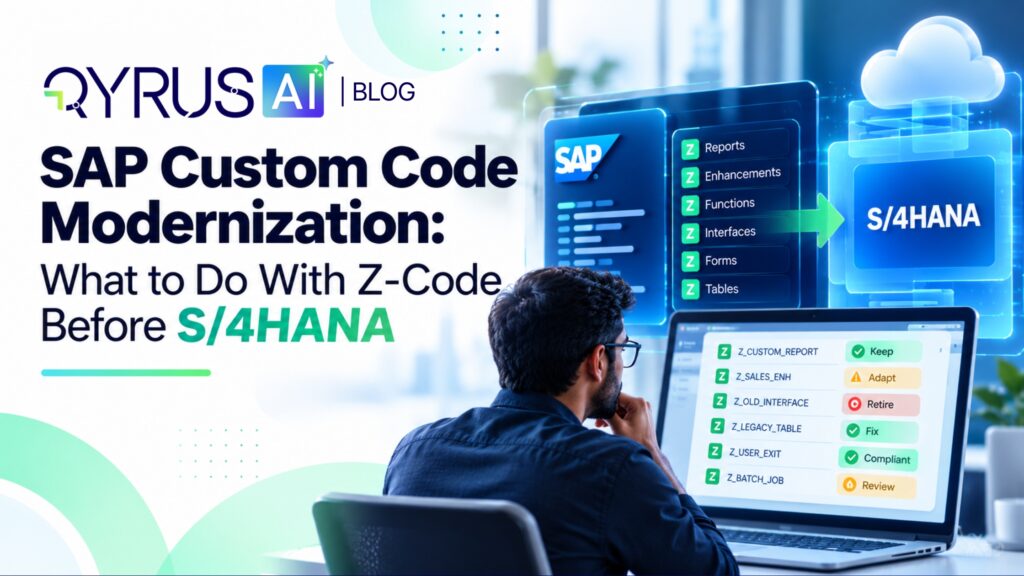
SAP custom code modernization is the work of deciding what to do with every custom ABAP object before an S/4HANA move, then fixing and testing the ones that stay. Custom code, often called Z-code, is the part of a migration that nobody can estimate until it has been analyzed. It holds years of business logic, much of it undocumented, and some of it nobody uses.
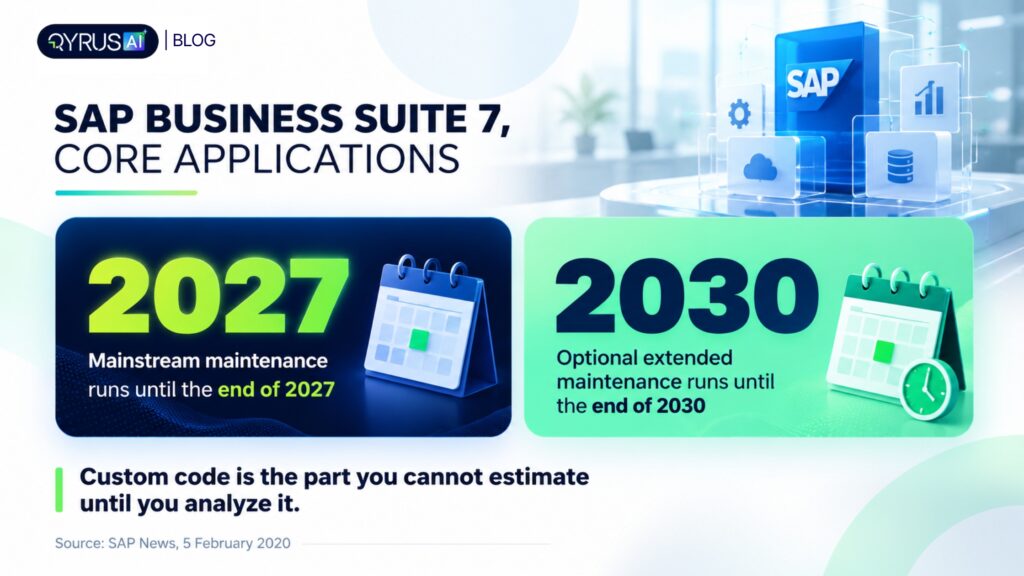
The deadline gives the work urgency. SAP has said it will provide mainstream maintenance for core applications of SAP Business Suite 7 until the end of 2027, followed by optional extended maintenance until the end of 2030. This guide gives you a decision rule for each custom object, the steps to remediate what stays, how to test the result and how to compare tools. It builds on our broader view of legacy modernization.
What is SAP custom code modernization, and what is Z-code?
SAP custom code modernization means analyzing your own ABAP objects, deciding which to keep, fix, replace or delete, and adapting the survivors to S/4HANA. Z-code is the short name for objects in the customer namespace. These are usually named with a Z or Y at the start. They are things you created yourself or made changes to.
Z-code can include reports, interfaces, enhancements, forms or programs. There is one difference, between Z-code and SAP’s own code: SAP updates its objects regularly, but your custom code does not. When the data model below changes, your code will still read the structure until someone finds and fixes it.
Why does custom code complicate an S/4HANA migration?
It is noticed that custom code complicates migration because S/4HANA changes or removes SAP objects that your code reads, and nobody knows which programs break until they are analyzed. In systems years of unused code pile up; teams either fix code they do not really need or are reluctant to delete anything.
Custom code makes the migration difficult, because S/4HANA changes or removes SAP objects that your code uses, and no one can tell which programs stop working until they are checked. Big systems have years of code that is not used anymore, so teams either fix things they don’t need or they are afraid to delete anything.
SAP keeps a Simplification Database, a list of changed or removed SAP objects, with an SAP Note for each that explains the impact and the fix. A custom program that reads a replaced table or structure can fail at runtime, as SAPinsider’s custom code remediation guide notes. The same guide lists the usual problems: effort that teams underestimate, remediation that must run alongside daily operations and little visibility into what is actually used. It is a vendor-featured article, so treat its recommendations as one view.
Time is the question everyone asks, and no honest number applies to every system. Four things set the pace:
- Code volume. How many custom objects you have today.
- Usage. How much of it runs, which you only know from usage data.
- Findings. How many objects the readiness checks flag.
- Test readiness. Whether you can prove a fixed program still behaves the same.
Teams that measure these first can plan. Teams that skip them find the answer during the project.
How do you identify obsolete custom code?
You identify obsolete custom code by measuring what actually runs in production. SAP’s ABAP Call Monitor (SCMON) records which code executes, and transaction SUSG aggregates that data so it is not lost. Code that never runs in a full business cycle is a candidate for deletion.
SAP’s own guidance says SCMON should run in production, because actual end-user usage determines whether an extension is still needed, and SUSG keeps the data that SCMON would otherwise delete after a short period. It generally recommends collecting for 6 to 18 months, including at least one year-end close, so that rare but real jobs appear.
Three habits keep the result honest:
- Collect before you analyze. Scope to used code first, so you do not pay to fix programs nobody runs.
- Check unused code with its owner. A quarterly report may not have run in the sample window.
- Delete through transports. SAP’s conversion guidance describes using the Custom Code Migration app to identify unused code that can be deleted during conversion.
No reliable industry figure says how much custom code is unused. Your own usage data is the only number that counts.
Should you retain, remediate, replace or retire each object ?
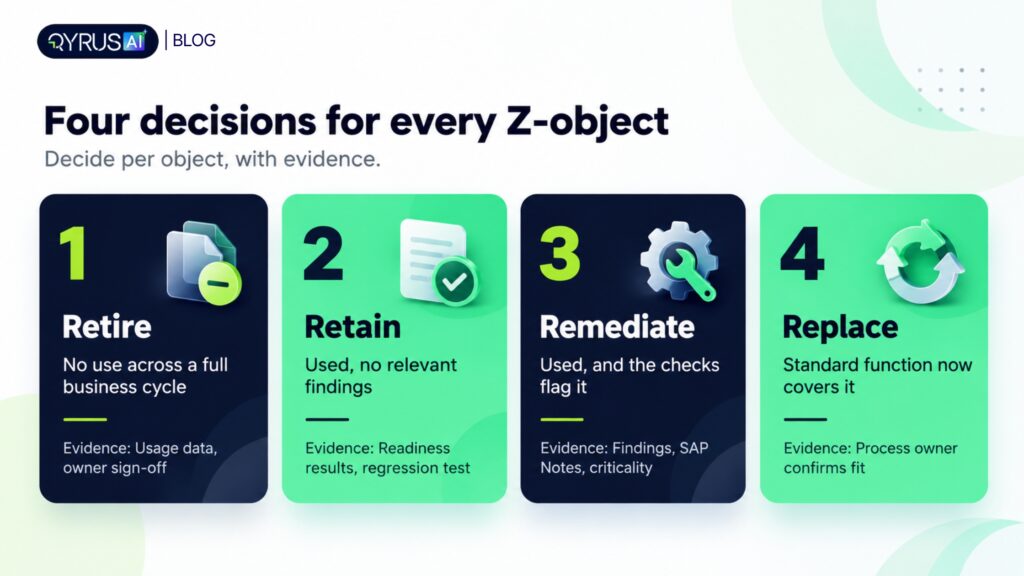
Decide per object, using four inputs: usage, readiness findings, clean core level and business criticality. Retire what nobody uses, retain what is already compatible, remediate what is used and flagged, and replace what standard SAP functionality now covers once the process owner confirms it.
Decision | When it fits | Evidence you need | What you do |
Retire | No usage across a full business cycle, and the owner agrees | Usage data (SCMON/SUSG), owner sign-off | Delete through a transport before conversion |
Retain | Used, no relevant findings | Readiness check results, regression test result | Move as is, then test |
Remediate | Used, and the checks flag incompatibility | Readiness findings, SAP Note for each finding, business criticality | Fix, then test. Fix business-critical objects first |
Replace | Used, but standard functionality or a clean extension now covers the need | Process owner confirms fit, clean core level of the alternative | Retire the custom object after the replacement is tested |
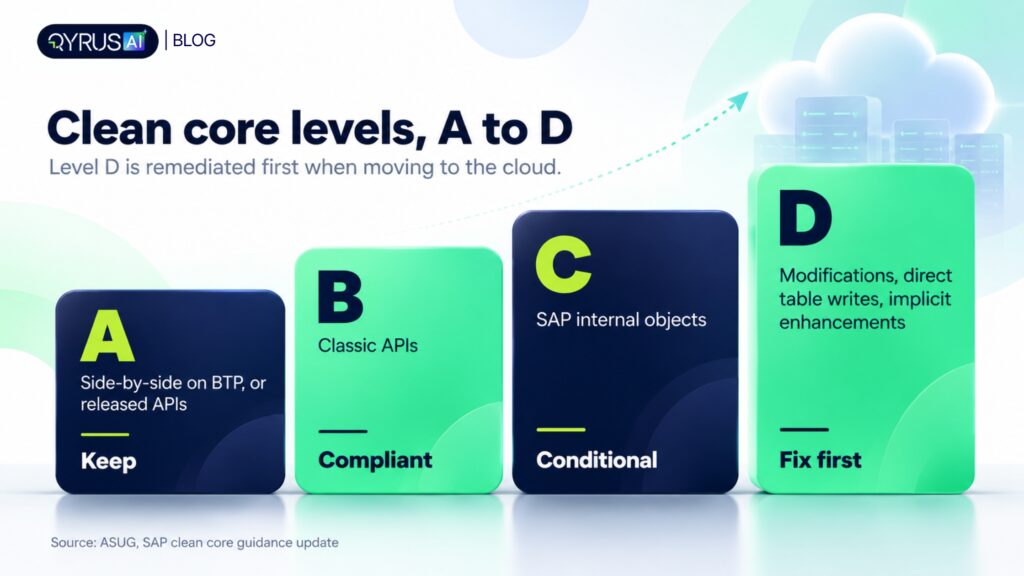
Clean core adds a fourth lens. SAP’s updated guidance uses four extensibility levels, A to D. Level A is side-by-side on SAP BTP, or on-stack with released APIs. Level B uses classic APIs. Level C touches SAP internal objects and is conditional. Level D covers modifications, direct writes to SAP tables, implicit enhancements and non-recommended objects. The article says Level D should be remediated first when moving to the cloud.
How strictly clean core applies depends on your target edition, so confirm it with your SAP team before you set the rule. The sort of work is the same either way: classify every object, then act on the highest risk first.
What is custom code remediation, and how do you do it step by step?
Custom code remediation is adapting the ABAP code you keep so it runs correctly on S/4HANA and HANA. The steps are to scope used code, run S/4HANA readiness checks, prioritize, fix with quick fixes and manual changes, adapt modifications and tune performance.
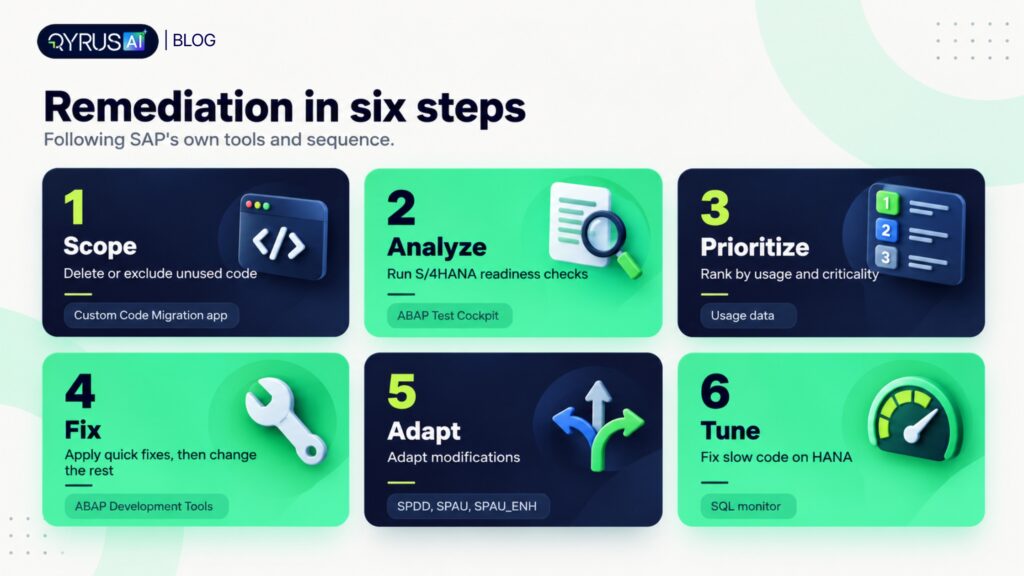
- Scope. Delete or exclude unused code, as above.
- Analyze. Run ABAP Test Cockpit (ATC) checks. Each finding points to an SAP Note with guidance, and the Simplification Database drives the S/4HANA checks.
- Prioritize. Rank by usage and business criticality. Fix what supports core processes before long-term cleanup.
- Fix. In ABAP Development Tools, apply quick fixes, which SAP says automate many common adaptations, such as ORDER BY issues and data model changes. Apply them in batches and fix syntax errors first. Change the rest by hand.
- Adapt modifications. Use SPDD for dictionary modifications and SPAU and SPAU_ENH for repository objects during conversion.
- Tune. Combine static check results with runtime data from the SQL monitor to find slow code.
Automation does not replace the developer. It changes who does which part.
Task | Automation handles well | Developers still own |
Finding affected objects | Scanning all code against the Simplification Database | Deciding which findings matter to the business |
Common fixes | Pattern-based changes, such as the quick fixes above | Reviewing and approving each change |
Complex logic | Proposing a fix | Judging whether the fix keeps the business rule intact |
Dependencies | Mapping calls between objects | Confirming what an object really does |
Testing | Generating and running checks | Choosing what to prove and signing off |
SAPinsider’s guide says manual remediation is slower on code bases and varies by developer while automated work scales better and gives better dependency visibility. Our guidance is simple: treat any automated fix as a proposal until a developer approves it because generated code can misread logic or reference objects that do not exist.
How do you test modernized custom code?
Test modernized custom code by proving that behavior is unchanged, not only that the code compiles. A clean ATC result means the syntax and checks pass. It does not prove that a pricing rule, a user exit or an interface still returns the right result.
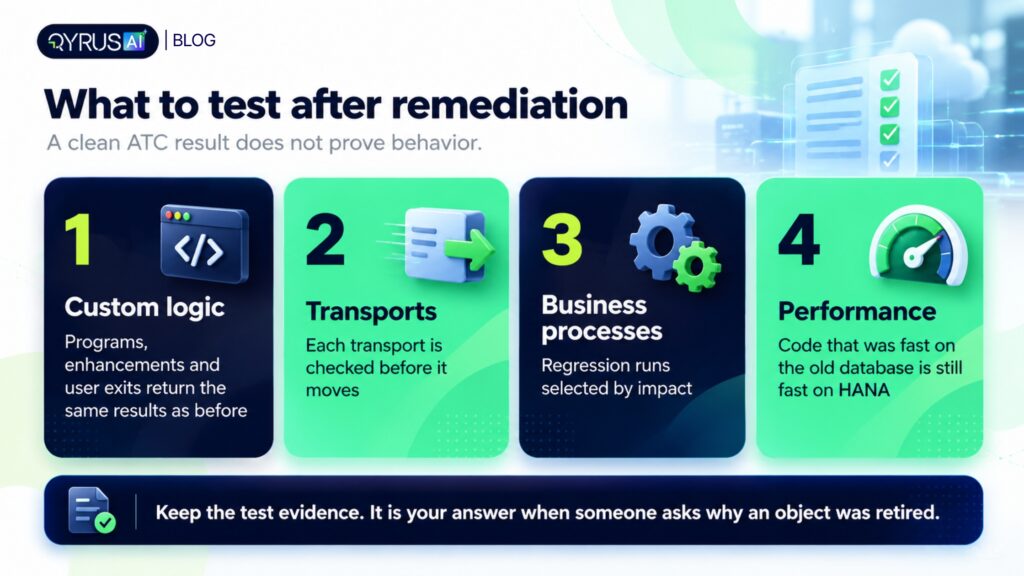
Test in four layers:
- Custom logic. Run the remediated programs, enhancements and user exits against known inputs and compare outputs with the old system.
- Transports. Check each transport before it moves, so a fix does not carry a conflicting object forward.
- Business processes. Run regression tests selected by impact, so the processes that touch changed objects are tested first. Our guides to AI for SAP regression testing and SAP functional testing cover this in detail.
- Performance. Code that was fast on the old database can be slow on HANA. Our guide to S/4HANA migration performance testing shows what to measure.
Keep the test evidence. When someone asks why you retired an object, the usage data and the passing regression run are the answer.
What are the best tools and vendors for SAP custom code analysis and remediation?
The best tool depends on whether you need analysis, automated fixes or testing. SAP provides the baseline checks, and specialist vendors add scale and automation. QyrusAI is our product. The other rows come from each vendor’s own page or a cited article, so confirm current details with the vendor.
Tool | What it focuses on | Notes |
QyrusAI | Read-only inventory of Z-objects and SAP integrations, blast-radius scoring for proposed changes, proposed ABAP fixes with developer review, and testing of custom logic and transports | Part of Modernize and Assure |
S/4HANA compatibility checks, unused-code identification and quick fixes | SAP’s own baseline. Findings link to SAP Notes | |
Explains development objects and suggests or generates ABAP in ABAP Development Tools for Eclipse | An assistant for developers, not a migration tool | |
Automated analysis, impact assessment, remediation, testing and usage insights | Described in a vendor-featured article. Check scope directly | |
Scoping, prioritization and automated code correction | Its page describes agentic analysis for harder cases | |
Automated analysis, a view of each program’s usage and impact, AI-assisted remediation and bulk remediation | Includes a task tracker for remediation |
When you compare tools, ask five questions:
- Does it show why a finding matters, or only that it exists?
- Does it use your usage data, or treat all code equally?
- Does a developer review each automated fix before it moves?
- Does it show what depends on an object before you change it?
- Can you test the fixed code, or does the tool stop at the code?
How QyrusAI supports SAP custom code modernization
QyrusAI is an enterprise AI platform that helps organizations Modernize, Assure and Operate their critical systems. For SAP custom code, the work sits across Modernize and Assure: understand what is there, change it with care, then prove it still works.
On the Modernize side, QyrusAI reads an SAP environment read-only and inventories RFCs, IDocs, OData services, SOAP connections, CPI integrations, background jobs and Z-objects. It produces a blast-radius score for each proposed S/4HANA change, so you can see what a fix touches before it moves. Phase Zero is QyrusAI’s governance workflow for ECC-to-S/4HANA programs. QyrusAI also proposes ABAP fixes, which your developers review and approve through your normal transport process.
On the Assure side, QyrusAI tests custom ABAP logic and user exits at the logic layer and checks transports before they move. Its impact analysis connects changed objects to the processes and tests they affect, so you run the right regression set. Depth varies by release and depends on how complete your metadata is. For a wider view of how objects connect, see our guide to dependency mapping.
Frequently asked questions
What should I do with Z-code before S/4HANA?
Measure usage first, then decide per object. Retire what nobody uses, retain what is already compatible, remediate what is used and flagged, and replace what standard functionality now covers. Then test the result before the conversion.
How much custom code can I retire?
No reliable industry figure exists, so measure your own. Collect usage data with SCMON and SUSG for 6 to 18 months, including a year-end close, then review unused objects with their owners before you delete anything.
Should I remediate manually or automate it?
Use both. Automation handles scanning and pattern-based fixes at scale. Developers still review every change and handle complex logic. Manual-only work is slow on large code bases, and automation without review risks wrong fixes.
Can AI remediate ABAP safely?
AI can propose fixes quickly, but generated code can be wrong, including misreading logic or referencing objects that do not exist. Treat each fix as a proposal. A developer should approve it, and a regression test should prove the behavior is unchanged.
What is clean core, and does it change what I do?
Clean core means keeping extensions upgrade-safe, graded from level A (best) to level D (not recommended). It changes priorities: fix level D objects first when moving to the cloud. How strictly it applies depends on your target edition.
How do I test remediated custom code?
Test custom logic and user exits against known inputs, check transports before they move, run regression tests selected by impact and measure performance on HANA. A passing ATC check alone does not prove behavior.
Do I have to fix all custom code before conversion?
No. Scope to the code that runs, delete what does not and fix what the checks flag as incompatible. Address conversion-critical code first, then pursue longer-term clean core work after go-live.
Decide per object, then prove it
Custom code stops being a surprise when you treat it as a decision list. Measure usage, classify each object as retire, retain, remediate or replace, fix the code you keep and test behavior, not only syntax.
QyrusAI helps you see what your Z-code touches, propose ABAP fixes for developer review and test the result. Request a demo to see how QyrusAI maps your custom code before your S/4HANA move.
Stay Ahead, Stay in the Loop with QyrusAI!
One Platform for Modernization, Quality Assurance and Intelligent IT Operations.
 November 11, 2026
 12 min