Qyrus Named a Leader in The Forrester Wave™: Autonomous Testing Platforms, Q4 2025 – Read More

Qyrus Data Testing and Tricentis compare

Modern business depends entirely on the integrity of the information flowing through its systems. Poor data quality costs organizations an average of $12.9 million annually, making the choice of validation tools a high-stakes executive decision.  

Tricentis Data Integrity stands as the established player. Meanwhile, Qyrus Data Testing emerges as a unified “TestOS” challenger, designed for teams that prioritize full-stack agility and AI-driven efficiency. Qyrus offers a streamlined testing experience with a focus on consolidating Web, Mobile, API, and Data testing into one environment.  

The Connectivity Illusion: Why 200 Connectors Might Still Leave You Blind 

Volume often acts as a smokescreen for actual utility in the enterprise testing market. 

Tricentis commands the lead in sheer breadth, offering a massive library of 50+ SQL connectors and deep, specialized support for SAP systems and Salesforce. This exhaustive reach positions them big in the data connectivity category. Large organizations with legacy-heavy footprints view this as a non-negotiable safety net for complex IT environments. 

Data Source Connectivity

FeatureQyrus Data TestingTricentis Data Integrity

SQL Databases

MySQL
PostgreSQL
MS SQL Server
Oracle
IBM DB2
Snowflake
AWS Redshift
Azure Synapse
Google BigQuery
Netezza

NoSQL Databases

MongoDB
DynamoDB
Cassandra
Hadoop/HDFS

Cloud Storage & Files

AWS S3
Azure Data Lake (ADLS)
Google Cloud Storage
SFTP
CSV/Flat Files
JSON Files
XML Files
Excel Files
Parquet

APIs & Applications

REST APIs
SOAP APIs
GraphQL
SAP Systems
Salesforce

Legend: ✓ Full Support | ◐ Partial/Limited | ✗ Not Available 

However, the Pareto Principle reveals a different reality for modern data teams. 

Research indicates that 80% of enterprise data integration needs require only 20% of available connectors. While platforms like Airbyte offer up to 600 options, the vast majority of high-value workloads concentrate on a “vital few”: MySQL, PostgreSQL, MongoDB, Snowflake, Amazon Redshift, and Amazon S3. 

Qyrus focuses its 75% connectivity score exactly on these critical hubs. It masters the SQL connectors and cloud storage platforms that drive current digital transformations. 

The integration gap is real. Large enterprises manage an average of 897 applications yet only 29% of them are actually integrated. Qyrus bridges this gap by validating the REST, SOAP, and GraphQL APIs that feed your pipelines. It prioritizes the connections that matter most to your daily operations rather than maintaining a list of nodes you will never use. 

Securing the Core: Why Data Validation is the New Standard for Quality 

Precision in data validation determines the difference between a high-performing enterprise and a costly financial sinkhole. While connectivity creates the bridge, validation ensures the cargo remains intact. Organizations currently lose a staggering $12.9 million annually due to poor data quality, making advanced testing capabilities more critical than ever. 

Tricentis Data Integrity excels in deep-layer requirements like slowly changing dimensions (SCD) and data lineage tracking, which are vital for regulated industries needing to prove data history.  

Its “Pre-screening wizard” acts as a high-speed filter, catching structural defects before they enter the processing pipeline. Large, SAP-centric organizations rely on this model-based approach to prioritize risks across complex, multi-layered environments.  

Testing & Validation Capabilities

Feature Qyrus Data Testing Tricentis Data Integrity

Comparison Testing

Source-to-Target Comparison
Full Data Comparison
Column-Level Mapping
Cross-Platform Comparison
Reconciliation Testing
Aggregate Comparison (Sum, Count)

Single Source Validation

Row Count Verification
Data Type Verification
Null Value Checks
Duplicate Detection
Regex Pattern Validation
Custom Business Logic/Functions
Referential Integrity Checks
Schema Validation

Advanced Testing

Transformation Testing
ETL Process Testing
Data Migration Testing
BI Report Testing
Tableau/Power BI Testing
Pre-Screening / Data Profiling
Data Lineage Tracking

Qyrus Data Testing takes an agile path, focusing on most core validation tasks that drive daily business decisions. It provides unique value through Lambda function support, allowing teams to inject custom business logic directly into its automated data quality checks. This “TestOS” approach bridges the gap between different layers, enabling you to verify that a mobile app transaction accurately reflects in your cloud warehouse. While it currently skips BI report testing, Qyrus offers a faster, no-code route for teams wanting to eliminate the “garbage in” problem at the point of entry. 

Precision testing must move beyond simple row counts to secure your strategic truth. If your ETL data testing framework cannot see the logic within the transformation, you are only protecting half of your pipeline. 

Beyond the Script: Scaling Quality with Intelligent Velocity 

Automation serves as the engine that moves data quality from a reactive chore to a proactive strategy. Organizations that fail to automate their pipelines see maintenance costs consume up to 70% of their total testing budget. Modern teams now demand more than just recorded scripts; they need platforms that think. 

Tricentis utilizes a model-based approach that decouples the technical steering from the test logic, allowing for resilient automation that doesn’t break with every UI change. With over 100 API calls and native support for the entire SAP ecosystem, it fits seamlessly into the most rigid enterprise CI/CD pipelines. Its “Pre-screening wizard” further accelerates the process by identifying early data errors before heavy testing begins.

Automation and Integration  

Feature Qyrus Data Testing Tricentis Data Integrity

Test Automation

No-Code Test Creation
Low-Code Options
SQL Query Support
Visual Query Builder
Test Scheduling
Reusable Test Components
Parameterized Testing

AI/ML Capabilities

AI-Powered Test Generation
Auto-Mapping of Columns
Self-Healing Tests
Generative AI for Test Cases

DevOps/CI-CD Integration

REST API
Jenkins Integration
Azure DevOps
GitLab CI
GitHub Actions
Webhooks

Issue & Test Management

Jira Integration
ServiceNow Integration
Slack/Teams Notifications
Email Notifications

Qyrus Data Testing counters with a heavy focus on democratization through Nova AI. This intelligent engine automatically generates testing functions and identifies data patterns, helping teams build test cases 70% faster than manual methods. Qyrus emphasizes a “no-code” philosophy that allows manual testers to contribute to the ETL data testing framework without learning complex coding languages. It integrates directly with Jira, Jenkins, and Azure DevOps to ensure that automated data quality checks remain part of every code push. 

True velocity requires a platform that minimizes technical debt while maximizing coverage. Whether you lean on Tricentis’ enterprise-grade models or Qyrus’ AI-powered speed, your ETL testing automation tools must remove the human bottleneck from the pipeline. 

The Digital Mirror: Transforming Raw Data into Strategic Intelligence 

Visibility acts as the final safeguard for your information integrity. Without robust analytics, even the most sophisticated automated data quality checks remain silent. Organizations that lack transparent reporting struggle to identify the root cause of data corruption, often treating symptoms while the underlying disease persists. 

Tricentis Data Integrity secures a perfect score for reporting and analytics. It provides deep-drill analysis that allows engineers to trace a failure from a high-level dashboard down to the specific row and column. This platform excels at Root Cause Analysis (RCA), helping teams determine if a failure stems from a physical hardware fault, a human configuration error, or an organizational process breakdown. Furthermore, it offers complete integration with BI tools like Tableau and Power BI, ensuring your executive reports are as verified as the data they display. 

Reporting and Analytics

Feature Qyrus Data Testing Tricentis Data Integrity
Real-Time Dashboards
Drill-Down Analysis
Root Cause Analysis
PDF Report Export
Excel Report Export
Trend Analysis
Data Quality Metrics
Custom Report Templates
BI Tool Integration (Tableau, Power BI)
Audit Trail

Qyrus Data Testing earns a 72% category score with its modern, real-time approach. Its dashboards focus on “Operational Intelligence,” providing immediate access to KPIs so you can react to changing conditions in seconds. Qyrus emphasizes automated audit trails to ensure compliance without manual paperwork. While its root cause and trend analysis features are currently in Beta, the platform provides the essential visibility needed for high-velocity teams to act with confidence. 

A real-time dashboard is not just a display; it is a tool that shortens the time to a decision. Whether you require the deep forensic reporting of Tricentis or the agile, live signals of Qyrus, your data quality testing tools must turn your pipeline into an open book. 

Fortresses and Clouds: Choosing Your Infrastructure Architecture 

Your choice of deployment model dictates the ultimate control you maintain over your sensitive information. Both platforms offer the flexibility of Cloud (SaaS), On-Premises, and Hybrid deployment models. However, the maturity of their security frameworks marks a significant divergence for regulated industries. 

Platform and Deployment

Feature Qyrus Data Testing Tricentis Data Integrity
Cloud (SaaS)
On-Premises
Hybrid Deployment
Docker Support
Kubernetes Support
Multi-Tenant
SSO/LDAP
Role-Based Access Control
Data Encryption (AES-256)
SOC 2 Compliance

Qyrus Data Testing earns a strong platform score by prioritizing modern, containerized workflows. The platform fully supports Docker and Kubernetes for teams that want to manage their ETL testing automation tools within a private, scalable infrastructure. It employs AES-256 encryption and Single Sign-On (SSO) for secure authentication. This makes Qyrus an excellent fit for agile, cloud-native organizations that value technical flexibility over legacy certifications. 

If your team demands a lightweight, containerized environment that scales with your code, Qyrus provides the modern edge. 

The Verdict: Architecting Your Truth in a Data-First World 

The decision between Tricentis Data Integrity and Qyrus Data Testing ultimately hinges on the scope of your quality mission. Both platforms eliminate the risk of manual error, but they serve different strategic masters. 
Tricentis Data Integrity provides an exhaustive, enterprise-grade fortress. It remains the clear choice for global organizations with complex, SAP-centric landscapes that require every possible certification and deep forensic validation. If your primary goal is risk-based prioritization and you manage a sprawling legacy footprint, Tricentis offers the most complete safety net on the market. 

Qyrus Data Testing counters with a vision for total platform consolidation. It functions as a specialized module within a broader “TestOS,” making it the ideal choice for agile teams that need to verify quality across Web, Mobile, and API layers simultaneously. Choose Qyrus if you want to empower your existing staff with AI-powered automation and move from pilot to production in weeks rather than months. 

Data quality is not a static checkbox; it is the heartbeat of your digital transformation. Secure your strategic integrity by selecting the engine that matches your operational speed. Whether you need the massive breadth of an enterprise leader or the unified agility of a modern TestOS, stop the $12.9 million drain today. 

Secure your data integrity now by starting a 30-day sandbox evaluation. 

Data Quality Testing

Zillow’s iBuying division collapsed after losing a staggering $881 million on housing models trained on inconsistent data. 

This catastrophe proves that even the most advanced machine learning fails when built on a foundation of flawed information. Stanford AI Professor Andrew Ng captures the urgency: “If 80 percent of our work is data preparation, then ensuring data quality is the most critical task”. 

Organizations now face an average annual loss of $15 million due to poor information quality. Most enterprises struggle with these costs because they lack sophisticated data quality testing tools to catch errors early. 

Relying on manual checks in high-speed pipelines creates massive blind spots that invite financial disasters. Professional data quality validation in ETL processes must move beyond a reactive “firefighting” mindset. Precision requires a proactive strategy that protects your capital and restores trust in your digital insights. 
Data Quality Testing

The 1,000x Multiplier: Why Your Budget Cannot Survive Fragmented Quality 

Ignoring quality creates a financial sinkhole that scales with terrifying speed. The industry follows a brutal economic principle known as the Rule of 100. A single defect that costs $100 to fix during the requirements phase balloons into a monster as it moves through your pipeline. That same bug costs $1,000 during coding and $10,000 during system integration. If it escapes to User Acceptance Testing, the bill hits $50,000. Once that flaw goes live in production, you face a recovery cost of $100,000 or more. 

Enterprises currently hemorrhage capital through maintenance overhead. Industry surveys report that keeping existing tests functional consumes up to 50% of the total test automation budget and 60-70% of resources. This means you spend most of your resources just maintaining the status quo instead of building new value. Fragmented ETL testing automation tools aggravate this problem by forcing engineers to update multiple disconnected scripts every time a schema changes. 

The financial contrast is stark. Managing disparate tools for a 50-person QA team costs an average of $4.3 million annually, according to our estimates. Switching to a unified platform reduces this cost to $2.1 million—a 51% reduction in total expenditure.  

Breakdown of Annual Costs (50-Person Team) 

Cost Category 

Disparate Tools 

Unified Platform 

Annual Savings 

Personnel & Maintenance 

$3,500,000 

$1,750,000 

$1,750,000 (50%) 

Infrastructure 

$500,000 

$250,000 

$250,000 (50%) 

Tool Licenses 

$200,000 

$75,000 

$125,000 (62.5%) 

Training & Certification 

$100,000 

$50,000 

$50,000 (50%) 

Total Annual Cost 

$4,300,000 

$2,125,000 

$2,175,000 (51%) 


Implementing a robust ETL data testing framework allows you to stop paying the “Fragmentation Tax” and start investing in innovation. Without automated data quality checks, your organization remains vulnerable to the exponential costs of escaped defects. 

Velocity & Risk Divergence

Tool Sprawl is the Silent Productivity Killer in Your Pipeline 

Fragmented workflows force your engineers to act as human integration buses. When you use separate platforms for web, mobile, and APIs, your team toggles between applications  1,200+ times daily. This constant context switching creates a massive cognitive tax, slashing productivity by 20% to 80%. For a ten-person team, this translates to 10 to 20 hours of lost work every single day. 

QA tools

Disconnected ETL testing automation tools also create dangerous blind spots. About 40% of production incidents stem from untested interactions between different layers of the software stack. Siloed suites often miss these UI-to-API mismatches because they only validate one piece of the puzzle at a time. Furthermore, data corruption in multi-step flows accounts for 25% of production bugs. Without an integrated ETL data testing framework, your team cannot verify a complete journey from the front end to the database. 

Fragility in your CI/CD pipeline often leads to the “Pink Build” phenomenon. This happens when builds fail due to flaky tooling rather than actual code defects, causing engineers to ignore red flags. Maintaining these custom integrations costs an additional 10% to 20% of your initial license fees every year. To regain velocity, you must move toward automated data quality checks that run within a single, unified interface. Consolidation allows you to replace multiple expensive data quality testing tools with a platform that delivers data quality validation in ETL across the entire enterprise. 

Total Cost of Ownership

Sifting Through the Contenders in the Quality Arena 

Choosing the right partner for your data strategy requires a clear view of the current market. Every organization has unique needs, but the goal remains the same: eliminating defects before they poison your decision-making. While specialized tools offer depth in specific areas, Qyrus takes a different path by providing a unified TestOS that handles web, mobile, API, and data testing within a single ecosystem. 

Tricentis 

Tricentis currently dominates the enterprise space with an estimated annual recurring revenue of $400-$425 million. It maintains a massive footprint, serving over 60% of the Fortune 500. Organizations deep in the SAP ecosystem often choose Tricentis for its specialized integration and model-based automation. However, its premium pricing and high complexity can feel like overkill for teams seeking agility.  

QuerySurge 

If your primary concern is the sheer variety of data sources, QuerySurge stands out with over 200 connectors. It functions primarily as a specialist for data warehouse and ETL validation. While it offers the strongest DevOps for Data capabilities with 60+ API calls, it lacks the ability to test the UI and mobile layers that actually generate that data.  

iCEDQ 

iCEDQ focuses on high-volume monitoring and rules-based automated data quality checks. Its in-memory engine can process billions of records, making it a favorite for teams with massive production monitoring requirements. Despite its power, a steeper learning curve and a lack of modern generative AI features may slow down teams trying to shift quality left.  
Datagaps 

Datagaps offers a visual builder for ETL testing automation tools and maintains a strong partnership with the Informatica ecosystem. It excels at baselining for incremental ETL and supporting cloud data platforms. However, it currently possesses fewer enterprise integrations and a less mature AI feature set than more unified data quality testing tools.  

Informatica Data Validation 

Informatica remains a global leader in data management, with a total revenue of approximately $1.6 billion. Its data validation module provides a natural extension for organizations already using their broader suite for data quality validation in ETL. 

While these specialists solve pieces of the puzzle, Qyrus delivers a comprehensive ETL data testing framework that bridges the gap between your applications and your data. 

Precision Without Compromise: Engineering Truth at the Speed of AI 

The End of Guesswork: Scaling Data Trust with Unified Intelligence 

Qyrus redefines the potential of modern data quality testing tools by replacing fragmented workflows with a single, unified TestOS. This platform allows your team to validate information across the entire software stack—Web, Mobile, API, and Data—without writing a single line of code. Instead of wrestling with brittle scripts that break during every update, engineers use a visual designer to build a resilient ETL data testing framework. 

The platform operates through a powerful “Compare and Evaluate” engine that reconciles millions of records between heterogeneous sources in under a minute. For deeper analysis, Qyrus performs automated data quality checks on row counts, schema types, and custom business logic using sophisticated Lambda functions. This level of granularity ensures that your data quality validation in ETL remains airtight, even as your data volume explodes. 

Qyrus also future-proofs your organization for the next generation of automation: Agentic AI. While disparate tools create data silos that blind AI agents, Qyrus provides the unified context these agents need to perform autonomous root-cause analysis and self-healing. By leveraging Nova AI to identify validation patterns automatically, your team can build test cases 70% faster than traditional ETL testing automation tools allow. The results are definitive: case studies show 60% faster testing cycles and 100% accuracy with zero oversight errors. 

The 45-Day Detox: Purging Pipeline Pollution and Reclaiming Truth 

Transforming a quality strategy requires a structured path rather than a blind leap. Most enterprises hesitate to move away from legacy ETL testing automation tools because the migration feels overwhelming. However, a phased transition minimizes risk while delivering immediate visibility into your pipeline health. Organizations adopting unified platforms see a significant financial turnaround, with total benefits often reaching more than 200% over a three-year period. 

The first 30 days focus on discovery within a zero-configuration sandbox. You connect directly to your existing sources and process a staggering 10 million rows per minute to expose critical flaws. This phase replaces manual data quality validation in ETL with high-speed automated data quality checks that provide instant feedback on your data health. Your team focuses on validation results instead of wrestling with infrastructure or complex configurations. 

Following discovery, a two-week Proof of Concept (POC) deepens your insights. During this sprint, you build an ETL data testing framework tailored to your unique business logic and complex transformations. You generate detailed differential reports to pinpoint every discrepancy for rapid remediation.  

Finally, you scale these data quality testing tools across the entire enterprise. Seamless integration into your CI/CD pipelines ensures that every code commit or deployment triggers a rigorous validation. This automated approach reduces manual testing labor by 60%, allowing your engineers to focus on innovation rather than maintenance. 

The Strategic Fork: Choosing Between Technical Debt and Data Integrity 

The decision to modernize your quality stack is no longer just a technical choice; it defines your organization’s ability to compete in a data-first economy. 

Continuing with a patchwork of disconnected ETL testing automation tools ensures that technical debt will eventually outpace your innovation. Leaders who embrace a unified approach fundamentally restructure their economic outlook. 

This transition effectively cuts your annual testing costs by 51% by eliminating redundant licenses and infrastructure overhead. More importantly, it liberates your engineering talent from the drudgery of tool maintenance and the “Fragmentation Tax” that slows down every release. 

By implementing an integrated ETL data testing framework, you ensure that data quality validation in ETL becomes a silent, automated safeguard rather than a constant bottleneck. Proactive automated data quality checks provide the unshakeable foundation of truth required for trustworthy AI and precision analytics. 

The era of guessing is over. 

You can now replace uncertainty with a definitive “TestOS” that protects your bottom line and empowers your team to move with absolute confidence. 

Your journey toward data integrity starts with a single strategic pivot. Contact us today! 

The gatekeeper model of Quality Assurance just broke. For years, we treated QA as a final checkbox before a release. We wrote static scripts and waited for results. But the math has changed. By 2026, the global testing market will hit approximately $57.7 billion. Looking further out, experts project a climb toward $100 billion by 2035. 

We are witnessing a massive capital reallocation. Organizations are freezing manual headcount and moving those funds into intelligent test automation. It is a pivot from labor-intensive validation to AI-augmented intelligence. You see it in the numbers: while the general market grows at roughly 11%, AI trends in software testing show an explosive 20% annual growth rate. 

This is more than a budget update. It is a fundamental dismantling of the traditional software development lifecycle. Quality is no longer a distinct phase. It is an intelligence function that permeates every microsecond of the digital value chain.

Market shift

Autonomous Intent: Leaving the Brittle Script Behind 

The era of writing static, fragile test cases is nearing its end. Traditional automation relies on Selenium-based scripts that break the moment a developer changes a button ID or moves a div. This “flakiness” is an expensive trap, often consuming up to 40% of a QA team’s capacity just for maintenance. We are moving toward a future where software testing predictions 2026 suggest the complete obsolescence of these brittle scripts. 

Instead of following a rigid Step A to Step B path, we are deploying autonomous agents. These agents do not just execute code; they understand intent. You give an agent a goal—such as “Complete a guest checkout for a red sweater”—and it navigates the UI dynamically. It handles unexpected pop-ups and A/B test variations without crashing. This shift is so significant that analysts expect 80% of test automation frameworks to incorporate AI-based self-healing capabilities by late 2025. 

Self-healing tools use computer vision and dynamic locators to identify elements by context. If an element ID changes, the AI finds the button that “looks like” the intended target and updates the test definition on the fly. The economic impact is clear: organizations using these mature AI-driven test automation trends report 24% lower operational costs. By removing the drudgery of maintenance, your engineers finally focus on expanding coverage rather than fixing what they already built. 

Intelligent Partners: The Rise of AI Copilots and the Strategic Tester 

The narrative that AI will replace the human tester is incomplete. In reality, AI trends in software testing indicate a transition toward a “Human-in-the-Loop” model where AI serves as a force multiplier. Roughly 68% of organizations now utilize Generative AI to advance their quality engineering agendas. However, a significant “trust gap” remains. While 82% of professionals view AI as essential, nearly 73% of testers do not yet trust AI output without human verification. 

AI Adoption Gap

AI copilots now handle the high-volume, repetitive tasks that previously bogged down release cycles. These tools generate comprehensive test cases from user stories in minutes, addressing the “blank page problem” for many large organizations. They also write boilerplate code for modern frameworks like Playwright and Cypress. This assistance allows future of QA automation to focus on high-level strategy rather than syntax. 

The role of the manual tester is not dying; it is gentrifying into an elite skill set. We are seeing a sharp decline of manual regression testing, as 46% of teams have already replaced half or more of their manual efforts with intelligent test automation. The modern Quality Engineer acts as a strategic auditor and “AI Red Teamer,” using human cunning to trick AI systems into failure—a task no script can perform. This evolution demands deeper domain knowledge and AI literacy, as testers must now verify the probabilistic logic of LLMs. 

The Efficiency Paradox: Shifting Quality Everywhere 

One of the most counter-intuitive software testing predictions 2026 is the visible contraction of dedicated QA budgets. Historically, as software complexity grew, organizations funneled up to 35% of their IT spend into testing. Recent data reveals a reversal, with QA budgets dropping to approximately 26% of IT spend. This decline does not signal a deprioritization of quality; rather, it represents a “deflationary dividend” powered by intelligent test automation. 

Efficiency Paradox

We are seeing the rise of a hybrid “Shift-Left and Shift-Right” model that embeds quality into every phase of the lifecycle. The economic logic for shifting left is irrefutable: fixing a defect during the design phase costs pennies, while fixing it post-release can cost 15 times more. By 2025, nearly all DevOps-centric organizations will have adopted shift-left practices, making developers responsible for writing unit and security tests directly within their IDEs. 

Simultaneously, the industry is embracing shift-right strategies to validate software in the chaos of live production. Teams now use observability and chaos engineering to monitor real-user behavior and system resilience in real time. This constant testing loop causes a phenomenon known as “budget camouflage”.  

When a developer configures a security scan in a CI/CD pipeline, the cost is often filed under “Engineering” or “Infrastructure” rather than a dedicated QA line item. The result is a leaner, more distributed future of QA automation that delivers higher reliability at a lower visible cost. 

Guardians of the Model: QA’s Critical Role in AI Governance and Risk 

As enterprises rush to deploy Large Language Models (LLMs) and Generative AI, a new challenge emerges: the “trust gap”. While the potential of AI is immense, nearly 73% of testers do not trust AI output alone. This skepticism stems from the probabilistic nature of LLMs, which are prone to hallucinations—generating test cases for non-existent features or writing functionally flawed code. Consequently, AI-driven test automation trends are shifting the QA focus from simple bug-hunting to robust AI governance. 

Testing GenAI-based applications requires a fundamental change in methodology. Traditional deterministic testing, where a specific input always yields the same output, does not apply to LLMs. Instead, QA teams must now perform “AI Red Teaming”—deliberately trying to trick the model into producing biased, insecure, or incorrect results. This role is vital for compliance with emerging regulations like the EU AI Act, which is expected to create new, stringent testing requirements for companies deploying AI in Europe by 2026. 

Modern quality engineering must also address the “Data Synthesis” challenge. Organizations are increasingly using GenAI to create synthetic test data that mimics production environments while remaining strictly compliant with privacy laws like GDPR and CCPA. This practice ensures that future of QA automation remains secure and ethical. By 2026, the primary metric for QA success will move beyond defect counts to “Risk Mitigation Efficiency,” measuring how effectively the team identifies and neutralizes the subtle logic gaps inherent in AI-driven systems. 

Specialized Frontiers: Navigating 5G, IoT, and the Autonomous Horizon 

The final piece of the 2026 puzzle lies in the physical world. As software expands into specialized hardware, the global 5G testing market is surging toward $8.39 billion by 2034. We are moving beyond web browsers into massive IoT ecosystems where connectivity and latency are the primary failure points. Network slicing—where operators create virtual networks optimized for specific tasks—introduces a level of complexity that traditional tools simply cannot handle. 

In these high-stakes environments, such as medical IoT or autonomous vehicles, the margin for error is non-existent. While a consumer web app might tolerate three defects per thousand lines of code, critical IoT targets less than 0.1 defects per KLOC. This demand for absolute reliability is driving a massive spike in security testing, which has become the top spending priority in the IoT lifecycle. We are also seeing the explosive growth of blockchain testing, with a CAGR exceeding 50% as enterprises adopt immutable ledgers for supply chains. 

Qyrus: Orchestrating the Autonomous Quality Frontier 

Qyrus does not just follow AI trends in software testing; it builds the infrastructure to make them operational. As the industry moves toward agentic autonomy, Qyrus acts as the bridge. Through NOVA, our autonomous test generation engine, and Sense-Evaluate-Execute-Report (SEER), our agentic orchestration layer, we enable teams to transition from manual script-writing to goal-oriented intelligent test automation. These tools do more than suggest code; they navigate complex application logic to achieve business outcomes, fulfilling the software testing predictions 2026 that favor intent over static steps. 

To solve the maintenance crisis—where “flakiness” consumes 40% of team capacity—Qyrus provides Healer AI. This self-healing technology automatically repairs brittle scripts by identifying UI changes through context and computer vision. By automating the drudgery of maintenance, Healer AI frees your engineers for high-value exploratory work.  

Furthermore, Qyrus modernizes the entire stack by providing Data Testing capabilities and a unified cloud-native environment. Whether it is Web, Mobile, API, or Desktop, our platform allows developers and business users to collaborate seamlessly, making the future of QA automation a “shift-left” reality. 

For specialized frontiers like BFSI and IoT, Qyrus offers enterprise-grade solutions like our Real Device Farm and dedicated SAP Testing modules. These tools are designed for high-stakes environments where reliability targets are often stricter than 0.1 defects per KLOC.  

Finally, as organizations face the “trust gap” in GenAI adoption, Qyrus introduces Determinism on Demand. This ensures that while you leverage the power of probabilistic AI, your testing remains grounded in verifiable logic. Qyrus provides the governance and risk mitigation needed to turn AI-driven test automation trends into a secure, competitive advantage. 

Tester Evolution

Finalizing Your Strategy: The Road to 2030 

The transition from “Quality Assurance” to “Quality Engineering” is not just a change in title—it is a change in survival strategy. As we head toward 2030, the organizations that thrive will be those that treat quality as a strategic intelligence function rather than a release-day hurdle. By leveraging intelligent test automation and autonomous agents, you can bridge the “trust gap” and deliver digital experiences that are not just functional, but fundamentally trustworthy. 

Looking toward, the vision is one of complete autonomy. We expect intelligent test automation to manage the entire testing lifecycle—from discovery to self-healing—without explicit human intervention. The U.S. Bureau of Labor Statistics projects a 15% growth for testers through 2034, but the roles will look very different. The successful Quality Engineer of the future will be a pilot of AI agents, focusing on strategic business value and delightful user experiences rather than manual validation. 

Stop Testing the Past. Start Engineering the Future. 

The leap to autonomous quality doesn’t have to be a leap into the unknown. Whether you are battling brittle scripts, scaling for 5G, or navigating the risks of GenAI, Qyrus provides the AI-native infrastructure to help you lead the shift. 

Book a Demo with Qyrus Today and see how we can transform your testing lifecycle into a competitive advantage. 

SAP UAT

The Final Checkpoint – Why SAP UAT Matters (and Why It’s Tough) 

In the complex world of SAP implementations and upgrades, countless hours go into configuration, development, and functional testing. But before the champagne corks pop for a successful go-live, there’s one crucial gatekeeper: User Acceptance Testing (UAT). Think of SAP User Acceptance Testing as the final, critical checkpoint within SAP Testing, the moment where the real end-users – the people who rely on SAP for their daily tasks – give their seal of approval. It’s the ultimate confirmation that the system not only works technically but works for the business

However, let’s be honest. For many organizations, SAP UAT often feels less like a confident stride to the finish line and more like a stumbling block. It can be time-consuming, pull key business users away from their primary responsibilities, and sometimes feel like a rubber-stamping exercise rather than genuine validation, especially given the sheer scale and customization inherent in many SAP landscapes. What if there was a smarter way? A way to make UAT more focused, efficient, and truly value-driven, moving beyond the limitations of traditional approaches? 

Demystifying UAT in the SAP Ecosystem 

So, what is UAT exactly in the SAP context? At its core, the definition of UAT testing is simple: it’s testing that is conducted by the intended end-users of the SAP system within a realistic, controlled environment before the system or its changes are deployed to production. It’s not about finding every minor bug (that’s what earlier testing phases are for); it’s about validating that the system enables users to execute their business processes correctly and efficiently, meeting the agreed-upon business requirements. 
There are certain acceptance criteria attributes for UAT, such as completeness, accuracy, user-friendliness, performance, reliability, security, scalability, and compatibility.

The ultimate goal isn’t just a sign-off; it’s achieving business acceptance. It’s building confidence among users and stakeholders that the SAP solution will deliver its intended value and won’t disrupt critical operations upon launch. In SAP, this often involves testing complete end-to-end business processes – think Order-to-Cash, Procure-to-Pay, or Record-to-Report – which might span multiple SAP modules (like SD, MM, FI) and even integrate with other internal and external systems, truly reflecting how the business operates day-to-day. 

The Common Roadblocks: Challenges Specific to SAP UAT 

While the goal of SAP User Acceptance Testing is clear, completing it without any chaos is often easier said than done. SAP environments present unique hurdles that can derail even well-intentioned UAT efforts: 

Laying the Foundation: Best Practices for Successful SAP UAT 

Navigating these challenges requires a strategic approach. Implementing best practices can significantly improve the effectiveness and efficiency of your SAP UAT cycles: 

SAP UAT checklist

Introducing Qyrus: A Smarter, AI-Powered Approach to SAP UAT 

We’ve explored the critical nature of SAP User Acceptance Testing, the significant hurdles organizations face, and the best practices required for success. It’s clear that traditional methods and existing tools often struggle to keep pace, leading to prolonged test cycles and delays in adopting crucial business-IT changes. Today’s complex, hybrid IT landscapes, especially those involving SAP, demand a fresh perspective and new-age testing tools. 

This is where Qyrus enters the picture. Qyrus isn’t just another testing tool; it’s designed specifically to tackle the challenges of modern Enterprise Application Testing, offering a fundamentally smarter way to approach validation, particularly for complex systems like SAP. Qyrus is envisioned as a comprehensive, codeless, and highly intelligent test automation SaaS platform built for the demands of digital transformation. 

At its core, Qyrus leverages an AI-powered engine, moving beyond the limitations of older tools or time-consuming custom frameworks. It’s built to handle the diverse technologies found in modern SAP environments – encompassing not just traditional ERP interfaces but also Web (like Fiori apps), Mobile, APIs, and other integrated components. This unified approach directly addresses the difficulty of testing across today’s interconnected, multi-platform business processes. 

For stakeholders seeking an intelligent, AI-enhanced alternative to tools like SAP Solution Manager, Qyrus provides capabilities designed to streamline UAT, improve accuracy, and ultimately ensure that SAP solutions deliver exceptional user experiences and tangible business value. It’s about shifting UAT from a potential bottleneck to a strategic enabler for confident go-lives. 

How Qyrus Streamlines and Enhances SAP UAT 

Let’s explore how Qyrus’s specific features directly address the common hurdles in SAP User Acceptance Testing, making the process more efficient and effective for everyone involved, especially business users. 

(A) Intelligent Insights: Focusing Your UAT Efforts 

(B) Simplified Test Case Management & Design 

(C) Seamless & Realistic Test Data Management 

(D) Facilitating Efficient Validation & End-to-End Coverage 

Empowering Business Users: Making SAP UAT Accessible and Effective 

Ultimately, the success of SAP Testing and SAP User Acceptance Testing hinges on the engagement and effectiveness of business users. Qyrus is designed with this principle in mind, aiming to empower not just testers and developers, but specifically the business teams performing this critical validation. 

Recognizing that business users are not typically testing specialists and face time constraints, Qyrus focuses on making UAT participation more intuitive and efficient. It addresses concerns about non-testers owning complex automation by providing support and context rather than demanding automation expertise. 

Here’s how Qyrus empowers your business users: 

The goal isn’t to turn business users into automation engineers, but to provide them with intelligent tools and clear information, enabling them to perform their essential UAT role with greater confidence and less friction. 

Achieve Confident SAP Go-Lives with Qyrus 

SAP User Acceptance Testing doesn’t have to be the resource-draining bottleneck it often becomes. By moving beyond traditional methods and embracing an intelligent, AI-powered platform like Qyrus, organizations can transform their UAT process. 

Qyrus helps you overcome the inherent challenges of SAP complexity, constant change, and data provisioning. It enables you to implement best practices by providing: 

The result? Significantly reduced testing effort (often turning days into hours), dramatically improved execution speed, reduced risk of production defects, and increased confidence in your SAP deployments. By ensuring your SAP solutions truly meet business needs through effective UAT, you accelerate adoption, maximize the value of your SAP investments, and achieve smoother, more successful go-lives. 

Ready to revolutionize your SAP User Acceptance Testing? 

Contact us today to request a personalized demo and discover how Qyrus can help you achieve confident SAP success. 


We stopped asking “can we automate this?” in 2025. Instead, we started asking a much harder question: “How much can the system handle on its own?” 

This year changed the rules for software quality. We witnessed the industry pivot from simple script execution to genuine autonomy, where AI doesn’t just follow orders—it thinks, heals, and adapts. The numbers back this shift. The global software testing market climbed to a valuation of USD 50.6 billion , and 72% of corporate entities embraced AI-based mobile testing methodologies to escape the crushing weight of manual maintenance. 

At Qyrus, we didn’t just watch these numbers climb. We spent the last twelve months building the infrastructure to support them. From launching our SEER (Sense-Evaluate-Execute-Report) orchestration framework to engaging with thousands of testers in Chicago, Houston, Santa Clara, Anaheim, London, Bengaluru, and Mumbai, our focus stayed sharp: helping teams navigate a world where real-time systems demand a smarter approach. 

This post isn’t just a highlight reel. It is a report on how we listened to the market, how we answered with agentic AI, and where the industry goes next. 

The Pulse of the Industry vs. The Qyrus Answer 

We saw the gap between “what we need” and “what tools can do” narrow significantly this year. We aligned our roadmap directly with the friction points slowing down engineering teams, from broken scripts to the chaos of microservices. 

The GenAI & Autonomous Shift 

The industry moved past the novelty of generative AI. It became an operational requirement. Analysts estimate the global software testing market will reach a value of USD 50.6 billion in 2025, driven largely by intelligent systems that self-correct rather than fail. Self-healing automation became a primary focus for reducing the maintenance burden that plagues agile teams. 

We responded by handing the heavy lifting to the agents. 

  • Healer 2.0 arrived in July, fundamentally changing how our platform interacts with unstable UIs. It doesn’t just guess; it prioritizes original locators and recognizes unique attributes like data-testid to keep tests running when developers change the code. 
  • We launched AI Genius Code Generation to eliminate the blank-page paralysis of writing custom scripts. You describe the calculation or logic, and the agent writes the Java or JavaScript for you. 
  • Most importantly, we introduced the SEER framework (Sense, Evaluate, Execute, Report). This isn’t just a feature; it is an orchestration layer that allows agents to handle complex, multi-modal workflows without constant human hand-holding. 

Democratization: Testing is Everyone’s Job  

The wall between “testers” and “business owners” crumbled. With manual testing still commanding 61.47% of the market share, the need for tools that empower non-technical users to automate complex scenarios became undeniable. 

We focused on removing the syntax barrier. 

  • TestGenerator now integrates directly with Azure DevOps and Rally. It reads your user stories and bugs, then automatically builds the manual test steps and script blueprints. 
  • We embedded AI into the Qyrus Recorder, allowing users to generate test scenarios simply by typing natural language descriptions. The system translates intent into executable actions. 

The Microservices Reality Check

Monolithic applications are dying, and microservices took their place. This shift made API testing the backbone of quality assurance. As distributed systems grew, teams faced a new problem: testing performance and logic across hundreds of interconnected endpoints. 

We upgraded qAPI to handle this scale. 

  • We introduced Virtual User Balance (VUB), allowing teams to simulate up to 1,000 concurrent users for stress testing without needing expensive, external load tools. 
  • We added AI Automap, a feature where the system analyzes your API definitions, identifies dependencies, and autonomously constructs the correct workflow order. 

Feature Flashback 

We didn’t just chase the AI headlines in 2025. We spent thousands of engineering hours refining the core engines that power your daily testing. From handling complex loops in web automation to streamlining API workflows, we shipped updates designed to solve the specific, gritty problems that slow teams down. 

Here is a look at the high-impact capabilities we delivered across every module. 

Web Testing: Smarter Looping & Debugging 

Complex logic often breaks brittle automation. We fixed that by introducing Nested Loops and Loops Inside Functions, allowing you to automate intricate scenarios involving multiple related data sets without writing a single line of code. 

  • Resilient Execution: We added a Continue on Failure option for loops. Now, a single failed iteration won’t halt your entire run, giving you a complete report for every data item. 
  • Crystal Clear Reports: Debugging got faster with Step Descriptions on Screenshots. We now overlay the specific action (like “go to url”) directly on the execution image, so you know exactly what happened at a glance. 
  • Instant Visibility: You no longer need to re-enter “record mode” just to check a technical detail. We made captured locator values immediately visible on the step page the moment you stop recording. 

API Testing: Developer-Centric Workflows  

We focused on making qAPI speak the language of developers. 

  • Seamless Hand-offs: We expanded our code generation to include C# (HttpClient) and cURL snippets, allowing developers to drop your test logic directly into their environment. 
  • Instant Migration: Moving from manual checks to automation is now instant. The Import via cURL feature lets you paste a raw command to create a fully configured API test in seconds. 
  • AI Summaries: Complex workflows can be confusing. We added an AI Summary feature that generates a concise, human-readable explanation of your API workflow’s purpose and flow. 
  • Expanded Support: We added native support for x-www-form-urlencoded bodies, ensuring you can test web form submissions just as easily as JSON payloads. 

Mobile Testing: The Modular & Agentic Leap  

Mobile testing has long been plagued by device fragmentation and flaky infrastructure. We overhauled the core experience to eliminate “maintenance traps” and “hung sessions.” 

  • Uninterrupted Editing: We solved the context-switching problem. You can now edit steps, fix logic, or tweak parameters without closing the device window or losing your session state. 
  • Modular Design: Update a “Login Block” once, and it automatically propagates to every test script that uses it. This shift from linear to component-based design reduces maintenance overhead by up to 80%. 
  • Agentic Execution: We moved beyond simple generation to true autonomy. Our new AI Agents focus on outcomes—detecting errors, self-healing broken tests, and executing multi-step workflows without constant human prompts. 
  • True Offline Simulation: Beyond basic throttling, we introduced True Offline Simulation for iOS and a Zero Network profile for Android. These features simulate a complete lack of internet connectivity to prove your app handles offline states gracefully. 

Desktop Testing: Security & Automation  

For teams automating robust desktop applications, we introduced features to harden security and streamline execution. 

  • Password Masking: We implemented automatic masking for global variables marked as ‘password’, ensuring sensitive credentials never appear in plain text within execution reports. 
  • Test Scheduling: We brought the power of “set it and forget it” to desktop apps. You can now schedule complex end-to-end desktop tests to run automatically, ensuring your heavy clients are validated nightly without manual intervention. 

Test Orchestration: Control & Continuity  

Managing end-to-end tests across different platforms used to be disjointed. We unified it. 

  • Seamless Journeys: We introduced Session Persistence for web and mobile nodes. You can now run a test case that spans 24 hours without repeated login steps, enabling true “day-in-the-life” scenarios. 
  • Unified Playback: Reviewing cross-platform tests is now a single experience. We generate a Unified Workflow Playback that stitches together video from both Web and Mobile services into one consolidated recording. 
  • Total Control: Sometimes you need to pull the plug. We added a Stop Execution on Demand feature, giving you immediate control to terminate a wayward test run instantly. 

Data Testing: Modern Connectivity  

Data integrity is the silent killer of software quality. We expanded our reach to modern architectures. 

  • NoSQL Support: We released a MongoDB Connector, unlocking support for semi-structured data and providing a foundation for complex nested validations. 
  • Cloud Data: We built a direct Azure Data Lake (ADLS) Connector, allowing you to ingest and compare data residing in your Gen2 storage accounts without moving it first. 
  • Efficient Validation: We added support for SQL LIMIT & OFFSET clauses. This lets you configure “Dry Run” setups that fetch only small data slices, speeding up your validation cycles significantly. 

Analyst Recognition 

Innovation requires validation. While we see the impact of our platform in our customers’ success metrics every day, independent recognition from the industry’s top analysts confirms our trajectory. This year, two major firms highlighted Qyrus’ role in defining the future of quality. 

Leading the Wave in Autonomous Testing  

We secured a position as a Leader in The Forrester Wave™: Autonomous Testing Platforms, Q4 2025. 

This distinction matters because it evaluates execution, not just vision. We received the highest possible score (5.0) in critical criteria including RoadmapTesting AI Across Different Dimensions, and Testing Agentic Tool Calling. The report specifically noted our orchestration capabilities, stating that our SEER framework (Sense, Evaluate, Execute, Report) and “excellent agentic tool calling result in an above-par score for autonomous testing”. 

For enterprises asking if agentic AI is ready for production, this report offers a clear answer: the technology is mature, and Qyrus is driving it. 

Defining GenAI’s Role in the SDLC  

Earlier in the year, Gartner featured Qyrus in their report, How Generative AI Impacts the Software Delivery Life Cycle (April 2025). 

As developers adopt GenAI to write code faster—reporting productivity gains of 10-15%—testing often becomes the bottleneck. Gartner identified Qyrus as an example vendor for AI-augmented testing, recognizing our ability to keep pace with these accelerated development cycles. We don’t just test the code humans write; we validate the output of the generative models themselves, ensuring that speed does not come at the cost of reliability. 

Community & Connection 

We didn’t spend 2025 behind a desk. We spent it in conference halls, hackathons, and boardrooms, listening to the engineers and leaders who are actually building the future. From Chicago to Bengaluru, the conversations shifted from “how do we automate?” to “how do we orchestrate?” 

Empowering the SAP Community  

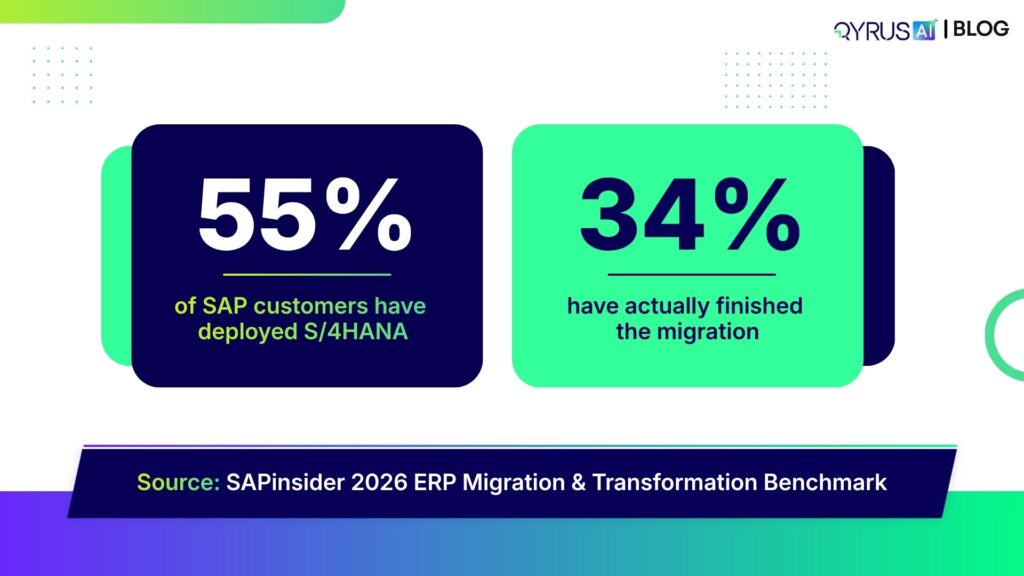
We started our journey with the ASUG community, where the focus was squarely on modernizing the massive, complex landscapes that run global business. In Houston, Ravi Sundaram challenged the room to look at agentic SAP testing not as a future luxury, but as a current necessity for improving ROI. The conversation deepened in New England and Chicago, where we saw firsthand that teams are struggling to balance S/4HANA migration with daily execution. The consensus across these chapters was clear: SAP teams need strategies that reduce overhead while increasing confidence across integrated landscapes. 

We wrapped up our 2025 event journey at SAP TechEd Bengaluru in November with two energizing days that put AI-led SAP testing front and center. As a sponsor, we brought a strong mix of thought leadership and real-world execution. Sessions from Ameet Deshpande and Amit Diwate broke down why traditional SAP automation struggles under modern complexity and demonstrated how SEER enables teams to stop testing everything and start testing smart. The booth buzzed with discussions on navigating S/4HANA customizations, serving as a powerful reminder that the future of SAP quality is intelligent, adaptive, and already taking shape. 

Leading the Global Conversation

In August, we took the conversation global with an exclusive TestGuild webinar hosted by Joe Colantonio. Ameet Deshpande, our SVP of Product Engineering, tackled the industry-wide struggle of fragmentation—where AI accelerates development, but QA falls behind due to disjointed tools. This session marked the public unveiling of Qyrus SEER, our autonomous orchestration framework designed to balance the Dev–QA seesaw. The strong live attendance and post-event engagement reinforced that the market is ready for a shift toward unified, autonomous testing. 

The momentum continued in September at StarWest 2025 in Anaheim, where we were right in the middle of the conversations shaping the future of software testing. Our booth became a go-to spot for QA leaders looking to understand how agentic, AI-driven testing can keep up with an increasingly non-deterministic world. A standout moment was Ameet Deshpande’s keynote, where he challenged traditional QA thinking and unpacked what “quality” really means in an AI-powered era—covering agentic pipelines, semantic validation, and AI-for-AI evaluation. 

Redefining Financial Services (BFSI) 

Banking doesn’t sleep, and neither can its quality assurance. At the BFSI Innovation & Technology Summit in Mumbai, Ameet Deshpande introduced our orchestration framework, SEER, to leaders facing the pressure of instant payments and digital KYC. Later in London at the QA Financial Forum, we tackled a tougher reality: non-determinism. As financial institutions embed AI deeply into their systems, rule-based testing fails. We demonstrated how multi-modal orchestration validates these adaptive systems without slowing them down, proving that “AI for AI” is already reshaping how financial products are delivered. 

The Developer & API Ecosystem  

APIs drive the modern web, yet they often get tested last. We challenged this at API World in Santa Clara, where we argued that API quality deserves a seat at the table. Raoul Kumar took this message to London at APIdays, showing how no-code workflows allow developers to adopt rigorous testing without the friction. In Bengaluru, we saw the scale of this challenge up close. At APIdays India, we connected with architects building for one of the world’s fastest-growing digital economies, validating that the future of APIs relies on autonomous, intelligent quality. 

Inspiring the Next Generation  

Innovation starts early. We closed the year as the Technology Partner for HackCBS 8.0 in New Delhi, India’s largest student-run hackathon. Surrounded by thousands of student builders, we didn’t just hand out swag. We put qAPI in their hands, showing them how to validate prototypes instantly so they could focus on creativity. Their curiosity reinforced a core belief: when you give builders the right tools, they ship better software from day one. 

Conclusion: Ready for 2026 

2025 was the year we stopped treating “Autonomous Testing” as a theory. We proved it is operational, scalable, and essential for survival in a market where software complexity outpaces human capacity. 

We are entering 2026 with a platform that understands your code, predicts your failures, and heals itself. Whether you need to validate generative AI models, streamline a massive SAP migration, or ensure your APIs hold up under peak load, Qyrus has built the infrastructure for the AI-first world. 

The tools are ready. The agents are waiting. Let’s build the future of quality together. 

Book a Demo 

SAP Fiori Test Specialist

SAP releases updates at breakneck speed. Development teams are sprinting forward, leveraging AI-assisted coding to deploy features faster than ever. Yet, in conference rooms across the globe, SAP Quality Assurance (QA) leaders face a grim reality: their testing cycles are choking innovation. We see this friction constantly in the field—agility on the front-end, paralysis in the backend.

The gap between development speed and testing capability is not just a process issue; it is a financial liability. Modern enterprise resource planning (ERP) systems, particularly those driven by SAP Fiori and UI5, have introduced significant complexities into the Quality Assurance lifecycle. Fiori’s dynamic nature—characterized by frequent updates and the generation of dynamic control identifiers—systematically breaks traditional testing models.

When business processes evolve, the Fiori applications update to meet new requirements, but the corresponding test cases often lag behind. This misalignment creates a dangerous blind spot. We often see organizations attempting to validate modern, cloud-native SAP environments using methods designed for on-premise legacy systems. This disconnect impacts more than just functional correctness; it hampers the ability to execute critical SAP Fiori performance testing at scale. If your team cannot validate functional changes quickly, they certainly cannot spare the time to load test SAP Fiori applications under peak user conditions, leaving the system vulnerable to crashes during critical business periods.

To understand why SAP Fiori test automation strategies fail so frequently, we must examine the three distinct evolutionary phases of SAP testing. Most enterprises remain dangerously tethered to the first two, unable to break free from the gravity of legacy processes.

Wave 1: The Spreadsheet Quagmire and the High Cost of Human Error

For years, “testing” meant a room full of functional consultants and business users staring at spreadsheets. They manually executed detailed, step-by-step scripts and took screenshots to prove validation.

This approach wasn’t just slow; it was economically punishing. Manual testing suffers from a linear cost curve—every new feature adds linear effort. Industry analysis suggests that the annual cost for manual regression testing alone can exceed $201,600 per environment. When you scale that across a five-year horizon, organizations often burn over $1 million just to stay in the same place. Beyond the cost, the reliance on human observation inevitably leads to “inconsistency and human error,” where critical business scenarios slip through the cracks due to sheer fatigue.

Wave 2: The False Hope of Script-Based Automation

As the cost of manual testing became untenable, organizations scrambled toward the second wave: Traditional Automation. Teams adopted tools like Selenium or record-and-playback frameworks, hoping to swap human effort for digital execution.

It worked, until it didn’t.

While these tools solved the execution problem, they created a massive maintenance liability. Traditional web automation frameworks rely on static locators (like XPaths or CSS selectors). They assume the application structure is rigid. SAP Fiori, however, is dynamic by design. A simple update to the UI5 libraries can regenerate control IDs across the entire application.

Instead of testing new features, QA engineers spend 30% to 50% of their time just setting up environments and fixing broken locators. This isn’t automation; it is just automated maintenance.

Wave 3: The Era of ERP-Aware Intelligence

We have hit a ceiling with script-based approaches. The complexity of modern SAP Fiori test automation demands a third wave: Agentic AI.

This new paradigm moves beyond checking if a button exists on a page. It focuses on “ERP-Aware Intelligence”—tools that understand the business intent behind the process, the data structures of the ERP, and the context of the user journey. We are moving away from fragile scripts toward intelligent agents that can adapt to changes, understand business logic, and ensure process integrity without constant human intervention.

To achieve the economic viability modern enterprises need, automation must do more than click buttons. It must reduce maintenance effort by 60% to 80%. Without this shift, teams will remain trapped in a cycle of repairing yesterday’s tests instead of assuring tomorrow’s releases.

The Technical Trap: Why Standard Automation Crumbles Under Fiori

You cannot solve a dynamic problem with a static tool. This fundamental mismatch explains why so many SAP Fiori test automation initiatives stall within the first year. The architecture of SAP Fiori/UI5 is built for flexibility and responsiveness, but those very traits act as kryptonite for traditional, script-based testing frameworks.

The “Dynamic ID” Nightmare 

If you have ever watched a Selenium script fail instantly after a fresh deployment, you have likely met the Dynamic ID problem.

Standard web automation tools function like a treasure map: “Go to X coordinate and dig.” They rely on static locators—specific identifiers in the code (like button_123)—to find and interact with elements.

SAP Fiori does not play by these rules. To optimize performance and rendering, the UI5 framework dynamically generates control IDs at runtime. A button labeled __xmlview1–orderTable in your test environment today might become __xmlview2–orderTable in production tomorrow.

Because the testing tool cannot find the exact ID it recorded, the test fails. The application works perfectly, but the report says otherwise. These “false negatives” force your QA engineers to stop testing and start debugging, eroding trust in the entire automation suite.

The Maintenance Death Spiral 

This instability triggers a phenomenon known as the Maintenance Death Spiral. When locators break frequently, your team stops building new tests for new features. Instead, they spend their days patching old scripts just to keep the lights on.

Industry data indicates that teams using code-centric frameworks like Selenium often spend 50% to 70% of their automation effort on maintenance.

If you spend 70% of your time fixing yesterday’s work, you cannot support today’s velocity. This high rework cost destroys the ROI of automation. You aren’t accelerating release cycles; you are merely shifting the bottleneck from manual execution to technical debt management.

The “Documentation Drift” 

While your engineers fight technical fires, a silent strategic failure occurs: Documentation Drift.

In a fast-moving SAP environment, business processes evolve rapidly. Developers update the code to meet new requirements, but the functional specifications—and the test cases based on them—often remain static.

This creates a dangerous gap. Your tests might pass because they validate an outdated version of the process, while the actual implementation has drifted away from the business intent. Without a mechanism to triangulate code, documentation, and tests, you risk deploying features that are technically functional but practically incorrect.

The Tooling Illusion: Why Current Solutions Fall Short

When organizations realize manual testing is unsustainable, they often turn to established automation paradigms, but each category trades one problem for another. Model-based solutions, while offering stability, suffer from a severe “creation bottleneck,” forcing functional teams to manually scan screens and build complex underlying models before a single test can run. On the other end of the spectrum, code-centric and low-code frameworks offer flexibility but remain fundamentally “blind” to the ERP architecture. Because these tools rely on standard web locators rather than understanding the business object, they shatter the moment SAP Fiori test automation environments generate dynamic IDs, forcing teams to simply trade manual execution for manual maintenance.

Native legacy tools built specifically for the ecosystem might feel like a safer bet, but they lack the modern, agentic capabilities required for today’s cloud cadence. These older platforms miss critical self-healing features and struggle to keep pace with evolving UI5 elements, making them ill-suited for agile SAP Fiori performance testing. Ultimately, no existing category—whether model-based, script-based, or native—fully bridges the gap between the technical implementation and the business intent. They leave organizations trapped in a cycle where they must choose between the high upfront cost of creation or the “death spiral” of ongoing maintenance, with no mechanism to align the testing reality with drifting documentation.

Code-to-Test: The Agentic Shift in SAP Fiori Test Automation

We built the Qyrus Fiori Test Specialist to answer a singular question: Why are humans still explaining SAP architecture to testing tools? The “Third Wave” of QA requires a platform that understands your ERP environment as intimately as your functional consultants do. We achieved this by inverting the standard workflow. We moved from “Record and Play” to “Upload and Generate.”

Fiori Test Specialist

SAP Scribe: Reverse Engineering, Not Recording

The most expensive part of automation is the beginning. Qyrus eliminates the manual “creation tax” through a process we call Reverse Engineering. Instead of asking a business analyst to click through screens while a recorder runs, you simply upload the Fiori project folder containing your View and Controller files.

Proprietary algorit hms, which we call Qyrus SAP Scribe, ingest this source code alongside your functional requirements. The AI analyzes the application’s input fields, data flow, and mapping structures to automatically generate ready-to-run, end-to-end test cases. This agentic approach creates a massive leap in SAP Fiori test automation efficiency. It drastically reduces dependency on your business teams and eliminates the need to manually convert fragile recordings into executable scripts. You get immediate validation that your tests match the intended functionality without writing a single line of code.

The Golden Triangle: Triangulated Gap Analysis

Standard tools tell you if a test passed or failed. Qyrus tells you if your business process is intact.

Gap Analysis

We introduced a “Triangulated” Gap Analysis that compares three distinct sources of truth:

  1. The Code: The functionality actually implemented in the Fiori app.
  1. The Specs: The requirements defined in your functional documentation.
  1. The Tests: The coverage provided by your existing validation steps.

Dashboards visualize exactly where the reality of the code has drifted from the intent of the documentation. The system then provides specific recommendations: either update your documentation to match the new process or modify the Fiori application to align with the original requirements. This ensures your QA process drives business alignment, not just bug detection.

The Qyrus Healer: Agentic Self-Repair

Even with perfect generation, the “Dynamic ID” problem remains a threat during execution. This is where the Qyrus Healer takes over.

Qyrus Healer

When a test fails because a control ID has shifted—a common occurrence in UI5 updates—the Healer does not just report an error. It pauses execution and scans the live application to identify the new, correct technical field name. It allows the user to “Update with Healed Code” instantly, repairing the script in real-time. This capability is the key to breaking the maintenance death spiral, ensuring that your automation assets remain resilient against the volatility of SaaS updates.

Beyond the Tool: The Unified Qyrus Platform

Optimizing a single interface is not enough. SAP Fiori exists within a complex ecosystem of APIs, mobile applications, and backend databases. A testing strategy that isolates Fiori from the rest of the enterprise architecture leaves you vulnerable to integration failures. Qyrus addresses this by unifying SAP Fiori performance testing, functional automation, and API validation into a single, cohesive workflow.

Fiori Test Process

Unified Testing and Data Management 

Qyrus extends coverage beyond the UI5 layer. The platform allows you to load test SAP Fiori workflows under peak traffic conditions while simultaneously validating the integrity of the backend APIs driving those screens. This holistic view ensures that your system does not just look right but performs right under pressure.

However, even the best scripts fail without valid data. Identifying or creating coherent data sets that maintain referential integrity across tables is often the “real bottleneck” in SAP testing. The Qyrus Fiori Test Specialist integrates directly with Qyrus DataChain to solve this challenge. DataChain automates the mining and provisioning of test data, ensuring your agentic tests have the fuel they need to run without manual intervention.

Agentic Orchestration: The SEER Framework 

We are moving toward autonomous QA. The Qyrus platform operates on the SEER framework—Sense, Evaluate, Execute, Report.

This framework shifts the role of the QA engineer from a script writer to a process architect.

Conclusion: From “Checking” to “Assuring”

The path to effective SAP Fiori test automation does not lie in faster scripting. It lies in smarter engineering.

For too long, teams have been stuck in the “checking” phase—validating if a button works or a field accepts text. The Qyrus Fiori Test Specialist allows you to move to true assurance. By utilizing Reverse Engineering to eliminate the creation bottleneck and the Qyrus Healer to survive the dynamic ID crisis, you can achieve the 60-80% reduction in maintenance effort that modern delivery cycles demand.

Ready to Transform Your SAP QA Strategy? 

Stop letting maintenance costs eat your budget. It is time to shift your focus from reactive validation to proactive process conformance.

If you are ready to see how SAP Fiori test automation can actually work for your enterprise—delivering stable locators, autonomous repair, and deep ERP awareness—the Qyrus Fiori Test Specialist is the solution you have been waiting for. Don’t let brittle scripts or manual regressions slow down your S/4HANA migration. Eliminate the creation bottleneck and achieve the 60-80% reduction in maintenance effort that your team deserves.

Book a Demo for the Fiori Test Specialist Today!

mobile modular testing

Let’s confront the reality of mobile testing right now. It is messy. It is expensive. And for most teams, it is a constant battle against entropy.

We aren’t just writing tests anymore; we are fighting to keep them alive. The sheer scale of hardware diversity creates a logistical nightmare. Consider the Android ecosystem alone: it now powers over 4.2 billion active smartphones produced by more than 1,300 different manufacturers. When you combine this hardware chaos with OS fragmentation—where Android 15 holds only 28.5% market share while older versions cling to relevance—you get a testing matrix that breaks traditional scripts.

But the problem isn’t just the devices. It’s the infrastructure.

If you use real-device clouds, you know the frustration of “hung sessions” and dropped connections. You lose focus. You lose context. You lose time. These infrastructure interruptions force testers to restart sessions, re-establish state, and waste hours distinguishing between a buggy app and a buggy cloud connection.

This chaos creates a massive, invisible tax on your engineering resources. Instead of building new features or exploring edge cases, your best engineers are stuck in the “maintenance trap.” Industry data reveals that QA teams often spend 65-70% of their time maintaining existing tests rather than creating new ones.

That is not a sustainable strategy. It is a slow leak draining your return on investment (ROI). To fix this, we didn’t just need a software update; we needed a complete architectural rebuild.

Mobile Quality Crisis

The Zero-Migration Paradox: Innovation Without the Demolition

When a software vendor announces a “complete platform rebuild,” seasoned QA leaders usually panic.

We know what that phrase typically hides. It implies “breaking changes.” It signals weeks or months of refactoring legacy scripts to fit new frameworks. It means explaining to stakeholders why regression testing is stalled while your team migrates to the “new and improved” version.

We chose a harder path for the upcoming rebuild of the Qyrus Mobility platform.

We refused to treat your existing investment as collateral damage. Our engineering team made one non-negotiable promise during this rebuild: 100% backwards compatibility from Day 1.

This is the “Zero Migration” paradox. We completely re-imagined the building, managing, and running of mobile tests to be faster and smarter , yet we ensured that zero migration effort is required from your team. You do not need to rewrite a single line of code.

Those complex, business-critical test scripts you spent years refining? They will work perfectly the moment you log in. We prioritized this stability to ensure you get the power of a modern engine without the downtime of a mechanic’s overhaul. Your ROI remains protected, and your team keeps moving forward, not backward.

Stop Fixing the Same Script Twice: The Modular Revolution

We need to talk about the “Copy-Paste Trap.”

In the early days of a project, linear scripting feels efficient. You record a login flow, then record a checkout flow, and you are done. But as your suite grows to hundreds of tests, that linear approach becomes a liability. If your app’s login button ID changes from #submit-btn to #btn-login, you don’t just have one problem; you have 50 problems scattered across 50 different scripts.

This is the definition of Test Debt. It is the reason why teams drown in maintenance instead of shipping quality code.

With the new Qyrus Mobility update, we are handing you the scissors to cut that debt loose. We are introducing Step Blocks.

Think of Step Blocks as the LEGO® bricks of your testing strategy. You build a functional sequence—like a “Login” flow or an “Add to Cart” routine—once. You save it. Then, you reuse that single block across every test in your suite.

The magic happens when the application changes. When that login button ID inevitably updates, you don’t hunt through hundreds of files. You open your Login Step Block, update the locator once, and it automatically propagates to every test script that uses it.

This shift from linear to modular design is not just a convenience; it is a mathematical necessity for scaling. Industry research confirms that adopting modular, component-based frameworks can reduce maintenance costs by 40-80%.

By eliminating the redundancy in your scripts, you free your team from the drudgery of repetitive fixes. You stop maintaining the past and start testing the future.

Modular Revolution

Reclaiming Focus: Banish the “Hung Session”

We need to address the most frustrating moment in a tester’s day.

You are forty minutes into a complex exploratory session. You have almost reproduced that elusive edge-case bug. You are deep in the flow state. Then, the screen freezes. The connection drops. Or perhaps you hit a hard limit; standard cloud infrastructure often enforces strict 60-minute session timeouts.

The session dies, and with it, your context. You have to reconnect, re-install the build, navigate back to the screen, and hope you remember exactly what you were doing. Industry reports confirm that cloud devices frequently go offline unexpectedly, forcing testers to restart entirely.

We designed the new Qyrus Mobility experience to eliminate these interruptions.

We introduced Uninterrupted Editing because we know testing is iterative. You can now edit steps, fix logic, or tweak parameters without closing the device window. You stay connected. The app stays open. You fix the test and keep moving.

We also solved the context-switching problem with Rapid Script Switching. If you need to verify a different workflow, you don’t need to disconnect and start a new session. You simply load the new script file into the active window. The device stays with you.

We even removed the friction at the very start of the process. With our “Zero to Test” workflow, you can upload an app and start building a test immediately—no predefined project setup required. We removed the administrative hurdles so you can focus on the quality of your application, not the stability of your tools.

Future-Proofing with Data & AI: From Static Inputs to Agentic Action

Mobile applications do not live in a static vacuum. They exist in a chaotic, dynamic world where users switch time zones, calculate different currencies, and demand personalized experiences. Yet, too many testing tools still rely on static data—hardcoded values that work on Tuesday but break on Wednesday.

We have rebuilt our data engine to handle this reality.

The new Qyrus Mobility platform introduces advanced Data Actions that allow you to calculate and format variables directly within your test flow. You can now pull dynamic values using the “From Data Source” option, letting you plug in complex datasets seamlessly. This is critical because modern apps handle 180+ different currencies and complex date formats that static scripts simply cannot validate. We are giving you the tools to test the app as it actually behaves in the wild, not just how it looks in a spreadsheet.

But we are not stopping at data. We are preparing for the next fundamental shift in software quality.

You have heard the hype about Generative AI. It writes code. It generates scripts. But it is reactive; it waits for you to tell it what to do. The future belongs to Agentic AI.

In Wave 3 of our roadmap, we will introduce AI Agents designed for autonomous execution. Unlike Generative AI, which focuses on content creation, Agentic AI focuses on outcomes. These agents will not just follow a script; they will autonomously explore your application, identifying edge cases and validating workflows that a human tester might miss. We are building the foundation today for a platform that doesn’t just assist you—it actively works alongside you.

Practical Testing: Generative AI Vs. Agentic AI

Dimension Generative AI Agentic AI
Core Function Generates test code and suggestions Autonomously executes and optimizes testing
Decision-Making Reactive; requires prompts Proactive; makes independent decisions
Error Handling Cannot fix errors autonomously; requires human correction Automatically detects, diagnoses, and fixes errors
Maintenance Generates new tests; humans maintain existing tests Self-heals tests; handles maintenance autonomously
Scope Single task focus (write one test or set) Multi-step workflows; entire testing pipelines
Tool Usage Suggests tool usage; cannot execute natively Actively uses tools, APIs, and systems to accomplish tasks
Feedback Loops None; static output until new prompt Continuous; learns and adapts from every execution
Outcome Focus Process-oriented (did I generate good code?) Results-oriented (did I achieve quality objectives?)

Conclusion: The New Standard for 2026

This update is not a facelift. It is a new foundation.

We rebuilt the Qyrus Mobility platform to solve the problems that actually keep you awake at night: the maintenance burden, the flaky sessions, and the fear of breaking what already works. We did it while keeping our promise of 100% backwards compatibility.

You get the speed of a modern engine. You get the intelligence of modular design. And you keep every test you have ever written.

Get Ready. The future of mobile testing arrives in 2026. Stay tuned for the official release date—we can’t wait to see what you build.

Book your demo of Qyrus Mobility Platform Today!

mobile banking app testing

Mobile is no longer an alternative channel; for most customers, it is the bank. By the end of 2025, 2.17 billion people globally are estimated to manage their finances exclusively through screens that fit in their pockets. Mobile banking app testing is the rigorous process of verifying the functionality, security, and performance of financial applications to ensure they withstand regulatory scrutiny and intense user demand. 

In the fintech domain, a glitch isn’t just a technical annoyance; it is a breach of trust. With 72% of U.S. adults relying on these tools, the tolerance for error has evaporated. A single bug can cause financial losses, trigger regulatory fines, and destroy customer loyalty in seconds. The data supports this volatility: 94% of users uninstall a new app within 30 days if they encounter bugs or sluggish performance. 

This high-stakes environment demands more than basic functionality checks. It requires a strategic approach to fintech app testing that prioritizes digital trust. This comprehensive guide provides the framework to overcome complex industry challenges, leveraging AI-driven automation and real-device testing to accelerate quality and secure the user experience. 

The 4 Silent Killers of Banking App Reliability 

Mobile banking app testing is uniquely brutal. Unlike an e-commerce store or a social media feed, financial applications do not have the luxury of “fail fast and fix later.” The combination of high financial stakes, complex security vulnerabilities, and the demanding real-time nature of financial services creates a hostile environment for quality assurance. 

Core Challenges

Here is why standard testing strategies often crumble in the fintech sector. 

1. The Trap of Intricate Business Workflows 

Banking workflows are rarely linear. A user does not simply “add to cart” and “checkout.” They apply for loans, transfer funds, and manage investments in workflows that span over 15 integrated systems and require multiple approvals. A loan application might start on a mobile device, pause for manual underwriting, and conclude with a digital signature days later. 

Testing these paths requires rigorous end-to-end validation. You must verify not just the “happy path” but every negative test case, such as a connection drop during a fund transfer or a session timeout during a mortgage application. If your Banking mobile app QA strategy isolates these steps, you miss the integration bugs that actually cause crashes. 

2. The “Black Box” of Third-Party Integrations 

Modern banking apps are essentially polished interfaces sitting on top of a web of third-party dependencies. Your app relies on external APIs for KYC verification, credit bureau checks, and payment gateways like Zelle or UPI. 

The problem? You cannot control these external systems. If a third-party credit check API fails, your user sees a broken app and blames your bank. Fintech app testing must include API virtualization and mocking to simulate these failures. This isolates your core functionality, ensuring that if a partner goes down, your app handles the error gracefully rather than crashing. 

3. Economic Panic and the Load Spike 

Financial apps face unpredictable traffic patterns that defy standard capacity planning. We call this “Economic Panic Load.” Traffic does not just spike on Black Friday; it spikes when paydays align with holidays, during market crashes, or following major economic announcements. 

To survive, performance testing for mobile apps must go beyond average load expectations. Banks typically need to simulate up to 50,000 transactions per minute to validate stability. More importantly, teams must test for Recovery Time Objectives (RTO)—measuring exactly how many seconds it takes for the system to recover after a catastrophic failure during these peaks. 

4. The Compliance and Fragmentation Vice 

Testing teams operate in a vice grip between rigid regulations and infinite hardware variables. 

  • The Regulatory Burden: You are not just testing for bugs; you are testing for the law. Mandates like PCI DSS, GDPR, and the EU’s Digital Operational Resilience Act (DORA) are non-negotiable. A single lapse in security testing for mobile financial apps—such as exposed data in a log file—can trigger massive fines. 
  • Device Fragmentation: The hardware reality is chaotic. There are over 24,000 distinct Android devices globally. Supporting every device is impossible, yet Real-device mobile banking testing is essential because emulators cannot accurately replicate biometric sensors or battery drain on older models. The most effective teams focus on a matrix of 20–40 high-market-share devices to maintain crash-free rates above 99%. 

The Core Disciplines of Mobile Banking App Testing 

A comprehensive test strategy in banking does not just look for bugs; it prioritizes financial risk. While a UI glitch in a gaming app is annoying, a calculation error in a loan repayment schedule is a lawsuit. Therefore, mobile banking app testing must fuse multiple disciplines, placing security and data integrity above feature velocity. 

Testing Disciplines

1. Security and Compliance: The DevSecOps Approach 

Security cannot be a final hurdle cleared days before release. It must be embedded into the development lifecycle—a practice known as Shift-Left Security. Security testing for mobile financial apps is the single most critical area, focusing on preventing unauthorized access and financial fraud. 

Modern strategies move beyond basic checks to rigorous automated standards: 

  • Vulnerability Assessment: Teams must automate scanning for common threats like SQL injection and Cross-Site Scripting (XSS). This also includes detecting “Screen Overlay Attacks,” where malware hijacks user input by placing a fake layer over legitimate banking apps. 
  • Authentication & Biometrics: You must rigorously validate Multi-Factor Authentication (MFA) and biometric logins (Face ID/fingerprint). This includes ensuring secure session termination so that a stolen phone doesn’t grant open access to a bank account. 
  • Compliance Verification: Adherence to the OWASP MASVS (Mobile Application Security Verification Standard) is now the industry benchmark. Furthermore, institutions operating in Europe must prepare for the Digital Operational Resilience Act (DORA), which mandates strict evidence of digital resilience. 

2. Test Data Management (TDM) and Privacy 

One of the biggest bottlenecks in banking mobile app QA is data. Testing requires realistic transaction histories to validate complex workflows, but using production data violates privacy laws like GDPR and CCPA. 

You cannot simply copy a production database for testing. The solution lies in synthetic data generation and PII masking. Teams create “fake” user profiles with valid credit card formats and logical transaction histories. This ensures that even if a test log is exposed, no real customer data is compromised. Effective TDM ensures you can test edge cases—like a user with negative balance attempting a transfer—without risking customer privacy. 

3. Performance and Load Testing (The Panic Check) 

Your app works fine with 100 users, but what happens on payday? Performance testing for mobile apps ensures the application remains responsive during massive, concurrent usage. 

  • Load Testing: You must simulate large numbers of concurrent users accessing the app to identify bottlenecks. Banks often simulate up to 50,000 transactions per minute to stress-test backend systems. 
  • Transaction Speed: Users expect real-time results. Testing must enforce strict Service Level Objectives (SLOs) for critical features like fund transfers. A delay of just 1-2 seconds can cause 18% of users to abandon the app
  • Network Shaping: Real users do not always have perfect 5G. You must test for graceful degradation across spotty Wi-Fi, low 4G, and roaming connections to ensure the app handles timeouts without crashing. 

4. UX and Accessibility: The Legal & Trust Necessity 

Usability is a survival metric. With 46% of customers willing to switch banks for a better digital experience, friction is a business risk. Mobile banking UX testing goes beyond aesthetics; it validates that a non-technical user can complete a transfer without anxiety. 

Crucially, accessibility is a legal mandate. Courts increasingly view digital banking as a public accommodation. You must validate compliance with WCAG 2.1 standards, ensuring support for screen readers (VoiceOver/TalkBack), sufficient color contrast, and focus management. This ensures inclusivity and protects the institution from discrimination lawsuits. 

5. Interruption Testing: The Reality Check 

Mobile phones are chaotic environments. What happens to a wire transfer if a phone call comes in exactly when the user hits “Submit”? Interruption testing simulates these real-world intrusions—incoming calls, low battery alerts, or network loss. The app must handle these gracefully, ensuring the transaction is either completed or safely cancelled without “zombie” data remaining in the system. 

Automation and Real Devices—The Modern Solution 

Manual regression testing in fintech is a losing battle. With weekly release cycles and app stores demanding perfection, human speed cannot keep up with the technical debt. Mobile financial app automation is no longer a luxury; it is the definitive answer to the massive regression and speed demands of the fintech space. 

Organizations that successfully implement automation report a 60%+ reduction in test execution effort and 50% faster regression testing cycles. However, speed is worthless without accuracy. The modern solution requires a dual strategy: rigorous automation frameworks and a refusal to compromise on hardware reality. 

Automation And Real Devices

1. The Automation Imperative: Frameworks and AI 

The foundation of a robust strategy lies in choosing the right tools. While mobile banking native app automation often relies on platform-specific tools like XCUITest (iOS) and Espresso (Android) for their speed and deep system access, cross-platform solutions like Appium remain the industry standard for their flexibility. 

But tools alone do not solve the maintenance nightmare. A common failure point in automation is a fragile locator strategy (XPath, CSS selectors, accessibility locators). Banking apps frequently update their UI for compliance or marketing, breaking rigid scripts that rely on static XPaths. 

This is where AI transforms the workflow. AI-driven automation now offers “Self-Healing Scripts,” where intelligent agents automatically adjust locators when UI elements shift, drastically reducing script maintenance. Instead of a test failing because a “Submit” button moved two pixels, the AI recognizes the button by its attributes and proceeds, keeping the pipeline green. 

2. Real Devices vs. Emulators: Why Accuracy Matters 

For real-device mobile banking testing, emulators are useful for early logic checks, but they are dangerous for final validation. An emulator is a software mimic; it cannot replicate the thermal throttling of a CPU, the interference of a subway tunnel, or the specific behavior of a Samsung OneUI skin versus a Google Pixel interface. 

For banking apps specifically, reliance on emulators leaves massive blind spots. You cannot test FaceID integration or NFC “tap-to-pay” functionality on a simulated screen. The following table highlights why real hardware is non-negotiable for financial apps: 

Aspect Emulator/Simulator Real Device Testing Criticality for Banking Apps 
Biometrics Limited support Full access (Face ID, Fingerprint, Iris) Essential for secure login and payment authorizations. 
Beta OS Testing None/Delayed Install Beta iOS/Android versions Critical to prevent “Day 1” crashes when Apple or Google release new OS updates. 
Network Conditions Simulated (perfect logic) Actual Cellular/Wi-Fi/Roaming High Importance to test transaction resilience during handovers (e.g., leaving Wi-Fi). 
Manufacturer UI Generic Android Specific Skins (OneUI, MIUI, OxygenOS) High Importance to catch vendor-specific bugs that hide behind custom OS overlays. 

By combining resilient automation frameworks with a robust real-device lab, banking QA teams move from “hoping it works” to knowing it will perform. 

The Infrastructure of Trust—Accelerating Quality with Qyrus 

To meet the speed and security demands of mobile banking app testing, a modern strategy requires more than just scripts; it demands a robust infrastructure capable of running complex scenarios on real-world hardware. Qyrus directly addresses this with its specialized Mobile Testing solution and dedicated Device Farm

Solving “Intricate Workflows” with Biometric Bypass 

A major bottleneck in mobile banking native app automation is the security gate itself. Automating a login flow often hits a wall when the app demands FaceID or a fingerprint. Most tools cannot bypass this, forcing testers to manually intervene or skip secure login tests entirely. 

Qyrus solves this with its Instrumentation Feature, which allows testers to bypass biometric authentication prompts on real devices. This capability is critical for Fintech app testing, as it enables end-to-end automation of secure workflows—like transferring funds or viewing statements—without manual hand-holding. This feature works on instrumentable debug builds for Android, directly addressing the “Intricate Business Workflows” challenge identified earlier. 

Learn more about mobile app testing with Qyrus 

Mastering Fragmentation and Digital Inclusion 

You cannot validate a banking app’s stability on a single iPhone. The Qyrus Device Farm provides an all-in-one platform that eliminates the need for maintaining costly physical device inventories. 

  • Real-Device Confidence: The platform provides live access to a diverse set of real smartphones and tablets, backed by a 99.9% availability promise. This supports Real-device mobile banking testing across a wide range of operating systems, including day-one support for Android 16 and iOS 26 beta. 
  • Digital Inclusion via Network Shaping: Banking must be accessible to everyone, not just users with high-speed fiber. Qyrus allows testers to simulate adverse network conditions—such as 2G speeds, high latency, or packet loss. This ensures the app handles the “Economic Panic Load” without crashing, serving rural users as effectively as urban ones. 

Advanced Financial Testing Capabilities 

Qyrus integrates specialized features that cater specifically to the high-stakes nature of banking mobile app QA: 

  • Interrupt Testing: Users rarely bank in a vacuum. Qyrus enables you to simulate phone calls and text messages during active sessions to check if the application crashes or maintains its state. 
  • AI-Powered Exploration (Rover): To expand coverage beyond written scripts, Rover AI utilizes deep reinforcement learning for autonomous exploratory testing. It generates unlimited test cases to find edge cases a human might miss. 
  • Resilient Automation (Healer AI): Banking UIs change frequently. The Healer AI automatically adjusts your locator strategy (XPath, CSS selectors, accessibility locators) when UI elements shift. If a “Transfer” button ID changes, the AI finds the new locator, ensuring mobile financial app automation remains unbroken. 

The Strategic Layer: Unifying Quality 

Siloed testing creates blind spots. Qyrus operates as a unified component that supports cross-platform mobile/web UI testing and API testing within a single interface. 

This integration allows for security testing for mobile financial apps and performance testing for mobile apps to occur alongside functional checks. The platform feeds seamless results into overarching systems, supporting collaboration through integrations with Jira, Azure DevOps, and Jenkins. By consolidating Web, API, and Mobile testing, Qyrus ensures that the backend API failure discussed in Chapter 1 is caught just as quickly as a frontend UI glitch. 

Strategic Takeaways and Future Focus (2026 Outlook) 

The future of mobile banking app testing is not just about finding bugs faster; it is about predicting them before code is even committed. As we move through 2025, the industry is shifting away from reactive quality assurance toward proactive, AI-driven risk management. 

Strategic Takeaways

To stay competitive and secure, financial institutions must pivot their strategies around these four pillars. 

1. Prioritize Financial Risk Over Feature Parity 

You cannot test everything with equal intensity. A font misalignment on a “About Us” page is a cosmetic issue; a failure in the “Confirm Transfer” button is a catastrophe. Modern strategies adopt risk-based prioritization. Teams must map their test cases to financial impact, ensuring that money-movement features—transfers, bill pays, and loan disbursements—receive the highest tier of mobile financial app automation and manual scrutiny. AI tools now assist this by identifying high-risk areas based on historical failure data, directing resources where business risk is highest. 

2. Integrate Compliance Automation 

Regulatory bodies do not care how fast you release; they care about audit trails. The days of manual security checklists are over. Banks must embed security testing for mobile financial apps directly into the CI/CD pipeline. This means automating checks for the OWASP MASVS (Mobile Application Security Verification Standard) every time a developer commits code. If a build fails a compliance check—such as leaving debug logs enabled—the pipeline should reject it automatically. This creates “audit-ready” evidence without manual compilation. 

3. Scale Real Devices Strategically 

Attempting to cover the entire Android ecosystem is a trap. While fragmentation is real, testing on 500 devices yields diminishing returns. The winning strategy is to maintain a focused matrix of 20–40 high-market-share devices. This “Golden Matrix” should cover the most popular devices for your specific user base, plus a selection of low-end legacy devices to catch resource leaks. This focused approach generally maintains crash-free rates above 99% without the overhead of testing thousands of hardware variations. 

4. Embrace Agentic QA and Quantum Preparedness 

Two emerging trends will define the next five years of fintech app testing: 

  • Agentic QA: We are moving beyond simple scripts to intelligent AI agents. These agents can perform autonomous compliance checks, automatically flagging UI changes that violate banking regulations or accessibility standards without human intervention. 
  • Quantum-Safe Security: Forward-thinking banks are already planning for the “Q-Day” threat—when quantum computers can break current encryption. Testing strategies must begin to include validation for quantum-safe cryptographic algorithms to future-proof data protection. 

Ready to secure your banking app with our proven platform? Book your personalized Qyrus demo today and experience the future of fintech testing. 

Frequently Asked Questions (FAQ) 

Q: Why is real device testing critical for banking apps compared to emulators?  

A: Only real devices provide full access to essential hardware sensors like Face ID, GPS, and NFC. These are required for secure login and contactless payments. Furthermore, emulators cannot accurately replicate the CPU throttling and battery drain that often cause crashes on older devices. 

Q: What is the industry standard for mobile app security verification?  

A: The OWASP MASVS (Mobile Application Security Verification Standard) provides the baseline security criteria for financial applications. It covers critical areas like data storage, cryptography, and authentication to ensure apps are resistant to attacks. 

Q: How can automation help with biometric testing constraints?  

A: Advanced tools like Qyrus allow for “Biometric Bypass” via instrumentation. This enables automated scripts to proceed past fingerprint or face checks without manual intervention, solving the bottleneck of automating secure login flows. 

Q: What should be the priority when testing under “Economic Panic” conditions?  

A: Testing should focus on Load and Stress Testing for unpredictable traffic spikes. Specifically, teams should measure RTO (Recovery Time Objectives)—how fast the system recovers after a crash—rather than just testing if it crashes. 

Q: How do we handle third-party API failures during testing?  

A: You must use API Mocking and Virtualization. Since you cannot control external systems (like credit bureaus), mocking allows you to simulate their responses—both success and failure—to ensure your app handles dependencies gracefully without crashing. 

software testing costs

Consider the staggering price of poor software. In 2022, the cost of poor software quality in the US alone hit an astonishing $2.41 trillion. This isn’t just a number; it’s a massive tax on businesses that fail to invest in quality. The math is simple: a bug found in production is up to 100 times more expensive to fix than one caught during the initial design phase.  

Many organizations, however, still treat their software testing cost as a line item to slash. This short-sighted approach creates a cycle of underinvestment. It leads directly to catastrophic external failures, emergency patches, and customer churn. You are not saving money; you are just delaying a much larger payment. 

This guide changes that perspective. We will reframe software testing as a strategic, high-return investment. We will deconstruct the true costs of quality assurance, provide a clear framework for accurate software testing cost estimation, and share proven strategies for how to reduce the cost of software testing—not by cutting corners, but by optimizing value. 

The Strategic Framework: Cost of Quality (CoQ) vs. Cost of Poor Quality (CoPQ) 

To effectively manage your software testing cost, you must stop thinking about it as a simple expense. Instead, you need a structured financial framework. The Cost of Quality (CoQ) provides this structure. It classifies every quality-related expenditure into two strategic categories: proactive investments and reactive failures. This model reframes the entire conversation from “how much does testing cost?” to “what is the value of our investment in quality?”. 

This framework is built on a central economic principle: every dollar you invest in “Good Quality” directly and significantly reduces the exponentially more damaging “Poor Quality” costs. 

The Cost of Good Quality (Proactive Investment) 

These are the proactive investments you make to build quality into your product from the start. 

  • Prevention Costs: This is the money you spend to prevent defects from ever happening. It includes activities like developer training on secure coding, robust test planning, and conducting thorough requirements analysis before a single line of code is written. 
  • Appraisal (Detection) Costs: This is the cost of finding defects before they reach your customer. This category includes all traditional QA activities: running manual and automated tests, QA team salaries, automation tools licensing, and setting up test environments. 

The Cost of Poor Quality (Reactive Liability) 

These are the reactive expenses you incur when quality fails. 

  • Internal Failure Costs: These are the costs to fix bugs before the product ships. This includes all the developer time spent on debugging and rework, as well as the time your QA team spends re-running tests after a fix. 
  • External Failure Costs: This is the most expensive and dangerous category. These costs explode after a defective product is released to users. It includes everything from increased customer support calls and emergency hotfixes to regulatory penalties, lost revenue, and severe, lasting reputational damage. 

Key Takeaway: A smart testing process involves a deliberate investment in Prevention and Appraisal costs. This proactive spending is the single most effective way to drastically reduce the massive, uncontrolled costs of Internal and External failures. 

What Factors Really Determine Your Software Testing Cost? 

Your final software testing cost is not a fixed number. It’s a variable figure that depends on several key drivers. Understanding these factors is the first step toward building an accurate software testing cost estimation model and identifying opportunities for optimization. 

Project Complexity 

This is the most significant cost driver. A simple, single-platform application requires far less testing effort than a complex, cross-platform enterprise system. More features, complex business logic, and numerous third-party integrations all directly increase the testing scope and, therefore, the cost. 

Testing Types 

Not all testing is created equal. Different test types require different skills, tools, and environments, leading to varied costs. 

  • Functional & Regression Testing: These form the baseline of QA efforts. Manual functional testing can range from $15-$30 per hour. 
  • Automation Testing: While it carries a higher initial investment for setup, automation testing, often billed at $20-$35 per hour, provides long-term ROI by reducing manual effort in regression cycles. 
  • Performance Testing: This specialized testing requires advanced tools and environments to simulate user load, with rates often falling between $20-$35 per hour. 
  • Security & Compliance Testing: This is a high-skill domain. Security testing rates can be $25-$45 per hour, and specialized penetration tests can range from $5,000 to over $100,000, depending on the application’s scope. 

Team Model & Location 

Where your team is located and how it’s structured dramatically impacts the budget. Labor rates vary significantly by region. For example, a QA tester in North America might cost $50-$150 per hour, while a tester with similar skills in Asia could be $15-$40 per hour. Outsourcing to regions with lower labor costs can lead to savings of 60-70%. The choice between in-house, outsourced, or a hybrid model is one of the most critical financial decisions you will make. 

Automation Tools & Infrastructure 

Your technology stack has a clear price tag. Commercial automation tools come with licensing fees, which must be factored into your budget. Your testing infrastructure also plays a major role. A traditional on-premise test lab requires significant capital expenditure (CapEx), with initial setup costs potentially ranging from $10,000 to $50,000. In contrast, a cloud-based testing platform shifts this to an operational expense (OpEx), offering a pay-as-you-go model that eliminates large upfront investments and reduces long-term maintenance. 

The Hidden Costs You’re Forgetting 

The most dangerous costs are the ones you don’t track. 

  • Test Maintenance: This is the #1 hidden cost in test automation. As your application changes, test scripts break. Teams can spend up to 50% of their automation budget just fixing and maintaining brittle scripts instead of finding new bugs. 
  • Technical Debt: Poorly written, complex code is a drag on quality. This “technical debt” makes the application exponentially harder and more expensive to test with every new feature. 
  • Test Data Management: Creating, managing, and securing compliant test data (especially for regulations like GDPR) is a significant and often completely overlooked expense. 
  • Opportunity Cost: This is the business value lost when a lengthy, inefficient testing process delays your product release, allowing competitors to capture market share. 
Cost of Defects

How to Accurately Estimate Your Software Testing Cost 

Forget guesswork. A reliable software testing cost estimate isn’t pulled from thin air; it’s built on a structured approach. An accurate forecast prevents budget overruns, justifies resource allocation, and sets up a clear baseline for your project’s financial health. Here is a three-step framework for a more accurate software testing cost estimation. 

Cost Estimation Techniques

Step 1: Deconstruct the Work (Work Breakdown Structure – WBS) 

You can’t estimate what you haven’t defined. Start by using a Work Breakdown Structure (WBS) to divide the entire testing project into smaller, manageable components. Instead of one giant task called “testing,” you’ll have a detailed list: 

  • Test Planning & Strategy 
  • Test Environment Setup & Configuration 
  • Test Case Design (per module or feature) 
  • Test Data Creation 
  • Test Execution (for functional, regression, performance, etc.) 
  • Defect Management & Reporting 

This detailed list of tasks becomes the foundation for all your effort calculations. 

Step 2: Apply an Estimation Model 

Once you have your task list, you can apply proven models to estimate the effort (in hours) for each item. 

  • Function-Point Analysis: This method gauges project size by breaking tasks into “functional points” and categorizing them as simple, medium, or complex. You assign points to each feature (e.g., a simple login is 1 point, a complex payment gateway is 4 points) and then multiply the total points by a standard effort-per-point based on your team’s past performance. 
  • Three-Point (PERT) Estimation: This technique brilliantly accounts for uncertainty. For each task, you get three estimates: (O)ptimistic, (M)ost Likely, and (P)essimistic. You then use a weighted average to find the expected effort: (O + 4M + P) / 6. This method avoids the trap of purely optimistic planning. 
  • Analogous Estimation: Use your own history as a guide. This model involves using historical data and metrics from similar past projects as a baseline to estimate the effort for your current one. 

Step 3: Calculate the Final Cost 

With your total effort estimated, the final calculation is straightforward. 

(Total Estimated Effort in Hours) x (Blended Hourly Rate of QA Team) + (Tool & Infrastructure Costs) = Total Software Testing Cost 

Always include a 15-20% contingency buffer on top of this total. This buffer accounts for the unknown—the unexpected issues, scope creep, and hidden complexities that inevitably arise. 

Simple Example: 

  • Total Effort (from Step 2): 400 hours 
  • Blended QA Rate: $80/hr (avg. of onshore/offshore team) 
  • Tools/Infra (Cloud): $10,000 
  • Calculation: (400 * $80) + $10,000 = $32,000 + $10,000 = $42,000 
  • + 20% Contingency: $8,400 
  • Final Estimated Cost: $50,400 

5 Proven Strategies for How to Reduce the Cost of Software Testing 

The goal is not just to cut your software testing cost, but to optimize your spending. You want to achieve maximum quality and speed for every dollar you invest. Here is how to reduce the cost of software testing by focusing on efficiency and value, not just arbitrary cuts. 

Strategy 1: “Shift Left” – Test Early in the Development Cycle 

Shift Left Revolution

This is the most critical and impactful strategy. The “Shift-Left” philosophy involves moving quality-related activities as early in the development lifecycle as possible. The economic driver is simple: the cost to fix a bug explodes over time. 

A defect found and fixed by a developer during the design phase is trivial. The exact same bug found after release can cost 4 to 100 times more to remediate, factoring in customer support, emergency patches, and rework. By integrating QA professionals into requirements and design discussions, you prevent entire classes of defects from ever being written. 

Strategy 2: Implement Strategic Automated Testing 

Automation is a powerful cost-saver, but only when applied strategically. The goal is to automate tasks that provide a high return on investment. This includes: 

  • Repetitive, time-consuming tasks like regression testing. 
  • Data-driven tests that run the same script with thousands of different data inputs. 

Avoid automating unstable features or tests that will only be run once. Strategic automation frees your skilled manual testers to focus on high-value, human-centric tasks like exploratory testing and usability testing. Organizations that invest in test automation can see a positive ROI within the first year

Test Automation

Strategy 3: Adopt Risk-Based Testing (RBT) 

You cannot and should not test everything with equal effort. Risk-Based Testing (RBT) provides a systematic method to focus your finite testing efforts on the areas of the application that pose the greatest business risk. 

This process involves identifying high-risk modules—based on code complexity, frequency of use, and the business impact of a failure—and prioritizing them. This follows the Pareto Principle (80/20 rule): you can often find 80% of the critical defects by focusing on the 20% most important features. Studies have shown that a well-implemented RBT strategy can yield a 35% higher ROI on your testing investment. 

Strategy 4: Optimize Your Sourcing Strategy 

A hybrid model is often the most cost-effective approach. This strategy involves: 

  • Keeping your core strategy, complex risk-based testing, and business logic validation in-house. 
  • Outsourcing or offloading high-volume, repetitive regression suites or specialized testing (like security) to a cost-effective partner. 

This gives you the control of an in-house team combined with the cost-efficiency and specialized talent pool of an outsourcing partner. This can be especially effective for accessing specialized skills, like penetration testing, which can be slow and expensive to build internally. 

Strategy 5: Leverage Modern, AI-Powered Testing Tools 

Traditional automation tools have a critical flaw: they create the massive “Test Maintenance” hidden cost we identified earlier. As your application evolves, brittle scripts break, forcing your engineers to spend up to 50% of their time just fixing old tests. 

Modern, AI-driven platforms are designed to solve this exact problem. AI can automatically detect UI changes, “self-heal” broken tests, and intelligently generate new test cases, drastically reducing maintenance overhead. AI-driven approaches have been shown to reduce overall QA costs by as much as 50%

Cost Effectiveness with Qyrus Autonomous Platform 

The biggest flaw in most automated testing strategies is the hidden software testing cost of maintenance. As your app evolves, your tests break, and your engineers spend more time fixing tests than finding bugs. 

The Solution: The Qyrus Autonomous Testing Platform 

  • Eliminate Tool Sprawl: Qyrus is a unified platform that handles Web, Mobile, API, Desktop, and SAP testing. This consolidation dramatically reduces licensing costs and the friction of a fragmented toolchain. 
  • Crush Maintenance Costs with AI: The Qyrus SEER framework uses intelligent AI agents to tackle the biggest cost drivers: 
  • Healer: Automatically detects UI changes and “self-heals” broken tests, virtually eliminating the manual maintenance overhead that plagues other tools. 
  • TestGenerator & Rover: Autonomously generate and execute tests from requirements or by exploring your application, slashing the manual effort needed for test planning and creation. 
  • Enable True Continuous Testing: Qyrus integrates directly into your CI/CD pipeline, allowing you to “shift left” and find bugs early in the development cycle when they are cheapest to fix. 

The Bottom Line: Qyrus makes your testing process more cost efficient not just by automating, but by autonomously maintaining your automation. This delivers a faster ROI and frees your engineers to focus on quality, not script repair. 

Beyond Cost: Measuring the Business ROI of Your Testing Investment 

A mature testing strategy doesn’t just save money; it actively drives business value. To prove this, you must connect your testing efforts to the key performance indicators (KPIs) that your entire business runs on. The focus must shift from activity metrics (e.g., “test cases executed”) to outcome-based metrics that measure operational stability and delivery velocity. 

Testing's Impact on Business ROi

Reducing the Change Failure Rate (CFR) 

This is a critical DORA metric that measures how often a deployment to production fails or results in a degraded service. A high CFR is a direct indicator of quality problems escaping your test process, and it creates immense rework costs. A robust, automated regression testing suite, tracked in your CI/CD dashboard, is the number one tool for keeping this rate low and ensuring production stability. 

Improving Mean Time to Recovery (MTTR) 

When a failure does happen (and it will), this DORA metric measures the average time it takes to restore service. A long MTTR translates directly to customer impact, lost revenue, and reputational damage. A high-speed, reliable continuous testing pipeline is essential here. It allows your team to validate a fix and safely deploy it in minutes or hours, not days. 

Increasing Release Velocity 

For decades, testing was seen as the primary bottleneck to release new features. By automating your regression suite and reducing the testing cycle, you directly increase your release velocity. This allows you to capture market opportunities before your competitors. High-performing DevOps organizations that practice continuous testing deploy multiple times per day, not monthly, and have significantly lower change failure rates. 

Conclusion: Stop Managing Cost, Start Optimizing Value 

The software testing cost is not an unavoidable expense but a strategic, high-return investment in product quality and business resilience. The real price tag to fear is the $2.41 trillion cost of poor software—that is the steep price businesses pay for not investing. 

You can achieve true cost effectiveness and competitive advantages. The path requires reframing your entire strategy around the Cost of Quality (CoQ) framework. It demands that you shift left to find bugs earlier, prioritize your efforts with risk-based testing, and—most importantly—leverage modern, autonomous platforms. These tools are the only way to eliminate the single biggest cost driver in traditional automation: the crippling, 50% budget-drain of test maintenance. 

Stop letting brittle scripts and fragmented tools inflate your testing budget. 

See how Qyrus’ AI-powered, unified platform can cut your maintenance overhead, boost your release velocity, and deliver a measurable ROI. Schedule a Demo Today! 

Let’s start with a hard truth. A bad website experience actively costs you money. It is not just a minor annoyance for your users; it is a direct financial liability for your business. 

Consider that an overwhelming 88% of online users say they are less likely to return to a website after a bad experience. That is nearly nine out of ten potential customers gone, perhaps for good. The damage is immediate and measurable. A single one-second delay in your page load time can trigger a 7% reduction in conversions

Now, think bigger. What if the bug isn’t just about speed, but security? The global average cost of just one data breach has climbed to $4.88 million

Suddenly, “web testing” isn’t just a technical task for the QA department. It is a core business strategy for protecting your revenue and reputation. 

But before you can choose the right tools, you must understand what you are testing. The terms used for testing web products get tossed around, but they are not interchangeable. 

  • Website Testing: This primarily focuses on an informational experience. Think of a corporate blog, a marketing page, or a news portal. The main goal is delivering content. Testing here centers on usability, ensuring content is accurate, links work, and the visual presentation is correct across browsers. 
  • Web Application Testing: This is a far more complex discipline. This is where interaction is the entire point. We are talking about e-commerce platforms, online banking portals, or sophisticated SaaS tools. This type of application testing must verify complex, end-to-end functional workflows (like a multi-step checkout), secure data handling, API integrity, and performance under load. 

The ecosystem of website testing tools is massive. You have open-source frameworks, AI-powered platforms, and specialized tools for every possible niche. This guide will help you navigate this world. We will break down the best tools by their specific categories so you can build a testing toolkit that actually protects your bottom line. 

Website vs. Web Application Testing 

Feature  Website Testing  Web Application Testing 
Primary Purpose  To deliver information and content.  To provide interactive functionality and facilitate user tasks. 
User Interaction  Mostly passive (reading, navigating).  Highly active and complex (workflows, data entry). 
Key Focus  Visual elements, content accuracy, link integrity, and ease of navigation.  End-to-end functional workflows, data handling, API integrity, security, and performance. 
Example  A corporate informational site, a blog.  An e-commerce platform, an online banking portal. 

Beyond the ‘Best Of’ List: How to Select the Right Web Application Testing Tools 

Jumping into a list of website testing tools without a plan is a recipe for wasted time and money. The sheer number of options can be paralyzing. The “best” tool for a JavaScript-savvy startup is the wrong tool for a large enterprise managing legacy code. 

Before you look at a single product, you must evaluate your own environment. Your answers to these five questions will build a framework that narrows your search from hundreds of tools to the one or two that actually fit your needs. 

What problem are you really trying to solve? 

Do not just search for “testing tools.” Get specific. Are you trying to verify that your login forms and checkout process work? That is Functional Testing. Are you worried your site will crash during a Black Friday sale? You need Performance and Load Testing. Are you trying to find security holes before hackers do? That is Security Testing. A tool that excels at one of these is often mediocre at others. Be clear about your primary goal. 

Who will actually be using the tool? 

This is the most critical question. A powerful, code-based framework like Selenium or Playwright is fantastic for a team of developers who are comfortable writing scripts in Java, Python, or JavaScript. But what if your primary testers are manual QA analysts or non-technical product managers? Forcing them to learn advanced coding will fail. In this case, you need to look at the new generation of low-code/no-code platforms. These tools are designed to democratize application testing, allowing non-technical members to contribute to automation. 

What browsers and devices actually matter? 

It is easy to say “we test everything,” but that is impractical. Does your team just need to run quick checks on local browsers like Chrome and Firefox? Or do you need to provide a flawless experience for a global audience? To do that, you must test on a massive grid of browser-based combinations and real user devices (like iPhones and Androids). This is where cloud platforms like Qyrus become essential, offering access to thousands of environments on demand. 

How does this tool fit into your workflow? 

A testing tool that lives on an island is useless. Modern development relies on speed and automation. Your tool must integrate with your existing CI/CD pipeline (like Jenkins, GitHub Actions, etc.) to enable continuous testing. It also needs to communicate with your project management and bug-tracking systems. If it cannot automatically file a detailed bug report in Jira, your team will waste hours on manual data entry. 

What is your real budget? 

This is not just about licensing fees. Open-source tools like Selenium and Apache JMeter are “free” to download, but they carry significant hidden costs in setup, configuration, and ongoing maintenance. Commercial platforms have an upfront subscription cost, but they often save you time by providing an all-in-one, supported environment. You must calculate the total cost of ownership, factoring in your team’s time. 

Your Tool Evaluation Checklist 

Question  You Need a Code-Based Framework If…  You Need a Commercial Platform If… 
1. Team Skillset  Your team is mostly developers (SDETs) comfortable in JavaScript, Python, or Java.  Your team includes manual QAs, BAs, or non-technical users who need a low-code/no-code interface. 
2. Key Goal  You need deep, flexible control for complex functional and API tests within your code.  You need an all-in-one solution for functional, performance, and cross-browser testing with unified reporting. 
3. Coverage  You are okay with setting up your own Selenium Grid or running tests on local machines.  You need to run tests in parallel on thousands of real mobile devices and browser/OS combinations. 
4. Integration  You have the expertise to manually configure integrations with your specific CI/CD pipeline and reporting tools.  You need out-of-the-box, supported integrations with tools like Jira, Jenkins, and GitHub. 
5. Budget  Your budget for licensing is low, but you can invest significant engineering time in setup and maintenance.  You have a budget for subscriptions and want to minimize setup time and ongoing maintenance costs. 

The 2026 Toolkit: Top Website Testing Tools by Category 

The world of website testing tools is vast. To make sense of it, you must break it down by purpose. A tool for finding security holes is fundamentally different from one that checks for broken links. 

Here is a breakdown of the leading tools across the six essential categories of quality. 

1. Functional & End-to-End Testing Tools 

What they do: These tools are the foundation of application testing. They verify the core functions of your web application—checking if buttons, forms, and critical user workflows (like a login process or an e-commerce checkout) actually work as expected. 

  • Selenium: This is the long-standing, open-source industry standard. Its greatest strengths are its unmatched flexibility—it supports numerous programming languages (like Java, Python, and C#) and virtually every browser. However, this flexibility comes at the cost of complexity. Selenium requires more setup, can be slower, and often leads to “flaky” tests that require careful management. 
  • Playwright: This is the powerful, modern challenger from Microsoft. It has gained massive popularity by directly addressing Selenium’s pain points. It offers true, reliable cross-browser support (including Chromium, Firefox, and WebKit for Safari) and is praised for its speed. Features like auto-waits and native parallel execution mean tests run faster and are far less flaky. 
  • Cypress: This is a developer-favorite, all-in-one framework built specifically for modern JavaScript applications. It is known for its fast execution and fantastic developer experience, which includes a visual test runner with “time-travel” debugging. Its main trade-off is that it only supports testing in JavaScript/TypeScript. 

2. Performance & Load Testing Tools 

What they do: These tools answer two critical questions: “Is my site fast?” and “Will it crash during a traffic spike?” They measure page speed, responsiveness, and stability under heavy user traffic. 

  • Apache JMeter: A powerful and highly versatile open-source tool from Apache. While it is widely used for load testing web applications, it can also test performance on many different protocols, including databases and APIs. Its GUI-based test builder makes it accessible, but it can be very resource-intensive. 
  • k6 (by Grafana): A modern, developer-centric load testing tool that has become extremely popular. Instead of a clunky UI, you write your test scripts in JavaScript, making it easy to integrate into a developer’s workflow and CI/CD pipeline. It is designed to be like “unit tests for performance”. 
  • GTmetrix: This is less a load-testing tool and more an easy-to-use page speed analyzer. It is an excellent free tool for getting a quick, actionable report on your site’s performance and how it stacks up against Google’s Core Web Vitals. 

3. Usability & User Experience (UX) Tools 

What they do: These tools help you understand the real user journey. They provide qualitative insights into how people actually interact with your site, capturing their clicks, scrolls, and confusion to help you improve the user experience. 

  • Hotjar: This tool is famous for its intuitive heatmaps and session recordings. Heatmaps give you a visual, aggregated report of where all your users are clicking and scrolling. Session recordings are even more powerful, letting you watch an anonymous user’s complete journey on your site, allowing you to see exactly where they get frustrated or lost. 
  • UXTweak: This is a comprehensive UX research platform that goes beyond just observation. It allows you to run a wide range of usability tests, from card sorting and tree testing (to fix your navigation) to running surveys and testing tasks with either your own users or a panel of testers. 

4. Security & Vulnerability Scanners 

What they do: These essential tools scan your web applications for security weaknesses, helping you find and fix vulnerabilities like those listed in the OWASP Top 10 (e.g., SQL injection, Cross-Site Scripting) before attackers do. 

  • OWASP ZAP (Zed Attack Proxy): This is the world’s most popular open-source security tool. Maintained by a global community of security experts, it is a powerful and free resource for running Dynamic Application Security Testing (DAST) scans to find common security flaws. 
  • Pentest-Tools.com: This is a commercial DAST tool that provides a suite of scanners for a comprehensive vulnerability assessment. It is known for its clear, actionable reports that help you find vulnerabilities related to your network, website, and infrastructure and then provide clear steps for remediation. 

5. Accessibility Testing Tools 

What they do: These tools check if your website is usable for people with disabilities, ensuring compliance with legal standards like the Web Content Accessibility Guidelines (WCAG) and the Americans with Disabilities Act (ADA). 

  • WAVE (Web Accessibility Evaluation Tool): This is a popular free tool from the organization WebAIM. It provides a visual overlay directly on your page, injecting icons and indicators that identify accessibility errors like missing alt text, low-contrast text, and incorrect heading structures. 
  • ANDI (Accessible Name & Description Inspector): This is a free accessibility testing bookmarklet provided by the U.S. government (Section508.gov). It is a simple tool that analyzes content and provides a report on accessibility issues found on the page. 

6. Cross-Browser & Visual Testing Platforms 

What they do: These are cloud-based platforms that solve one of the biggest testing web challenges: ensuring your site looks and works correctly everywhere. They provide on-demand access to thousands of different browser-based combinations (Chrome, Safari, Firefox on Windows, macOS, iOS, Android). 

  • BrowserStack: The undisputed market leader. BrowserStack offers a massive cloud infrastructure of over 30,000 real devices and browser combinations. It allows for both manual “live” testing and, more importantly, running your entire automated test suite (from Selenium, Cypress, etc.) in parallel on their grid. 
  • Sauce Labs: A top enterprise-focused competitor to BrowserStack. It provides a robust and scalable cloud for testing web, mobile, and even API functionality. It is known for its strong analytics and debugging tools, like video recordings and detailed logs for every test run. 
  • LambdaTest: A fast-growing and often more cost-effective alternative. It has gained significant traction by offering a comparable feature set, a massive grid of over 3,000 browser and OS combinations, and a reputation for having the broadest range of CI/CD integrations. 

The Hidden Cost of Your ‘Perfect’ Testing Toolbox 

You have just reviewed a list of more than 15 top-rated tools across six different categories. This is the “best-in-class” strategy: you pick the perfect, specialized tool for every single job. 

On paper, it looks incredibly smart. In reality, for most teams, it is a maintenance nightmare. 

You have just created a problem called “tool sprawl.” Your team is now drowning in a sea of disconnected systems, dashboards, and subscription fees. 

  • Fragmented Data: Your functional test results live in Selenium. Your performance reports are in JMeter. Your security vulnerabilities sit in a ZAP log. To get a single, coherent answer to the simple question, “Is this release ready?” You need a committee, three spreadsheets, and a data analyst. This fragmented approach makes a true, modern application testing strategy nearly impossible. 
  • Sky-High Costs: Those commercial subscriptions add up. You are paying for a cross-browser cloud, a UX analytics tool, a security scanner, and maybe more. The costs are not just in dollars, but in the time spent managing all those separate accounts and invoices. 
  • The Maintenance Trap: This is the biggest hidden cost. Every tool has its own scripting language, its own update cycle, and its own way of breaking. Your Selenium scripts are brittle and fail when a developer changes a button ID. Your JMeter scripts need constant updates for new API endpoints. Your team ends up spending more time fixing their tests than they do finding bugs in your product. This test maintenance is an incredibly time-consuming black hole that drains your engineering resources. 
  • Debilitating Skill Gaps: You have also created knowledge of silos. The “Selenium expert” cannot touch the “k6 performance scripts.” Your front-end team that knows Cypress has no idea how to read the security reports. The entire process of testing web applications becomes slow, brittle, and completely dependent on a few key people. Your collection of website testing tools becomes a bottleneck, not a solution. 

The “Tool Sprawl” Problem 

Data  Fragmented. Test results are scattered across 5+ different tools. 
Maintenance  High. Teams spend most of their time fixing brittle scripts for each tool. 
Skills  Siloed. Requires separate experts for Selenium, JMeter, ZAP, etc. 
Cost  High. Multiple subscription fees plus the hidden cost of maintenance time. 

The Solution: Unify Your Entire Application Testing Strategy with Qyrus 

Instead of juggling a dozen disconnected website testing tools, what if you could use a single, unified platform? What if you could replace that fragmented, high-maintenance toolbox with one intelligent solution? 

This is where the Qyrus GenAI-powered platform changes the game. It was designed to solve the exact problems of tool sprawl by consolidating the entire testing lifecycle into one end-to-end platform. 

One Platform, Every Function 

Qyrus directly replaces the need for multiple, separate tools by integrating different testing types into a single, cohesive workflow: 

  • No-Code/Low-Code Functional Testing: Qyrus uses a simple low-code/no-code approach. This democratizes application testing, allowing your manual QAs and business analysts to build robust automated tests for complex web applications without needing to become expert coders. This is not a niche idea; research shows that no-code automation is projected to make up 45% of the entire test automation market
  • Built-in Cross-Browser Cloud: You can stop paying for that separate BrowserStack or Sauce Labs subscription. Qyrus includes its own robust Browser Farm, allowing you to execute your tests in parallel across a wide range of browsers (like Chrome, Edge, Firefox, and Safari) and operating systems (including Windows, Mac, and Linux). 
  • Integrated API & Visual Testing: Why use a separate tool for API testing? Qyrus supports API requests (like GET, POST, PUT, DELETE) directly within your test scripts. Furthermore, it integrates Visual Testing (VT), which captures screenshots during execution and compares them against a baseline to catch unintended UI changes. 

Solving the Maintenance Nightmare with AI 

The most significant drain on any test automation initiative is maintenance. Scripts break every time your developers change the UI, and your team spends all its time fixing tests instead of finding bugs. 

Qyrus tackles this problem head-on with practical AI: 

  • AI-Powered Healing: The “Healer AI” feature is the solution to brittle tests. When a test fails because an element’s locator (like its ID or XPath) has changed, Healer AI intelligently references a successful baseline run. It then suggests updated locators to “heal” the script automatically, drastically cutting down on maintenance time. 
  • AI-Powered Creation: Qyrus also uses AI to accelerate test creation from scratch. “Create with AI (NOVA)” can generate entire test scripts automatically from a simple, free-text description of a use case. It can even fetch requirements directly from Jira Integration to build tests. To ensure you have full coverage, “TestGenerator+” analyzes your existing scripts and generates new ones to cover additional scenarios, even categorizing them by criticality. 

Instead of a fragmented chain of tools, Qyrus provides a single, end-to-end solution that covers the entire lifecycle: Build, Run, and Analyze. It replaces tool sprawl with an intelligent, unified platform that makes testing web applications faster and far less time-consuming. 

[See how Qyrus can revolutionize your web testing. Schedule a demo today!] 

The Horizon: Key Website Testing Trends for 2026 

The world of website testing tools never sits still. The strategies and tools that are cutting-edge today will be standard practice tomorrow. To build a future-proof quality strategy, you must understand the forces that are redefining application testing

Here are the three dominant trends that are shaping the future of quality. 

1. AI and Machine Learning Become Standard Practice 

For years, AI in testing was a marketing buzzword. Now, it is a practical, value-driving reality. AI is moving from a “nice-to-have” feature to the core engine of modern testing platforms. In fact, 68% of organizations are already using or have roadmaps for Generative AI in their quality engineering processes. 

This is not about robot testers; it is about empowering human teams with: 

  • Self-Healing Test Scripts: AI automatically detects when a UI element has changed and updates the test script to fix it. This single feature saves countless hours of manual test maintenance. 
  • Intelligent Test Generation: AI can analyze an application and automatically generate new test cases, helping teams find gaps in their coverage. 
  • Predictive Analytics: By analyzing historical bug data and code changes, ML models can predict which parts of your application are at the highest risk for new defects. This allows teams to focus their limited testing time where it matters most. 

2. The “Shift-Everywhere” Continuous Quality Loop 

The old idea of testing as a separate “phase” at the end of development is dead. It has been replaced by a continuous, holistic “shift-everywhere” paradigm6

  • Shift-Left: This is the practice of moving testing activities earlier and more often in the development process. Developers run automated tests with every code commit, and static analysis tools catch bugs as they are being written8. The goal is to find bugs when they are simple and up to 100 times cheaper to fix than if they are found in production. 
  • Shift-Right: This practice extends quality assurance into the production environment10. It involves using techniques like A/B testing and canary releases to test new features with a small subset of real users before a full rollout. This provides invaluable feedback based on real-world behavior. 

Together, these two movements create a continuous quality loop, where quality is built-in from the start and refined by real-user data. 

3. The Democratization of Testing with Codeless Automation 

Another transformative trend is the rapid rise of low-code and no-code automation platforms. These tools are “democratizing” testing web applications by enabling non-technical team members to build and maintain sophisticated automation suites. 

Using intuitive visual interfaces, drag-and-drop actions, and simple commands, manual QA analysts, business analysts, and product managers can now automate complex workflows without writing a single line of code. This is not a niche movement; Forrester projected that no-code automation would comprise 45% of the entire test automation tool market by 2025. This frees up specialized developers to focus on more complex challenges, like security and performance engineering. 

Table Content: The Future of Testing 

Trend  What It Is  Why It Matters 
AI & Machine Learning  Using AI for tasks like self-healing tests, test generation, and risk prediction.  Drastically reduces the high cost of test maintenance and focuses effort on high-risk areas. 
Shift-Everywhere  Testing “left” (early in development) and “right” (in production with real users).  Catches bugs when they are cheap to fix and validates features with real-world data. 
Codeless Automation  Platforms that allow non-technical users to build automation using visual interfaces.  “Democratizes” testing, allowing more team members to contribute and accelerating feedback loops. 

Conclusion: Stop Just Testing, Start Ensuring Quality 

The “best website testing tool” does not exist. That is because “testing” is not a single activity. A successful quality strategy requires a comprehensive approach that covers every angle: from functional workflows and API integrity to performance under load, security vulnerabilities, and cross-browser usability. 

We have seen the landscape of tools: powerful open-source frameworks like Selenium and Playwright, specialized performance tools like JMeter, and essential cloud platforms like BrowserStack. 

But we have also seen the stakes. The cost of a bug found in production can be up to 100 times higher than one caught during the design phase. A bad user experience will send 88% of your visitors away for good. This is not a technical problem; it is a business-critical investment. 

Building a modern testing strategy is a direct investment in your user experience and your bottom line. Whether you choose to build your own toolkit from the powerful open-source options listed above or unify your entire strategy with an AI-powered, low-code platform like Qyrus, the time to get serious about testing web quality is now. 

Frequently asked questions 

Q: What is the most popular website testing tool? 

A: It depends on the category. For open-source functional automation, Selenium is the most widely adopted and well-liked solution, with over 31,854 companies using it in 2025. For commercial cross-browser cloud platforms, BrowserStack is a market leader, offering a massive grid of real devices and browsers. For new AI-powered, unified platforms, Qyrus represents the next generation of testing, combining low-code automation with features like Healer AI and built-in cross-browser execution. 

Q: What is the difference between website testing and web application testing? 

A: It comes down to complexity and interaction. Website testing primarily focuses on content, usability, and visual presentation. Think of a blog or a corporate informational site—the main goal is ensuring the content is accurate and the layout is consistent. Web application testing is far more complex. It focuses on dynamic functionality, end-to-end user workflows, and data handling. Examples include an e-commerce store’s checkout process or an online banking portal, which require deep testing of APIs, databases, and security. 

Q: Are free website testing tools good enough? 

A: Free and open-source tools are incredibly powerful for specific tasks. Tools like Apache JMeter are excellent for performance testing , and Selenium is a robust framework for functional automation. However, “free” does not mean “zero cost.” These tools require significant technical expertise to set up, configure, and maintain, which can be very time-consuming. They also lack the unified reporting, AI-powered “self-healing” features, and on-demand real device clouds that commercial platforms provide to accelerate testing and reduce maintenance.